ADVANCED OPERATION
49
Searching the Wiretap
Frequency
This radio can search a wiretap
frequency.
1
Confirm VFO mode is set.
2
Hold down the SCAN key for 2
seconds or more.
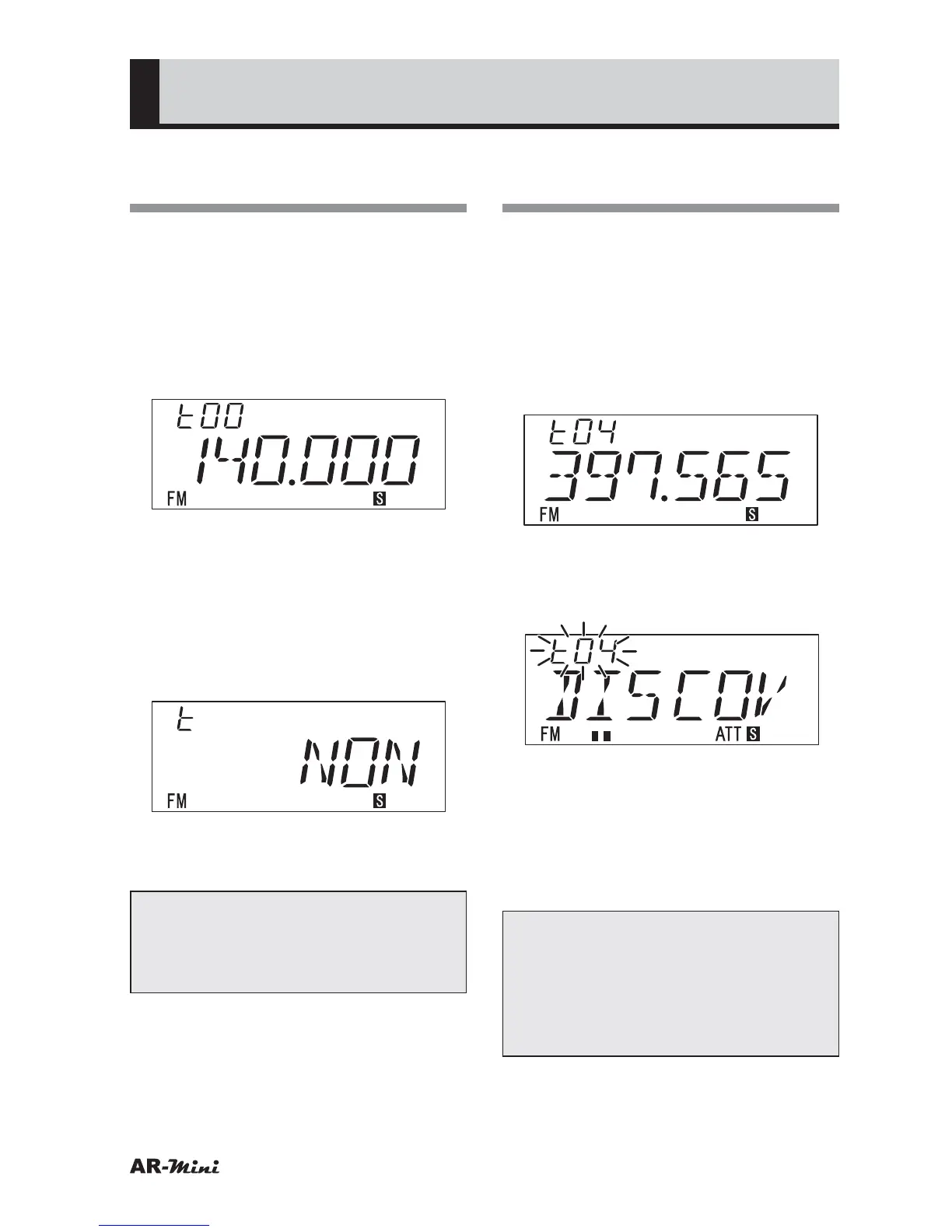
• “t” icon is displayed.
• When a strong signal used in a
wiretap frequency is found, the
frequency will be displayed.
• The received signals are
memorized up to 20, they can be
confirmed by turning knob.
• When no signal is found, “NON” is
displayed.
3
To cancel press the V/M key or dial
knob.
Tips:
To use conveniently this function,
use the set mode number 4 (S-meter
Sensitivity) and 5 (S-meter Buzzer).
Using the Wiretap
Detector Function
This function informs the signal
strength by beep tone.
1
Search the wiretap frequency
as “Searching the Wiretap
Frequency”.
2
Recall the memorized wiretap
frequency by turning the dial knob.
3
Hold down the FUNC key and
press the SCAN key for 2 seconds
or more.
• S-meter sensitivity is set to low and
the attenuator function is set.
4
Press the V/M key to return
displaying wiretap frequency.
5
To return VFO mode, press the dial
knob or V/M key.
Tips:
In step 3. the beep tone is changed
as follows;
Slow pitch beep: Weak signal
Middle pitch beep: Medium strength signal
Fast pitch beep: Strong signal



 To Next Page