SETTING MODE
67
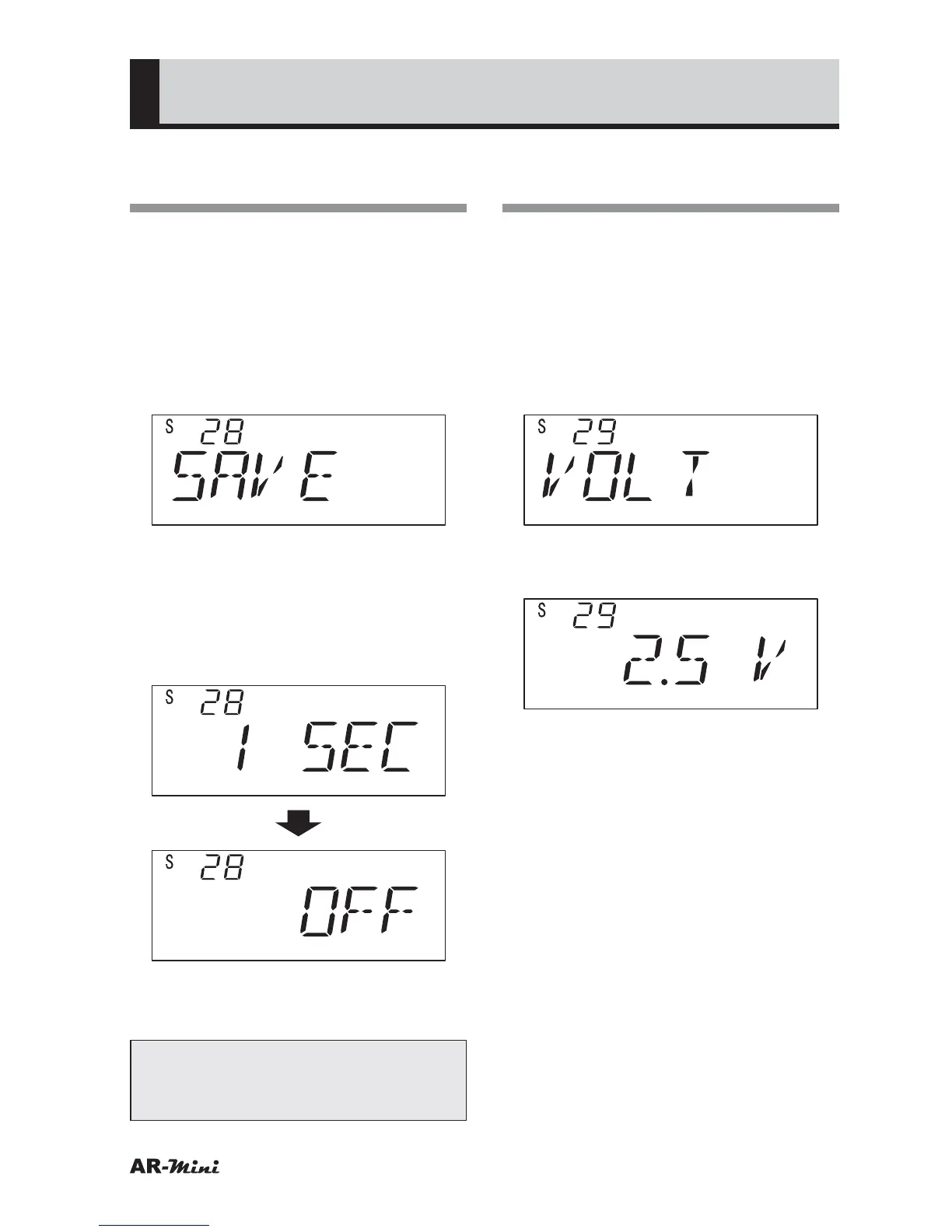
Changing the Battery
Saving Time
This setting is used for changing the
battery saving time.
1
Hold down the FUNC key and
press the dial knob to enter the
setting mode.
2
Turn the dial knob to set the
setting mode number 28.
3
Hold down the FUNC key and turn
the dial knob to set the desired time.
• The Battery save time can be
selected as followings;
1 second, 3 seconds, 5 seconds, 7
seconds, 9 seconds and OFF
4
To return the original display, press
the dial knob or V/M key.
Tips:
In step 3, OFF is selected, the
battery save function is canceled.
Displaying the Battery
Voltage
This setting is used for displaying the
battery voltage.
1
Hold down the FUNC key and
press the dial knob to enter the
setting mode.
2
Turn the dial knob to set the
setting mode number 29.
3
Hold down the FUNC key and dial
knob to display the voltage.
4
Press the dial knob to setting
mode.
5
To return the original display, press
the dial knob or V/M key.



 To Next Page