SETTING MODE
64
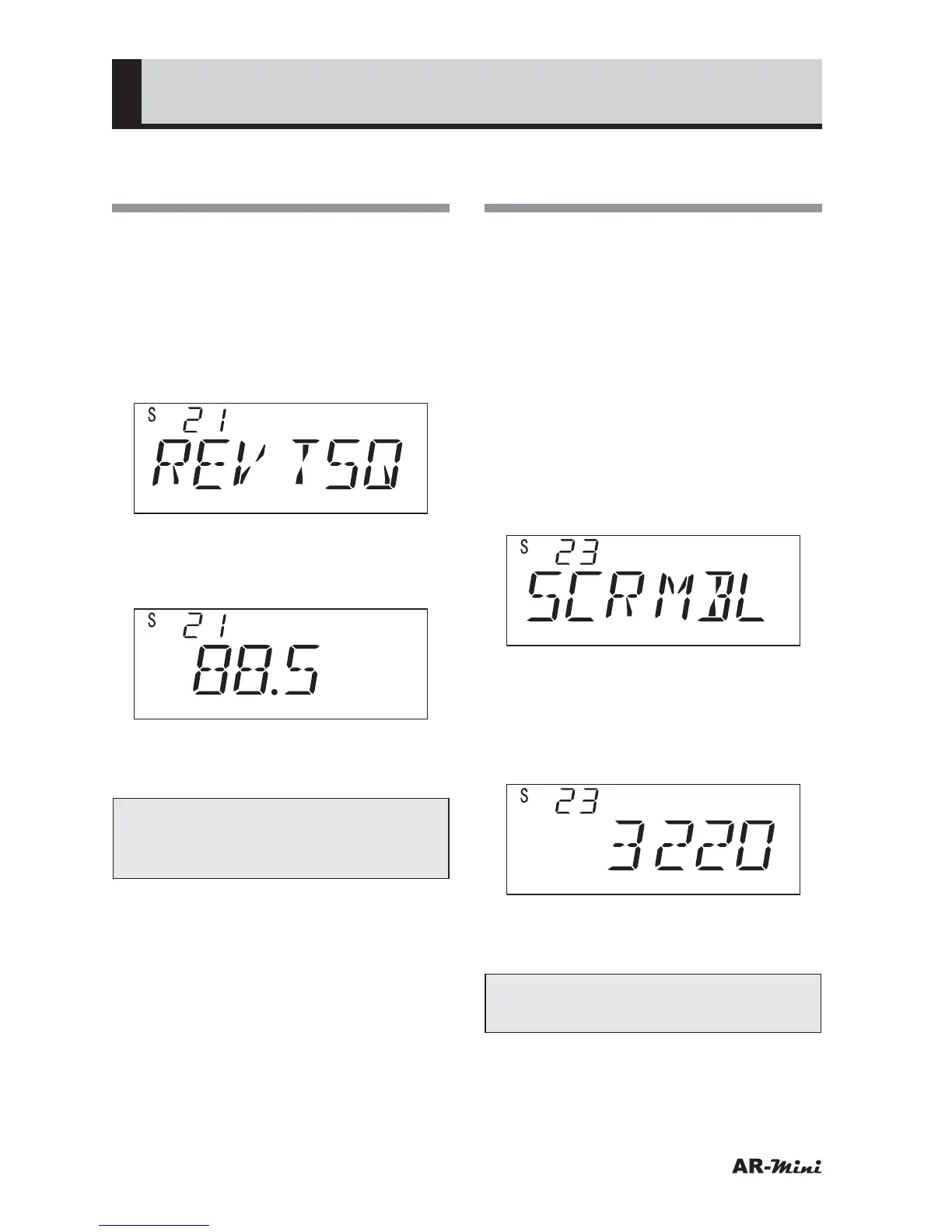
Selecting the Reversed
Tone Frequency
This setting uses to select the reversed
tone frequency.
1
Hold down the FUNC key and
press the dial knob to enter the
setting mode.
2
Turn the dial knob to set the
setting mode number 21.
3
Hold down the FUNC key and turn
the dial knob to select the tone
frequency to be reversed.
4
To return the original display, press
the dial knob or V/M key.
Tips:
This setting is used for selecting
reversed tone frequencies.
Selecting Scrambled
Carrier Frequencies
(Not available for US domestic version)
This setting is used for selecting the
carrier frequencies of scrambled
communications. Carrier frequencies
can be selected so as to be clearly
audible. The carrier frequency is
prepared across 16 signals.
1
Hold down the FUNC key and
press the dial knob to enter the
setting mode.
2
Turn the dial knob to set the
setting mode number 23.
3
Hold down the FUNC key and turn
the dial knob to select the carrier
frequency.
• The carrier frequency can be set as
following table.
4
To return the original display, press
the dial knob or V/M key.
Tips:
See the table of carrier frequencies.



 To Next Page