BASIC OPERATION
28
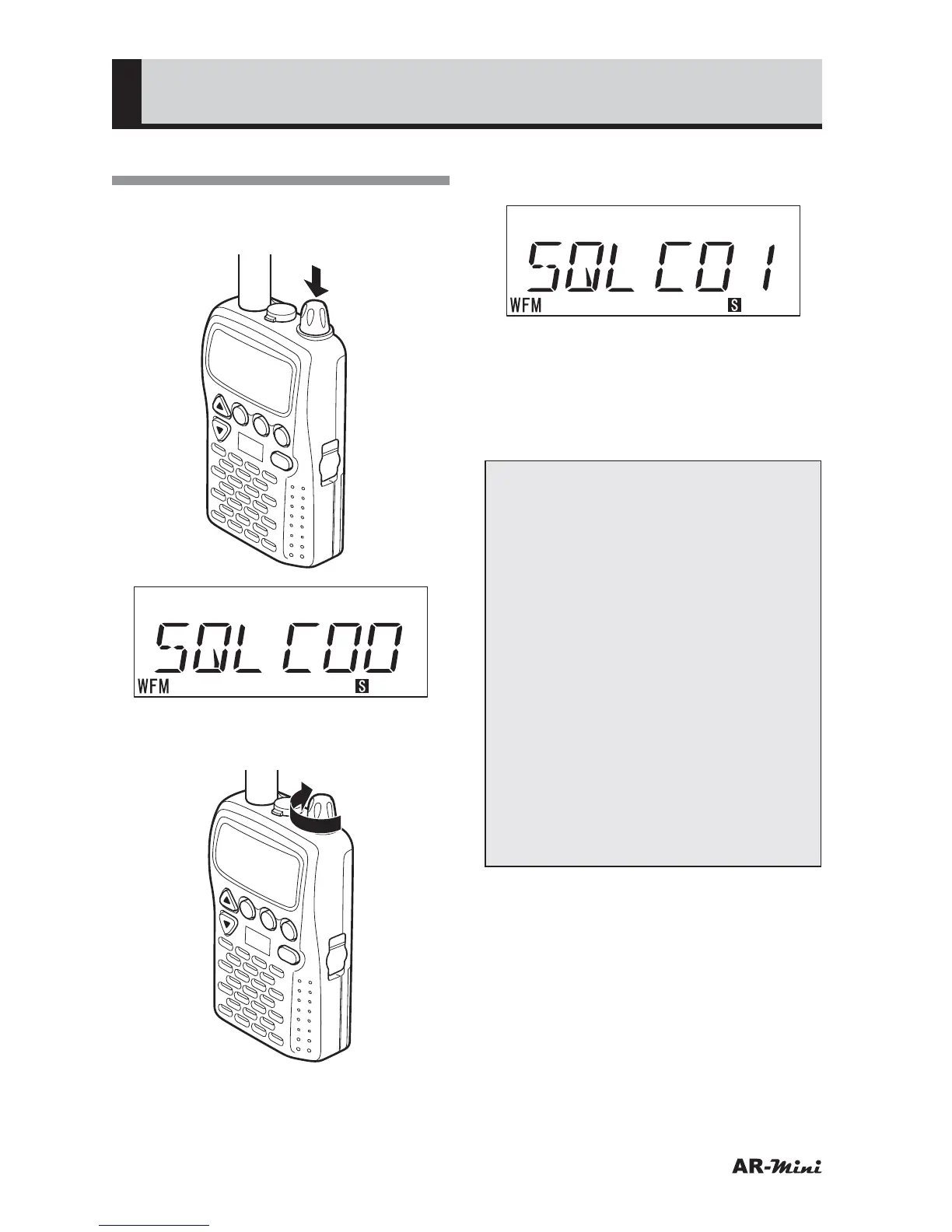
Adjusting the Squelch
1
To adjust the squelch, press the
dial knob twice.
V/M
SCAN
MODE
PWR
ATT
DW
SKIP
COMMUNICATIONS RECEIVER AR-mini
SEL
PW
L.SRCH
TONE
MW
x 2
2
To adjust the squelch, turn the dial
knob clockwise slowly.
V/M
SCAN
MODE
PWR
ATT
DW
SKIP
COMMUNICATIONS RECEIVER AR-mini
SEL
PW
L.SRCH
TONE
MW
3
Stop the dial when no noise is
emitted.
• This position is called “Threshold”.
4
To cancel the squelch temporally,
press and hold the MONI key
• The squelch is cancelled while
holding the MONI key.
Tips:
• The squelch level is changed by
turning the dial knob as follows;
Increase direction (Clockwise)
00
➝ 01 ➝ (01) ➝ 02 ➝ (02) ➝ 03
➝ (03) ➝ 04 ➝ (04) ➝ 05 ➝ (05) ➝
06 ➝ 07 ➝ 08 ➝ 09 ➝ 10
Decrease direction (Counterclockwise)
10 ➝ 09 ➝ 08 ➝ 07 ➝ 06 ➝ 05 ➝
(05) ➝ 04 ➝ (04) ➝ 03 ➝ (03) ➝
02 ➝ (02) ➝ 01 ➝ (01) ➝ 00
Some displayed squelch value is
not changed, however the squelch
level is changed.
• When the squelch volume level is
set at a high level, it may become
impossible to receive weak
signals.



 To Next Page