29
of bandwidth in order to operate. Otherwise the receive system will not produce intelligible sound.
Correct receive mode and IF bandwidth must always be selected for optimum receptio n. If the bandwidth
selection is too narrow, distortion or signa l break-up may occur. If the bandwidth selection is too wide,
adjacent interference may be encountered. For this reason, a selection of IF filter bandwidths are
provided as standard.
Typical examples of receive mode and IF bandwidth are:
200 kHz – VHF FM broadcast
30 kHz, 100 kHz – Wireless microphone, etc. (30 kHz for satellite FAX, too)
15 kHz – PMR, amateur band, etc. FM 6 kHz may also be used
6 kHz – VHF/UHF airband, short wave broadcast, medium & long wave, PMR, etc.
3 kHz – Short wave amateur band, short wave utility such as oceanic airband etc.
500 Hz – Morse code used by radio amateurs and some marine traffic on short wave
An appropriate IF filter is automatically selected when auto mode is selected. However any
combination of IF filter and receive mode is possible in the manual mode. When you have manually
selected an IF filter bandwidth, auto mode will be cancelled, but the receive mode, frequency step, etc
will be retained until they are changed manually.
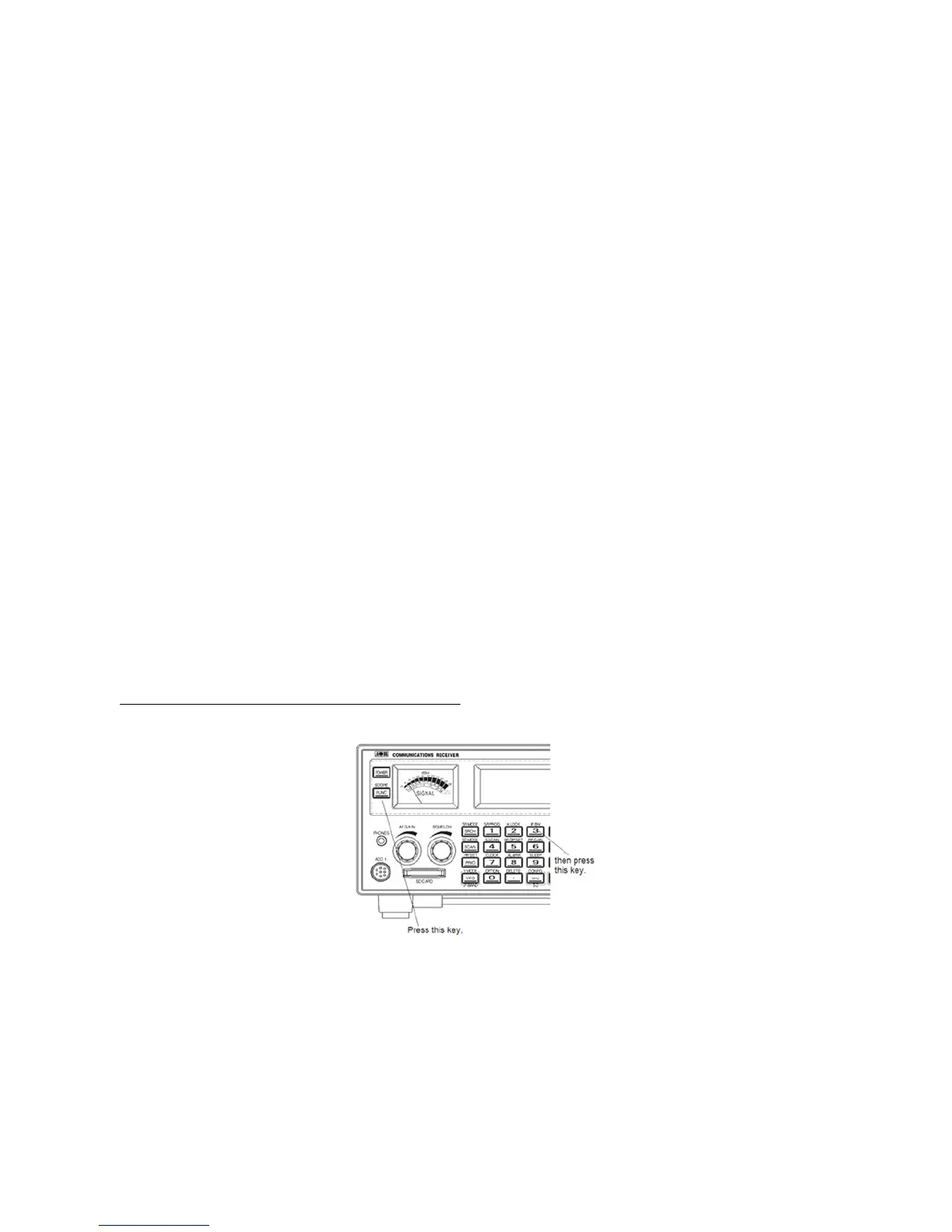
3-8-1 MANUALLY SELECTING IF BANDWIDTH
Press the [FUNC] key, and then press the [3] key.
Select a new bandwidth from the list by rotating the sub dial. To accept the new ba ndwidth selection, press
the [MHz] key.



 To Next Page