41
6. To stop, press any key.
5-3-7 DELETE FILES
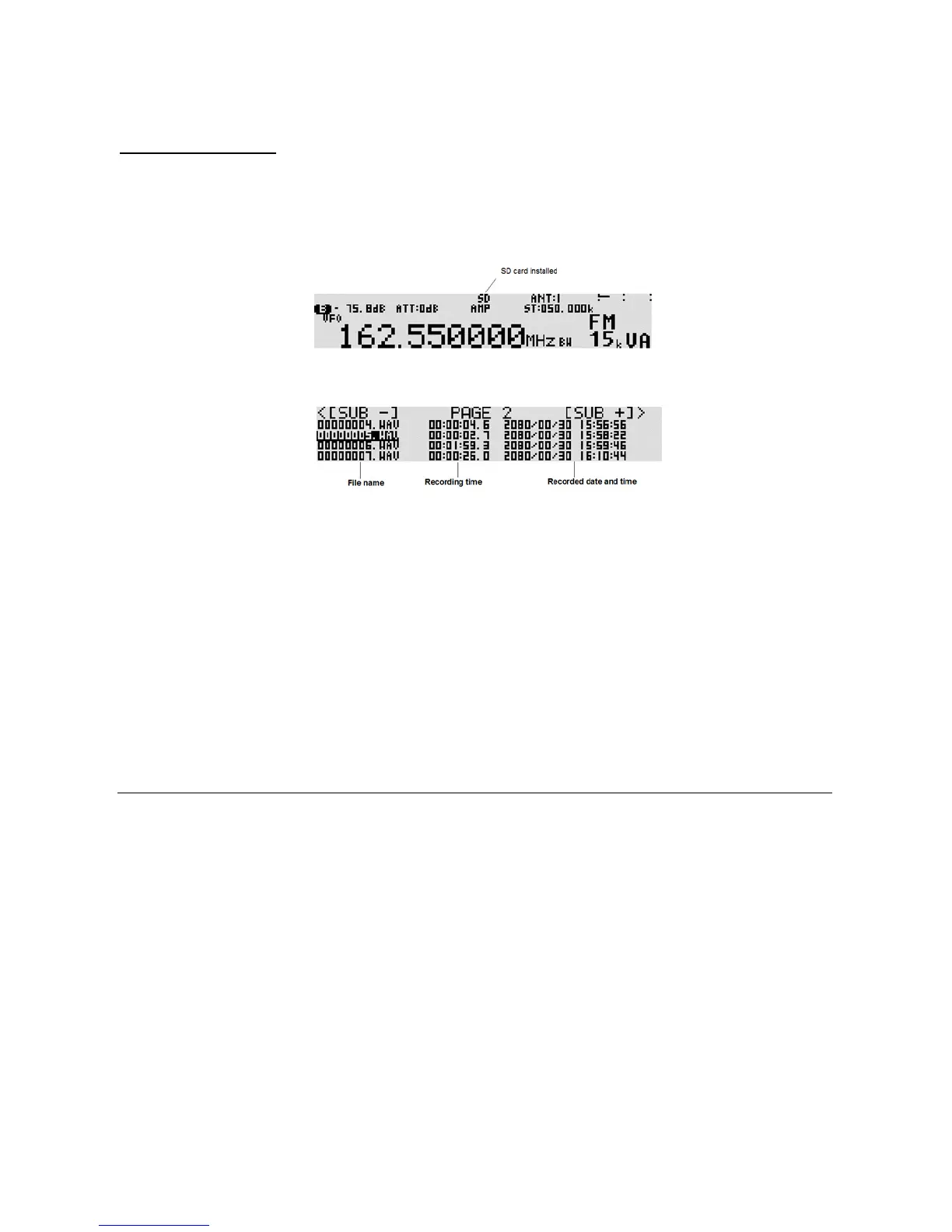
To delete a recorded audio file on the SD memory card, perform the following ste ps:
1. Insert a SD memory card with a printed label upward facing the slot on the front panel until you can
hear a click.
2. Wait until “SD” appears on the top of the LCD.
3. Press the [kHz] key. The file name screen will appear.
4. Use the [UP] key or [DOWN] key to select the file. To select the next page, rotate the sub dial.
5. Press the [FUNC] key, and then press [.] (period) key.
6. To delete the file, press the [MHz] key. To cancel, press the [CLR] key.
6 MEMORY CHANNELS AND BANKS
It is convenient to store commonly used frequencies into a memory channel along with mode etc, as this
saves having to key the data in over and over again. Memory read is very straightforward and
quick when compared to retyping all data.
6-1 MEMORY CHANNEL OVERVIEW
Think of memory channels as pages in a notebook each of which is numbered to identify it. Data may
be written to each new page (memory channel) and each p age may be overwritten with new data, so they
can be used over and over again. The AR5001D has 2,000 memory channels and one
priority channel.
Each memory channel may hold:
One receive frequency
Receive mode
Tuning step
Frequency step adjust
Attenuator setting
Text comment of up to twelve characters



 To Next Page