87
Note
: Depending upon the frequency and mode stored as priority, an audible
click
may be heard when
the priority function is in operation. This is quite normal and is caused by the internal switching of circuitry
necessary to accomplish the frequency change.
11-6-1 CONFIGURING PRIORITY CHANNEL
Once activated, the frequency is periodically checked for activity based on the preset period set by
the configuration menu.
To configure the priority function, perform the following steps:
(Example): Select memory bank 1, memory channel 30, priority sampling interval 10 seconds
1. Press the [
FUNC
] key, and then press the [
PRIO
] key.
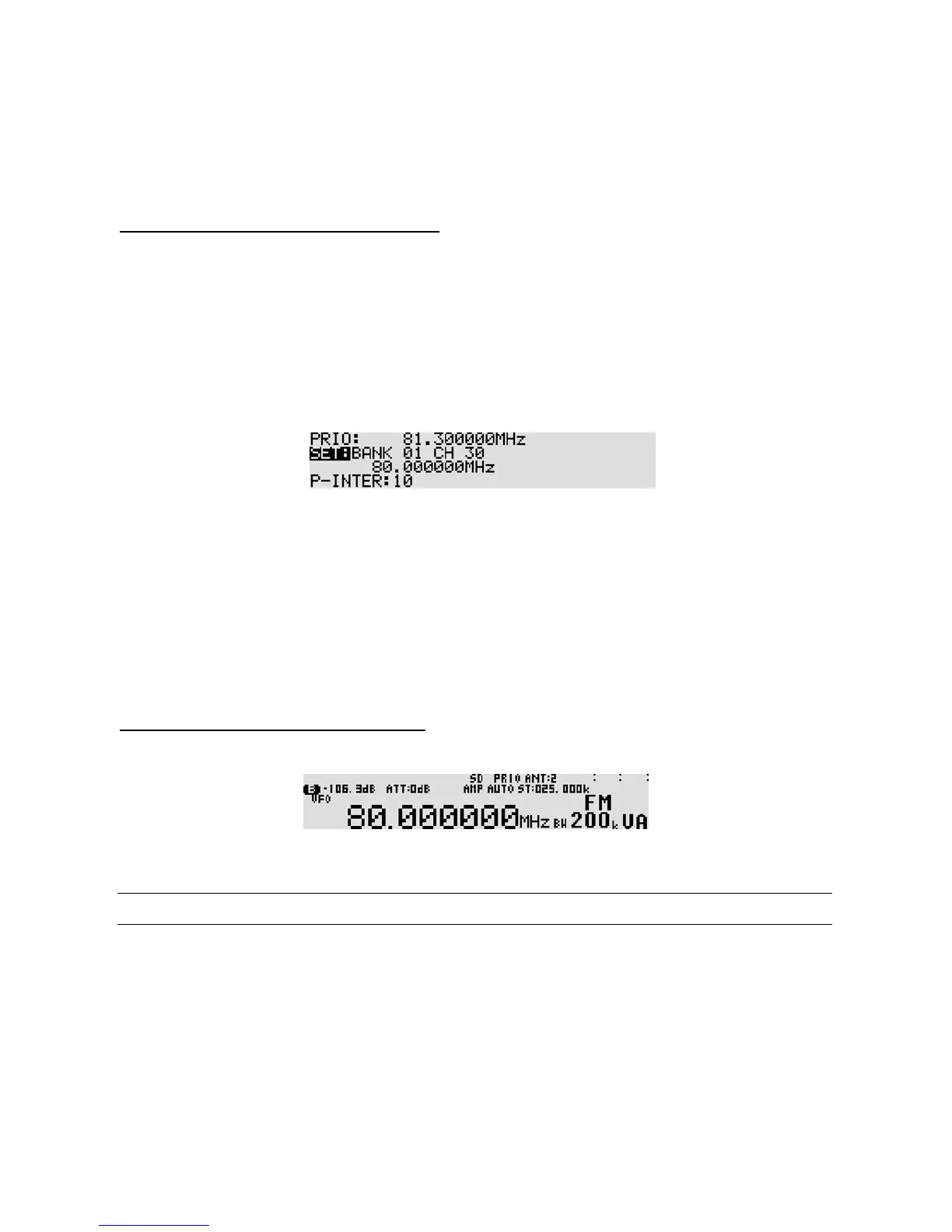
The priority channel configuration menu appears.
2. Rotate the sub dial to select the memory bank. (Select 1 on this example.)
3. Rotate the main dial to select the memory channel. (Select 30 on this example.)
4. Press the [
DOWN
] key to select “P-INTER” in reverse contrast.
5. Rotate the sub dial to select the desired time from the range of 1 ~ 60 seconds. (Selec t 10 on
this example.)
6. Press the [
MHz
] key to accept the entry and return to a standard display.
Alternatively, press the [
CLR
] key to abort entry.
11-6-2 ACTIVAT ING PRIORITY FUNCTION
To activate the priority function, pres s the [
PRIO
] key. “PRIO” will be displayed on the top of the LCD.
To de-activate the function, press the [
PRIO
] key again.
11-7 RF GAIN CONTROL
It is possible to configure the squelch control to function as RF gain control by pressing the [
FUNC
] key,
and then pressing the [
6
] key.
The RF gain control reduces the level of amplification applied to the receiver’s circuits. This has the effect
of reducing the sensitivity of the receiver.



 To Next Page