27
AIQ – Analog IQ for DRM
New digital communication format for SW (Shortwave) broadcast.
Proper software and external hardware are required to decode DRM (not included).
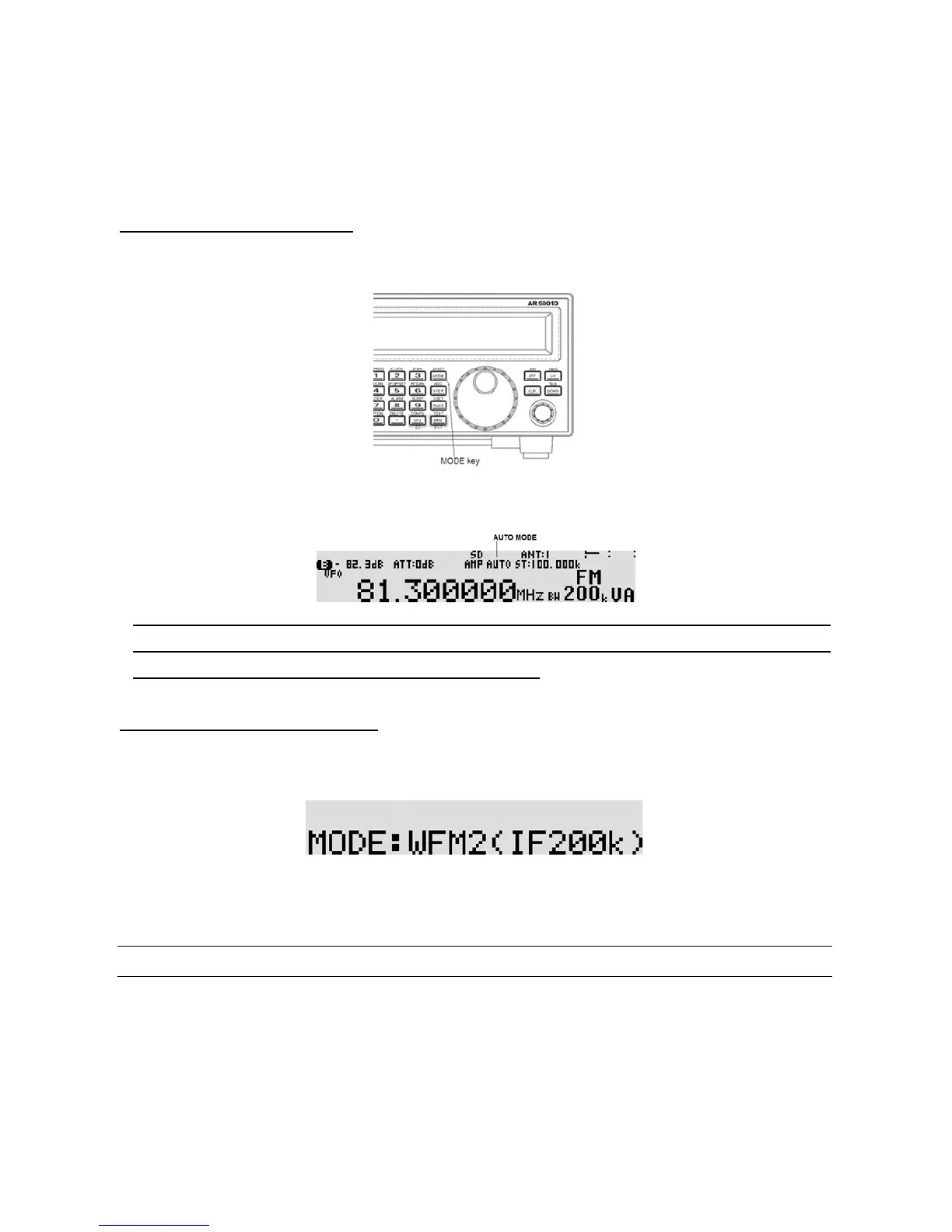
3-6-1 AUTO MODE SELECTION
When in auto mode, the receive mode and tuning step size are automatically selected for you by the
AR5001D microprocessor.
To activate auto mode or reconfirm its s election while in VFO mode, press and hold the [MODE] key for
two seconds. “AUTO” will appears above the frequency portion of the LCD.
Note: Auto-mode is cancelled as so on as the receive mode, tuning step or other related data are
changed. Remember that auto-STEP and auto-MODE are linked, reselect AUTO MODE if either have
been adjusted and you require the auto band plan selection.
3-6-2 RECEIVE MODE SELECTION
Any receive mode may be selected at any frequency within the receiver’s frequency coverage.
To access the rece ive mode menu, press the [MODE] key.
The following modes are available:
FM stereo, FM, NFM, SFM, WAM, AM, NAM, SAM, USB, LSB, CW, ISB, and AIQ.
Use the sub dial to select the desired mode. To accept the selection, press the [MHz] key.
3-7 CHANGING THE FREQUENCY STEP
The specification for channel occupancy, step (separation) and mode are decided by and allocated by the
Departments of Governments following international discussions.
The allocation of frequency bands are not the same all over the world and channel separation (step)
varies from band to band. As an example, the channel separation (step) for the MW (medium wave) band



 To Next Page