46
(empty) will be ignored and skipped.
7-3 SELECTING A SCAN BANK
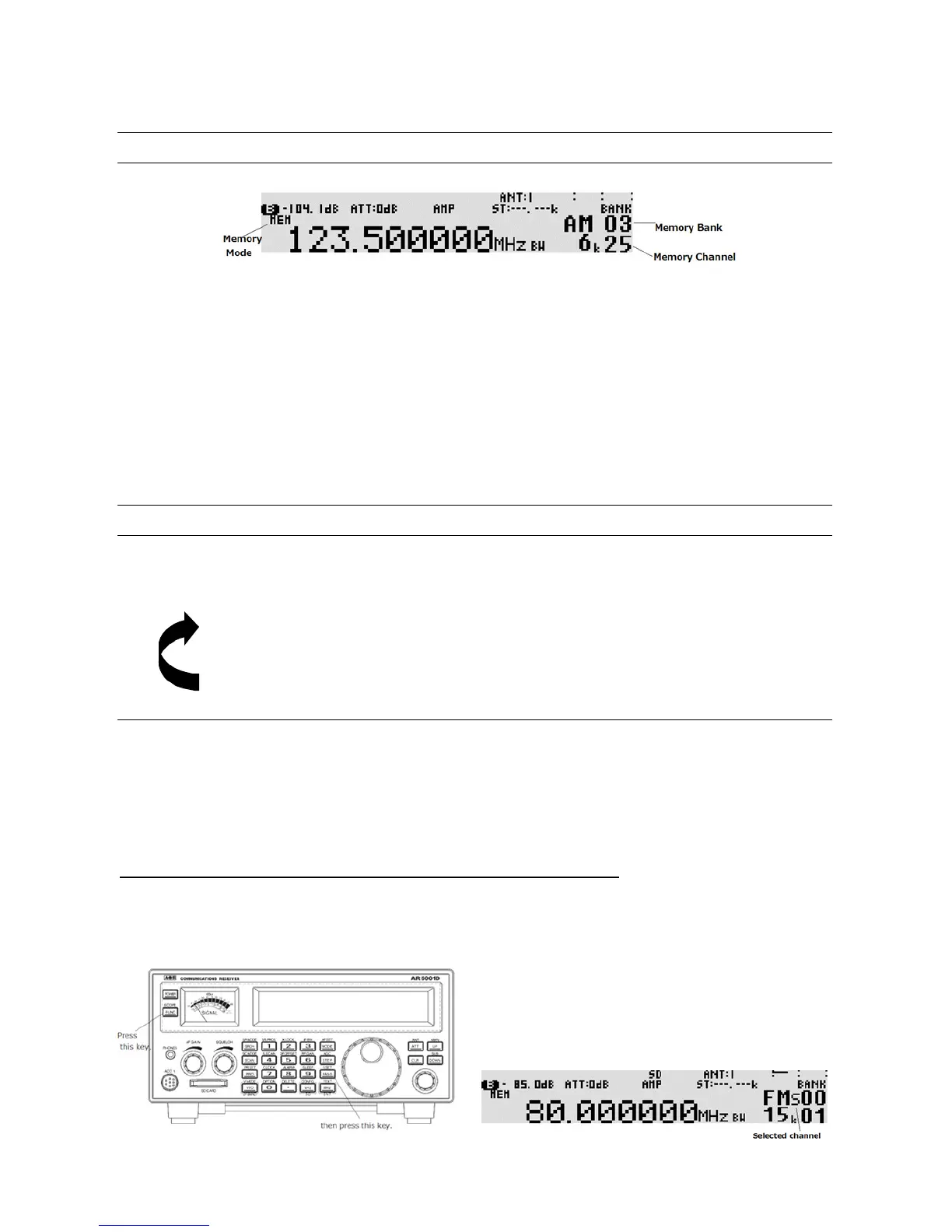
The memory bank identifier (such as “03”) will be displayed on the middle right of the LCD.
If more than one memory channel is programmed into the current memory bank, and when an ‘active’
channel has been located (busy, so the squelch opens), the scan process will temporarily pause on the
active channel. The memory location (such as “25”) will be displayed along with any accompanying text.
To select another memory bank for scanning, rotate the sub dial or enter the two digits of the memory
bank number from the numeric keypad.
To exit from scan mo de, press the [VFO] key.
7-4 DISPLAYING A MEMORY CHANNEL TEXT
To display a me mory channel text, press the [FUNC] key and then press the [MHz] key.
Each time the above step is performed, the display contents change as follows:
1. Text only
2. Text and frequency
3. Frequency only (normal display)
7-5 SELECT SCAN
Select scan enables you to ‘tag’ memory channels to make a temporary list up to 100 channels in the
same memory bank for scanning in a separate list called the select scan list. The selected memory
channels in the select scan list will be received even though they are set to be passed (skipped).
7-5-1 ADDING SELECT SCAN CHANNELS IN MEMORY READ MODE
In memory read mode, press the [FUNC] key, and then press the [PASS] key to toggle the select scan
tag on/off. “S” appears on the left of the memory bank of the LCD.



 To Next Page