51
To set the voice scan parameter, perform the following steps:
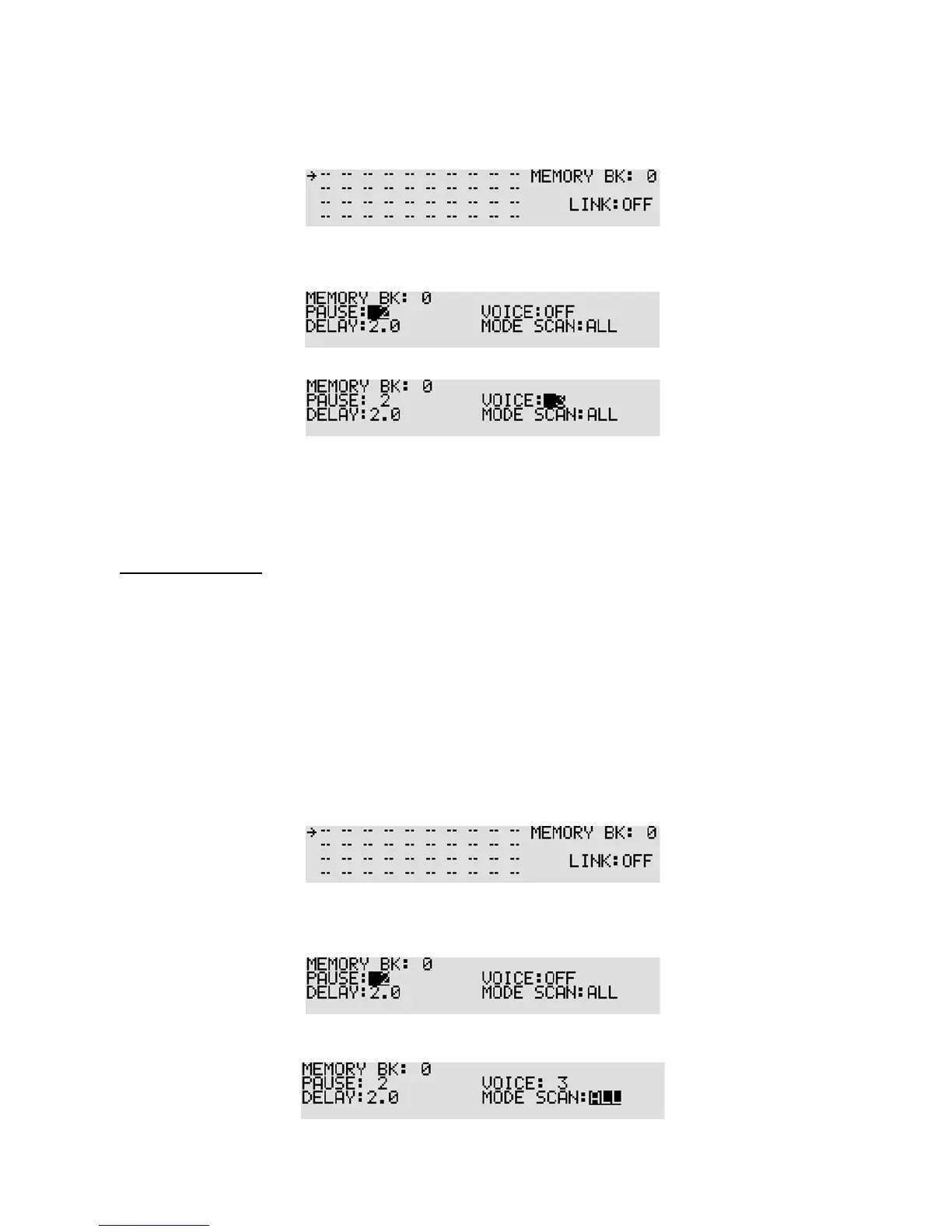
1. Press the [FUNC] key, and then press the [SCAN] key. The bank link screen will appear.
2. Select the bank link group number, and then press the [DOWN] key.
The pause setting screen will ap pear.
3. Press the [DOWN] key twice to select
“VOICE:” parameter in reverse contrast.
4. Rotate the sub dial to set voice scan parameter (between 1 ~ 7 or off). To set scan pause to off,
press the [PASS] key or enter “0” from the numeric keypad.
5. To confirm entry, press the [MHz] key. To set other parameters, press the [DOWN] key.
7-7-5 MODE SCAN
The mode scan parameter determines whether all specified memory channels will be scanned or only
those of a certain receive mode.
This function can be very useful if, for example, you have a mixture of VHF AM airband frequencies in a
memory bank along with VHF NFM marine. Rather than having to scan all channels or lockout (pass)
certain channels, a specific receive mode only can be quickly selected and scanned.
To set the mode scan parameter, perform the following steps:
1. Press the [FUNC] key, and then press the [SCAN] key. The bank link screen will appear.
2. Select the bank link group number, and then press the [DOWN] key.
The pause setting screen will ap pear.
3. Press the [DOWN] key three times to select “MODE SCAN:” parameter in reverse contrast.



 To Next Page