21
DOWN - SUB
In VFO mode, press this key to change the displayed frequency to be incremented in a downward
direction by one step.
In VFO mode, press and hold this key for two seconds to activate frequency search.
In memory read mode, press and hold this key for two seconds to activate scan.
In memory text input mode, this key will move the cursor to the next space.
In dual band/dual frequency mode, press the [FUNC] key, and then press and hold this key to activate
the audio level balance adjust menu for the sub band.
3 GETTING STARTED
3-1 MAK ING THE AR5001D READY FOR OPERATION
3-1-1 CONNECT THE ANTENNA
There are two N antenna connectors on the rear panel:
ANT 1 for frequencies between 25MHz and 3.15GHz.
ANT 2 for frequencies between 40kHz and 3.15GHz.
3-1-2 CONNECT POWER
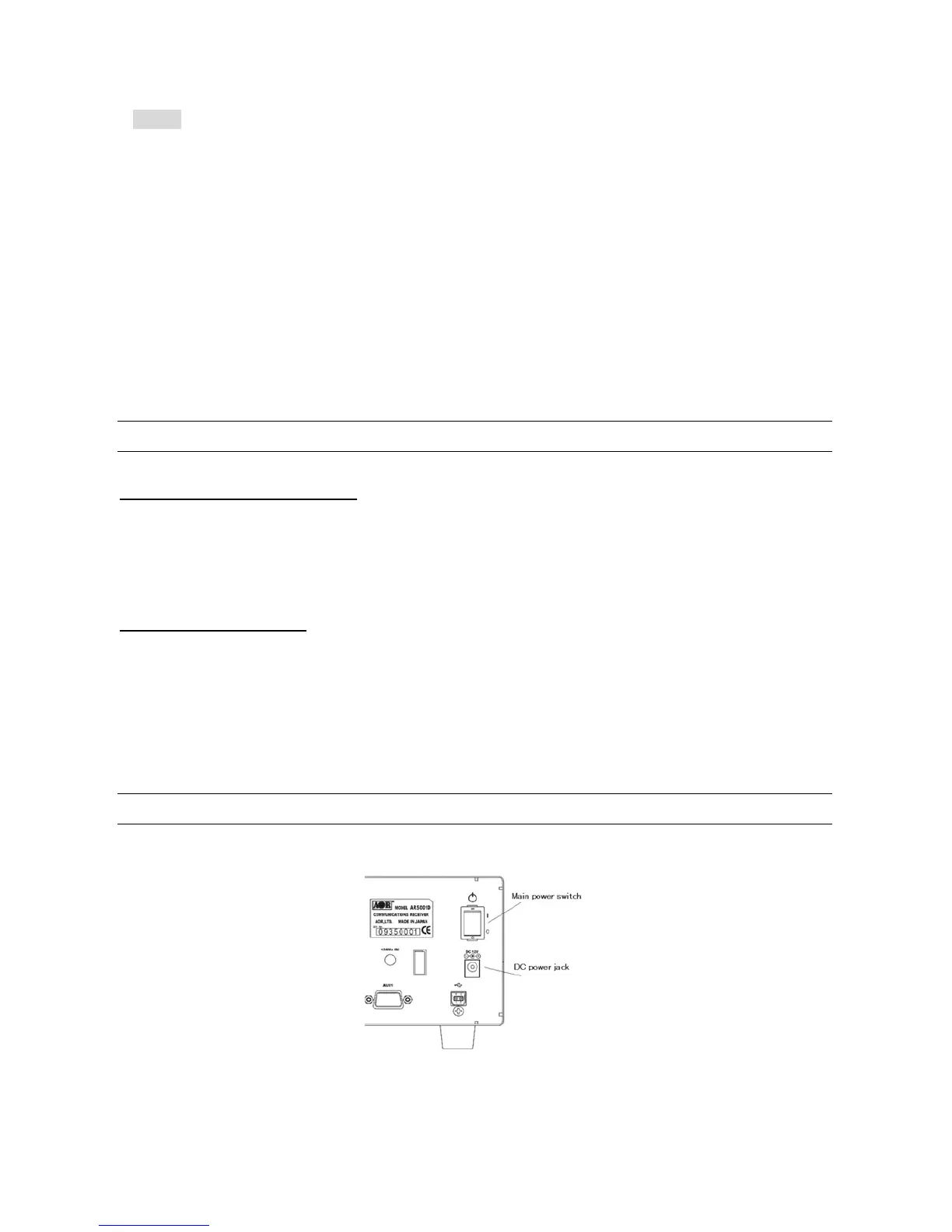
Connect the power to the DC power jack on the rear panel of the AR500 1D.
A supplied AC power adapter or a regulated DC power supply (10.7 ~ 16.0V with capacity 2A) may be
used.
Do not connect to a 24V system.
3-2 SWITCHING ON FOR THE FIRST TIME
Turn on the power switch on the rear panel of the AR5001D. This is the main powe r switch.
The clock will be displayed on the LCD.



 To Next Page