81
11-4-2 HF (HIGH PASS FILTER)
The audio high pass filter limits the audio base response improving intelligibility in certain circumstances.
There are three available selections for cut off frequencies: 0.3 kHz, 0.6 kHz, and THRU.
The high pass filter is automatically selected according to the IF bandwidth.
frequency
IF bandwidth: More than 30
To select high pass filter c ut off frequency, perform the fo llowing steps:
1. Press the [
FUNC
] key, and then press the [
MODE
] key.
2. Press the [
DOWN
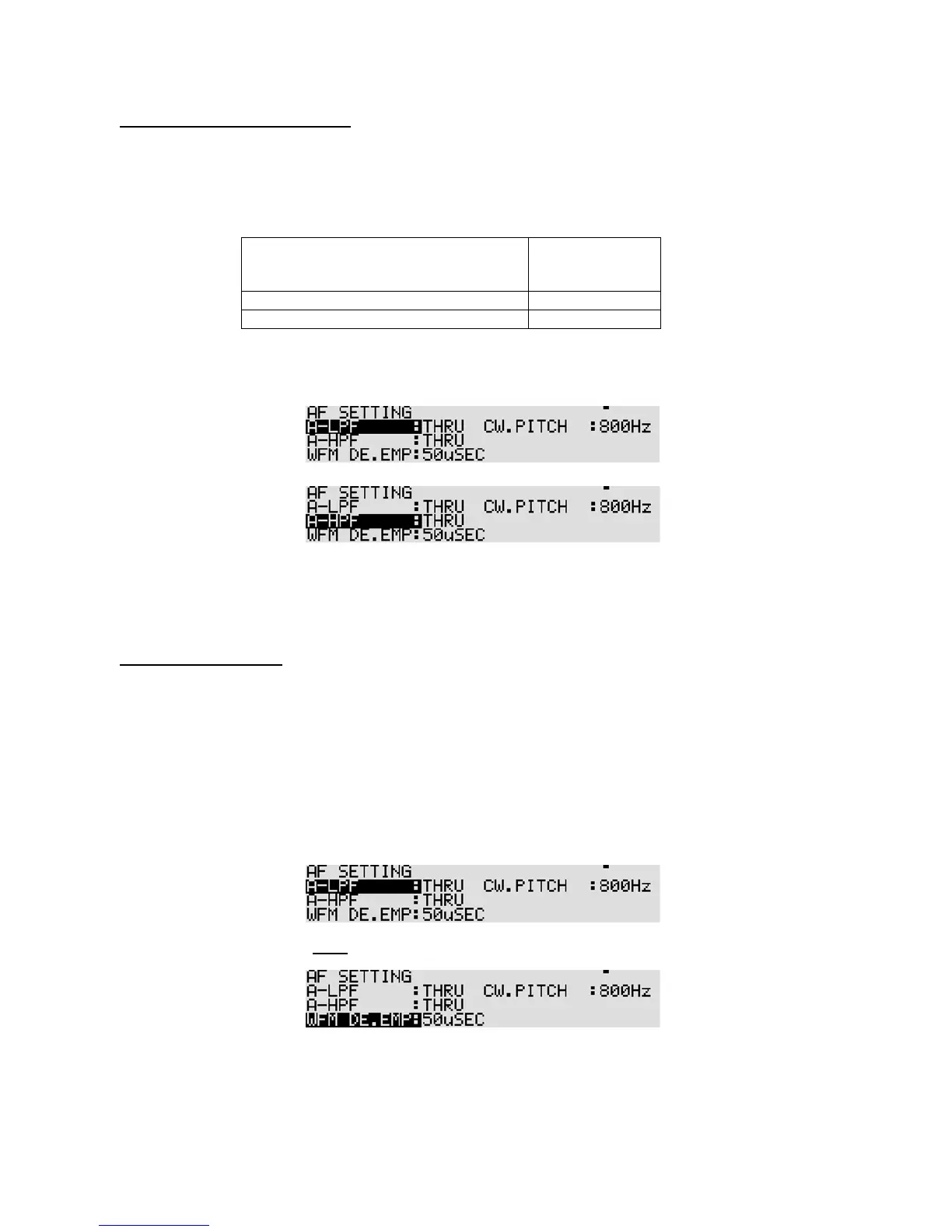
] key to select “A-HPF” in reverse format.
3. Rotate the sub dial to select the desired cut off frequency.
4. Press the [
MHz
] key to accept the entry and return to a standard display.
Alternatively, press the [
CLR
] key to abort entry.
11-4-3 DE-EMPHASIS
The audio de-emphasis is only applicable to WFM mode and affects the sharpness of recovered audio.
The value of de-emphasis varies from country to country.
There are two available selections for audio de-emphasis of value: 50 uS, and 75 uS.
To select audio de-emphasis value, perform the following steps:
1. Press the [
FUNC
] key, and then press the [
MODE
] key.
2. Press the [
DOWN
] key twice to select “W. FM DE. EMP” in reverse format.
3. Rotate the sub dial to select the desired de-emphasis value.
4. Press the [
MHz
] key to accept the entry and return to a standard display.
Alternatively, press the [
CLR
] key to abort entry.



 To Next Page