55
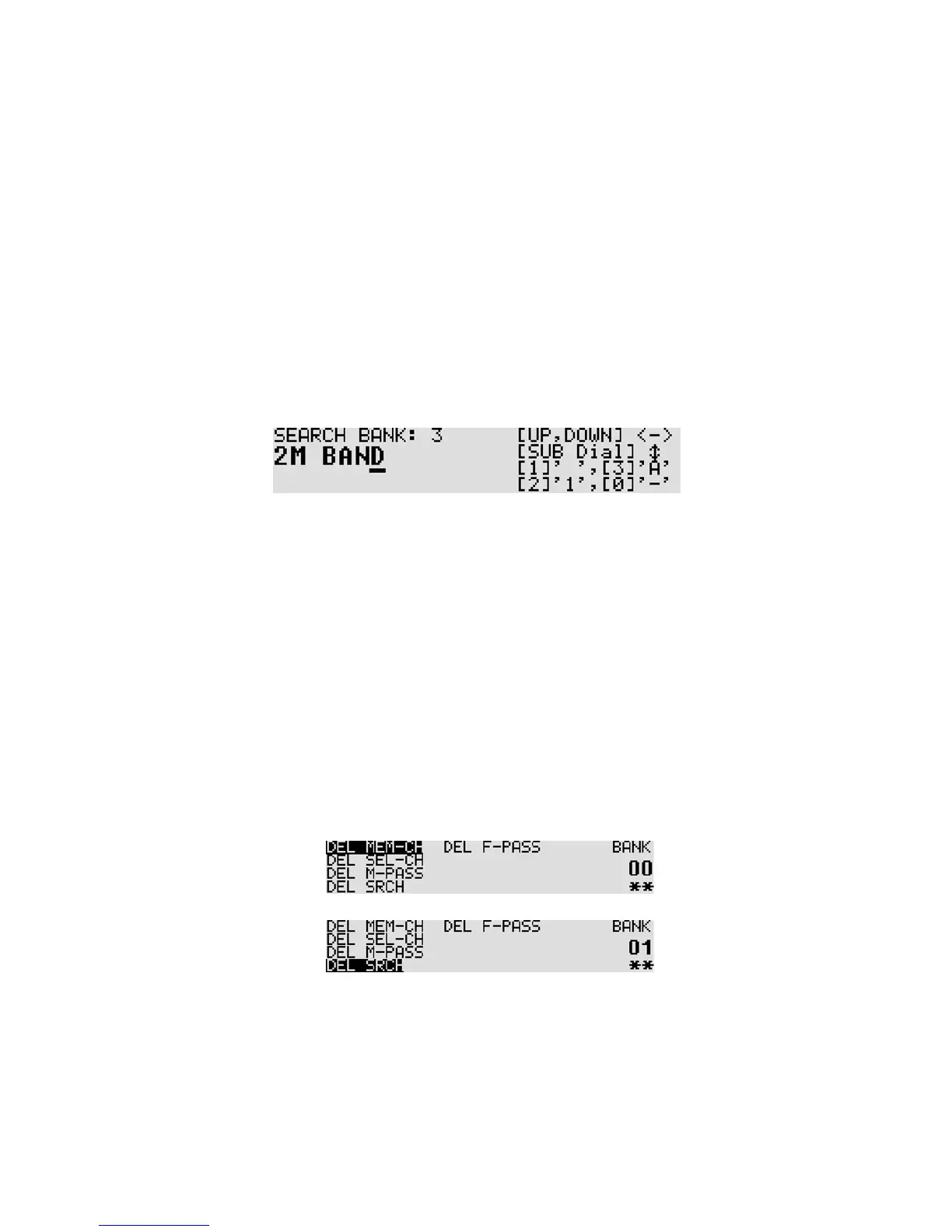
8. For example, enter “2M BAND” as a search bank text.
To enter “2”, press the [2] key and rotate the sub dial clockwise for one click.
Then press the [UP] key.
To enter “M”, press the [4] key and then press the [UP] key.
To enter “ “ (space), press the [1] key and then press the [UP] key.
To enter “B”, press the [3] key and rotate the sub dial clockwise for 3 clicks.
Then press the [UP] key.
To enter “A”, press the [3] key and then press the [UP] key.
To enter “N”, press the [4] key and rotate the sub dial clockwise for 1 click.
Then press the [UP] key.
To enter “D”, press the [3] key and rotate the sub dial clockwise for 3 clicks.
To accept data entry, press the [MHz] key.
[Key assignment for text input]
[1]: “ “ (space) [2]: “1” [3]: “A” [4]: “M” [5]: “z” [6]: “9” [0]: “-“
(Example: Press the [3] key and rotate the sub dial clockwise.
The character will change as A B C D ----.)
[UP] key: Move the cursor rightward [DOWN] key: Move the cursor leftward
8-1-2-7 DELETING SEARCH BANKS
A delete menu is provided so that you can delete program search data (of course you may simply
overwrite the data, too).
To delete search bank, perform the following ste ps:
1. Press the [FUNC] key, and then press and hold the [.] key for two seconds.
The following delete menu will appear with the “DEL MEM-CH” in reverse contrast.
2. Press the [DOWN] key to move the cursor downward. Select “DEL SRCH” in reverse contrast.
3. Rotate the sub dial to select the search bank. When the search bank has registered frequencies,
“**” will be displayed on the bottom right corner of the LCD. If there is no registered frequency,
“- -“ will appear. When “v” is appeared on the bank number, then it indicates the VFO search
pass frequencies.



 To Next Page