82
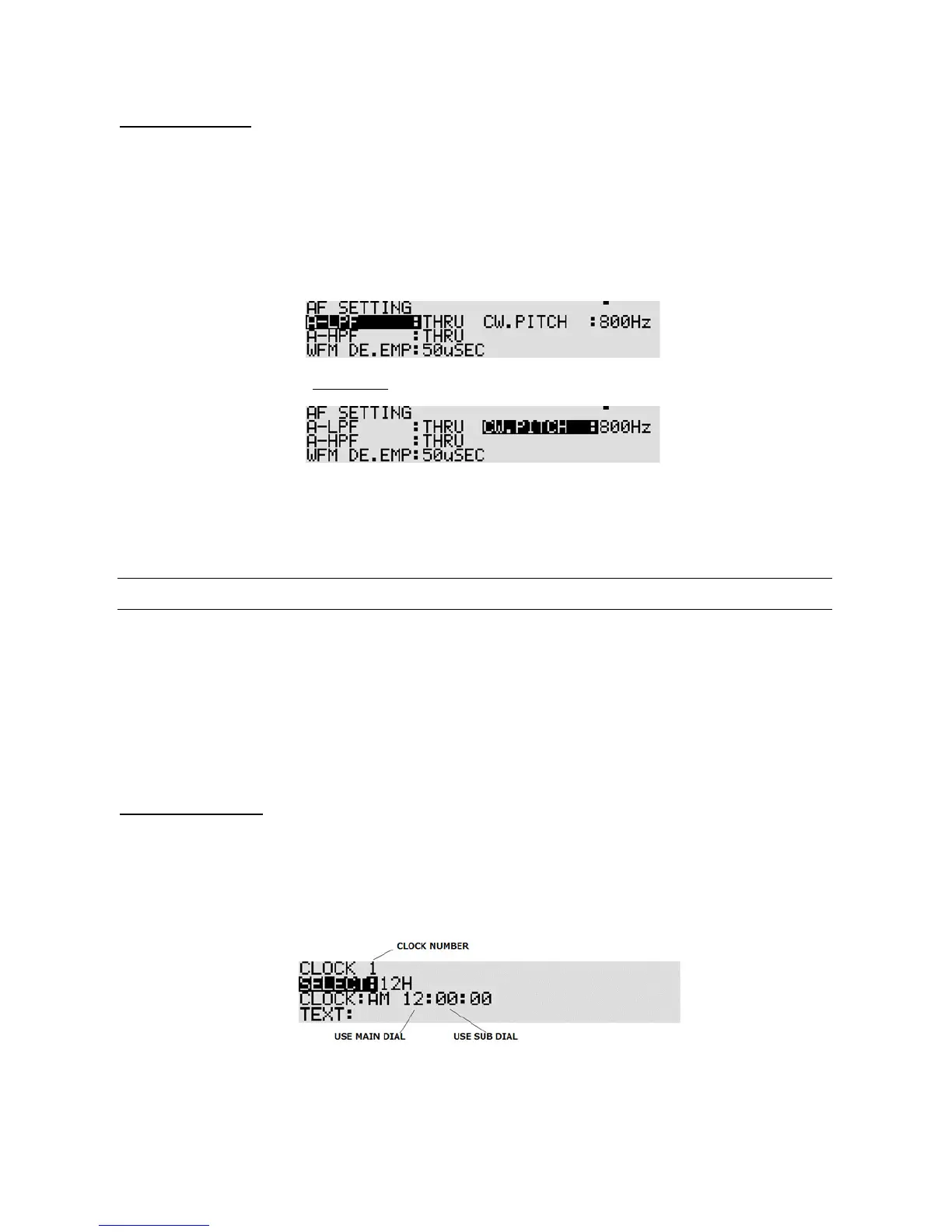
11-4-4 CW PIT CH
Comfortable listening to CW is usually centered around a tone of 700 Hz to 800 Hz. However, the center
frequency may be changed according to personal preferences. The selectable range is between
300 Hz ~ 1100 Hz in 50 Hz step. Note this function is available only in CW mode.
To select the CW p itch frequency, perform the following steps:
1. Press the [
FUNC
] key, and then press the [
MODE
] key.
2. Press the [
DOWN
] key three times to select “CW.PITCH” in reverse format.
3. Rotate the sub dial to select the desired CW pitch frequency.
4. Press the [
MHz
] key to accept the entry and return to a standard display.
Alternatively, press the [
CLR
] key to abort entry.
11-5 CLOCK
The AR5001D is equipped with two independent real time clocks capable of either 12 H/ 24 H format
displaying hours, minutes, and seconds. Each clock can also display a three character text comment
for identification.
When the AR5001D is switched off, but power is still connected, the clock is displayed on the LCD
without back illumination.
11-5-1 INITIAL SET
To access the clock set menu, perform the following steps:
11-5-1-1 CLOCK 1
1. Press the [
FUNC
] key, and then press and hold the [
7
] key for two seconds.
2. Rotate the sub dial to select either 12H or 24H. This selection affects both clocks.
3. Press the [
DOWN
] key to select “CLOCK” in reverse format.



 To Next Page