32
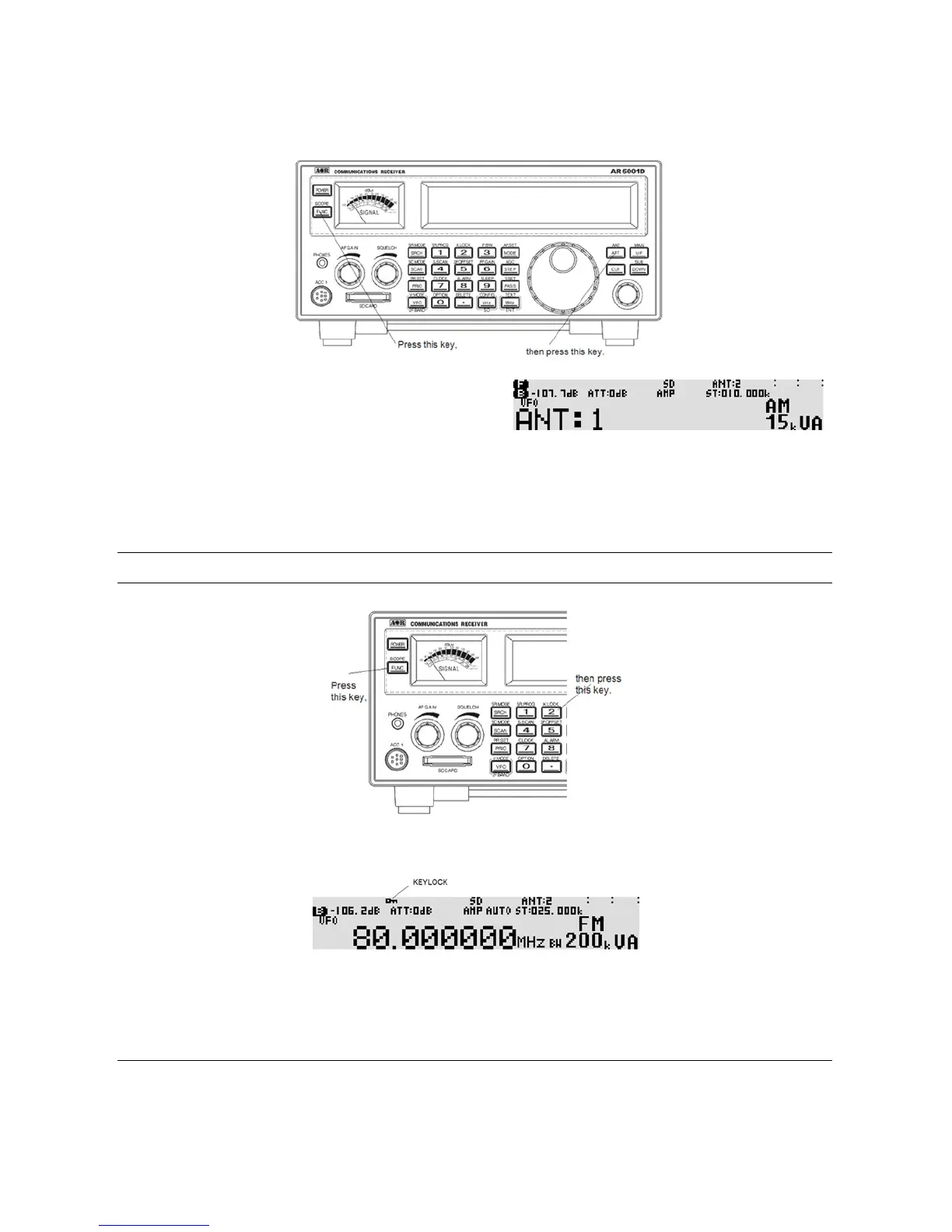
Press the [FUNC] key, and then press the [ATT] key to activate the antenna input selection menu.
The menu has a selection of 1, 2, 3, 4, and PRG.
Rotate the sub dial to select the desired antenna input.
When PRG is selected and programmed, the antenna input will be automatically selected according to the
receive frequency. If not programmed, the antenna 1 is selected.
4-5 KEYLOCK
Press the [FUNC] key, and press the [2] key to activate the key lock function.
While activated, all front panel keys except the [FUNC] key, and [POWER] key are disabled to prevent
accidental misoperation of the receiver. However, the volume and squelch controls remain operative.
5 ADVANCED FUNCTIONS
5-1 SPECTRUM DISPLAY
The AR5001D has a spectrum display function.
The frequency span can be selected between 0.4 MHz ~ 10 MHz.



 To Next Page