38
6. Press the [MHz] key to exit from this screen.
7. Press the [CLR] key to exit the configuration menu.
5-3-3 READ DATA FROM SD CARD
To read memory contents of the AR5001D on the SD memory card, perform the following steps:
1. Insert a SD memory card with a printed label upward facing the slot on the front pane l until you can
hear a click.
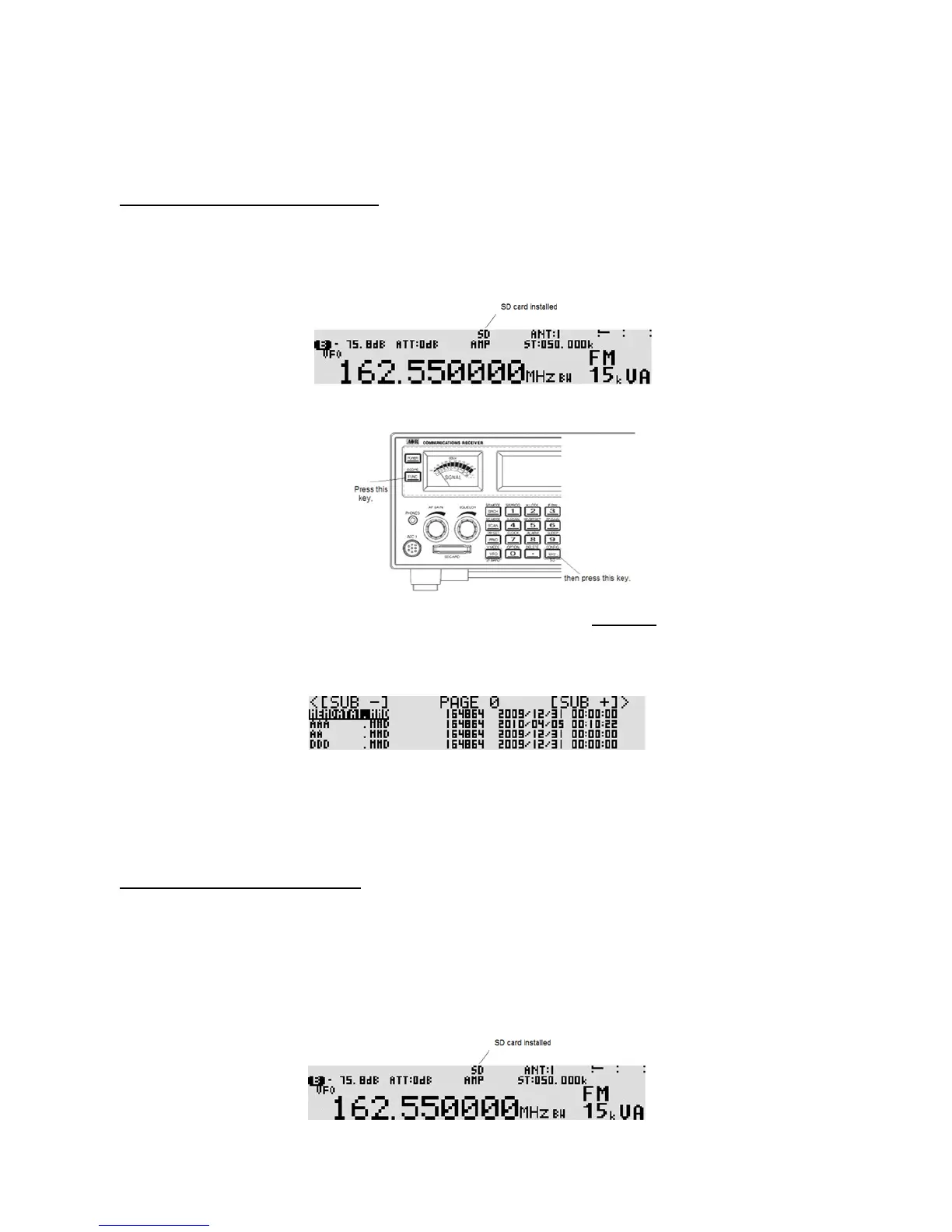
2. Wait until “SD” appears on the top of the LCD.
3. Press the [FUNC] key, and then press the [kHz] key.
4. When the configuration menu is displayed, press the [UP] key five times to select “READ FROM
SD” in reverse contrast.
5. Press the [MHz] key. The file list screen appears. (No file list will be displayed for the first time.)
6. Use the [UP] key or [DOWN] key to select the file. To select the next page, rotate the sub dial.
7. Press the [MHz] key. (An “SD CARD ERROR” message will be displayed if there is no file.)
8. After reading from the file, the LCD will display the original screen.
5-3-4 WRITE DATA TO SD CARD
To write memory channel or search bank contents of the AR5001D to the SD memory card, perform the
following steps:
1. Insert a SD memory card with a printed label upward facing the slot on the front panel until you can
hear a click.
2. Wait until “SD” appears on the top of the LCD.



 To Next Page