56
4. Press the [PASS] key to delete.
5. Press the [MHz] to exit from this menu.
8-1-2-8 LOCKING OUT UNWANTED ACTIVE FREQUENCIES (PASS)
It is possible to lock out (pass) unwanted frequencies while in the program search mode. This is
useful to eliminate unwanted permanent transmissions . Up to 30 pass frequencies can be registered
for each search bank. A total of 1200 pass frequencies can be registered in the AR5001D. It is
important to understand the pass function before taking action or transmissions may be missed.
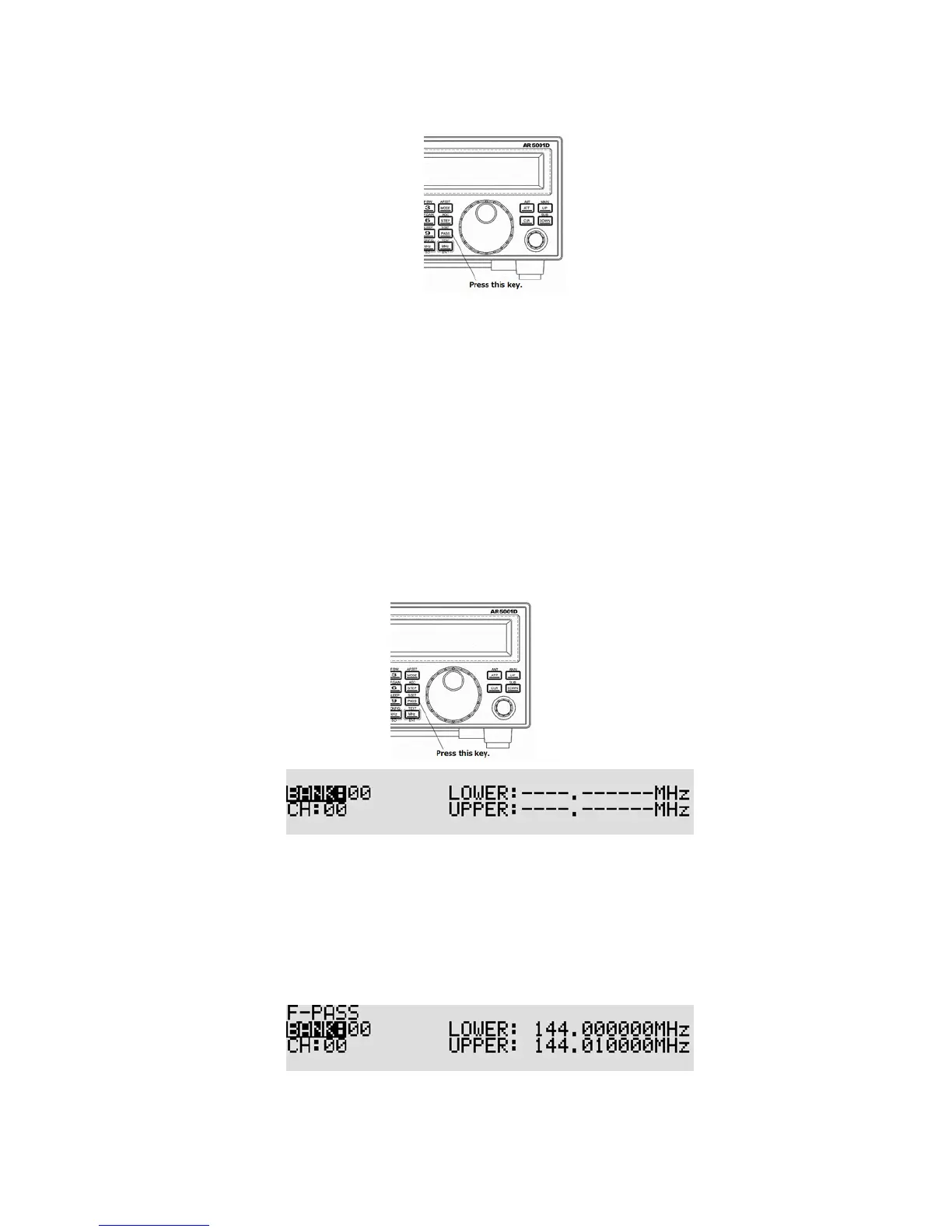
While stopped on unwanted frequency, press the [PASS] key.
To enter or add program search pass frequencies , perform the following ste ps:
1. Press and hold the [PASS] key for two seconds.
2. The search pass menu appears.
3. Rotate the sub dial to select the search pass bank.
4. Press the [DOWN] key.
5. Rotate the sub dial to select the channel.
6. Enter the lower limit frequency from the numeric keypad.
7. Enter the upper limit frequency from the numeric keypad.
If there is an entry error, press the [PASS] key.
8. To accept data entry, press the [MHz] key.



 To Next Page