69
7. Formatting will start.
9-12 CONFIGURE VERSION
To display the c urrent firmware version of the AR5001D, perform the following steps:
1. Press the [FUNC] key, and then press the [kHz] key.
2. Press the [UP] key three times to select “VERSION” in reverse contrast.
3. Press the [MHz] key to d isplay the current firmware version of the receiver.
(Note: Version may vary.)
4. Press any key to return to a standard display.
9-13 CONFIGURE INITIALIZE (RESET)
Initializing the AR5001D will return it to the original factory defa ult settings and all memory contents will be
deleted.
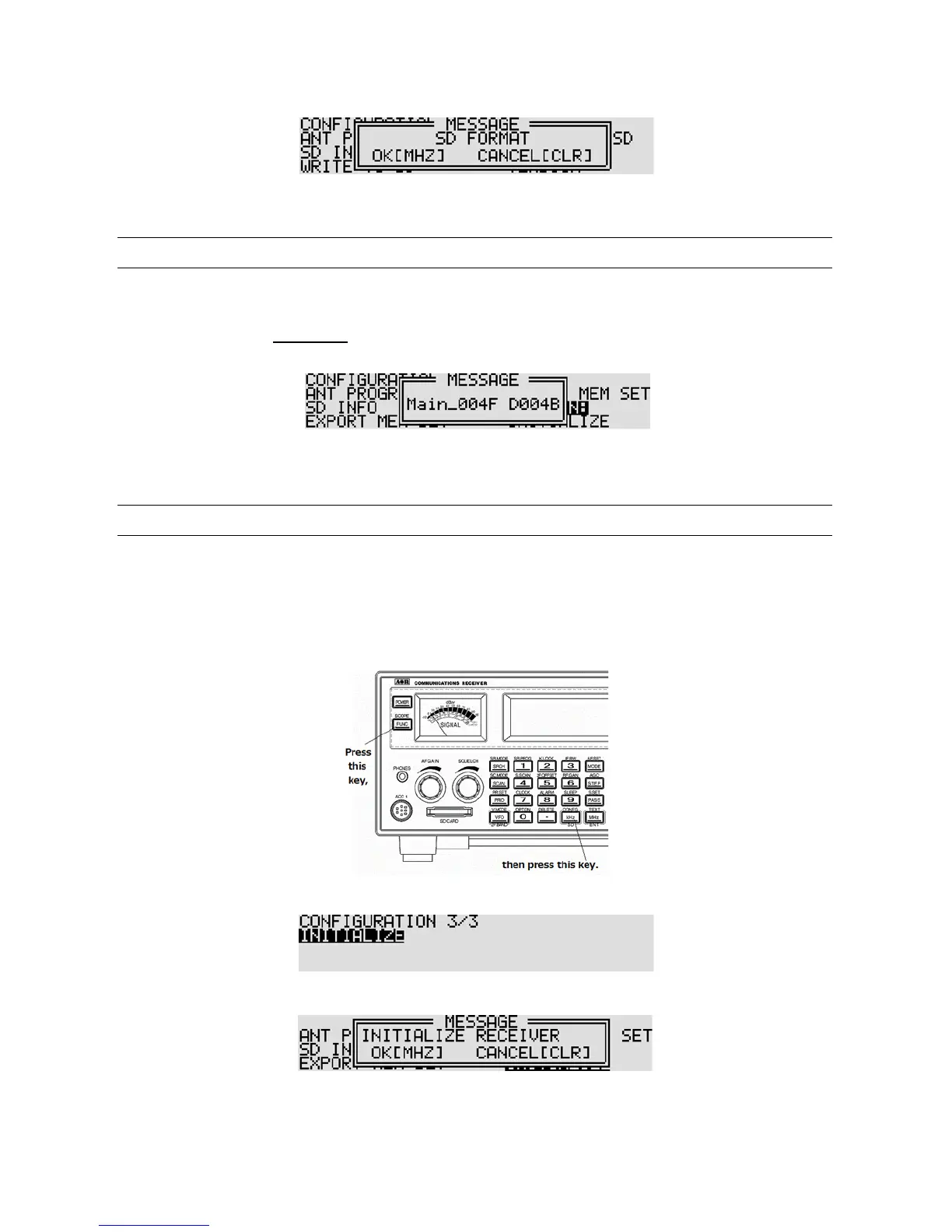
To initialize the AR5001D, perform the following steps :
1. Press the [FUNC] key, and then press the [kHz] key.
2. Press the [UP] key to select “INITIALIZE” in reverse contrast.
3. Press the [MHz] key to continue.
4. If you wish to initialize, press the
[MHz] key. To cancel, press the [CLR] key.



 To Next Page