67
5. Press the [MHz] key.
6. Using the numeric keypad, enter the desired file name. (No file extension required.)
A text of up to eight characters can be assigned to each file name.
Each numeric keypad is assigned to have the following characters:
Key Characters
1 SPACE
2 1
3 A (Example) To select “B”, press the [2] key, then rotate
4 M the sub dial c lockwise.
5 Z
6 9
7 h
0
.
To move the cursor, press the [DOWN] key to the left, [UP] key to the right.
7. To confirm entry, press the [MHz] key.
8. When completed, the LCD will display the original screen.
9-10 CONFIGURE READ FROM SD
To read memory channel or search bank contents from the SD memory card, perform the following steps:
1. Insert a SD memory card with a printed label upward facing the slot on the front panel until you can
hear a click.
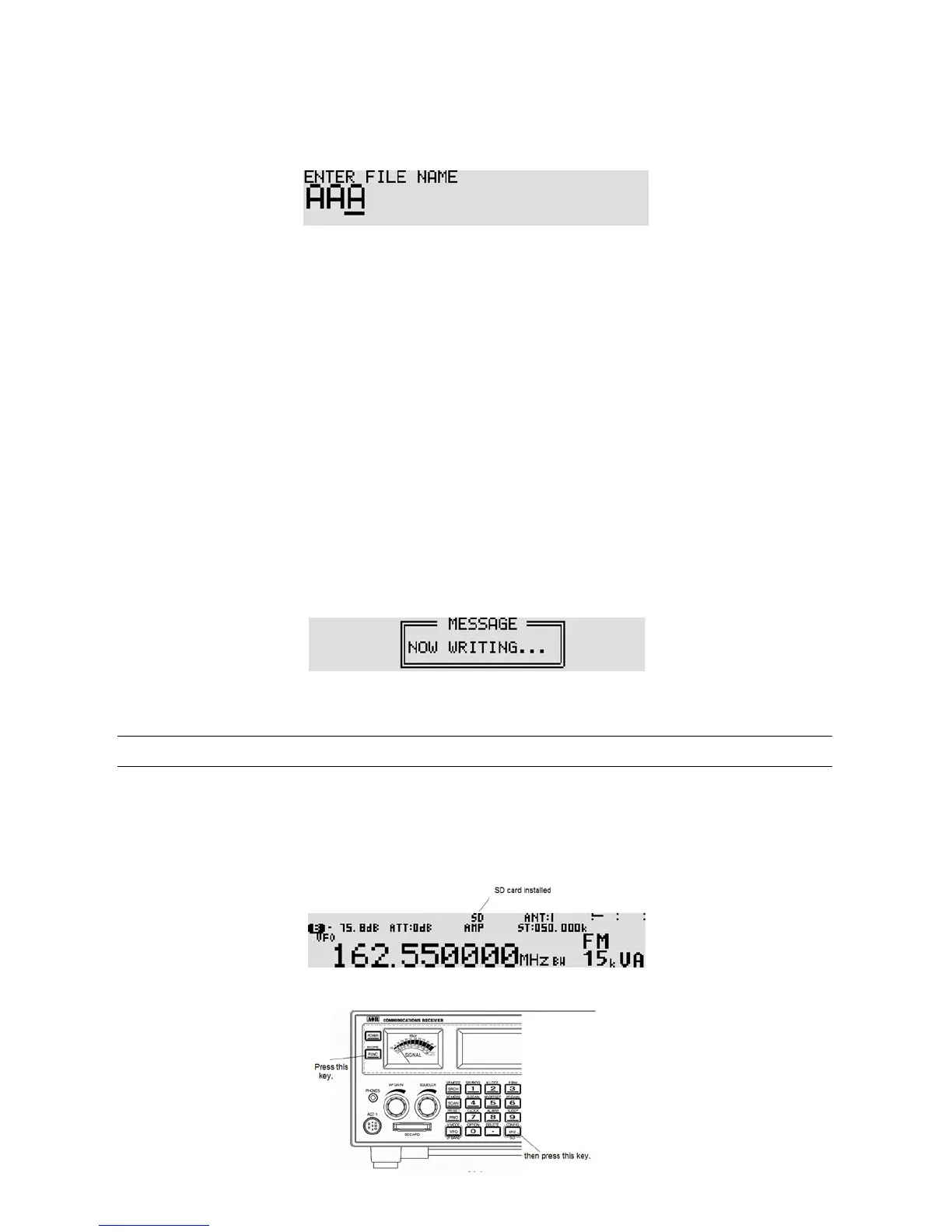
2. Wait until “SD” appears o n the top of the LCD.
3. Press the [FUNC] key, and then press the [kHz] key.



 To Next Page