58
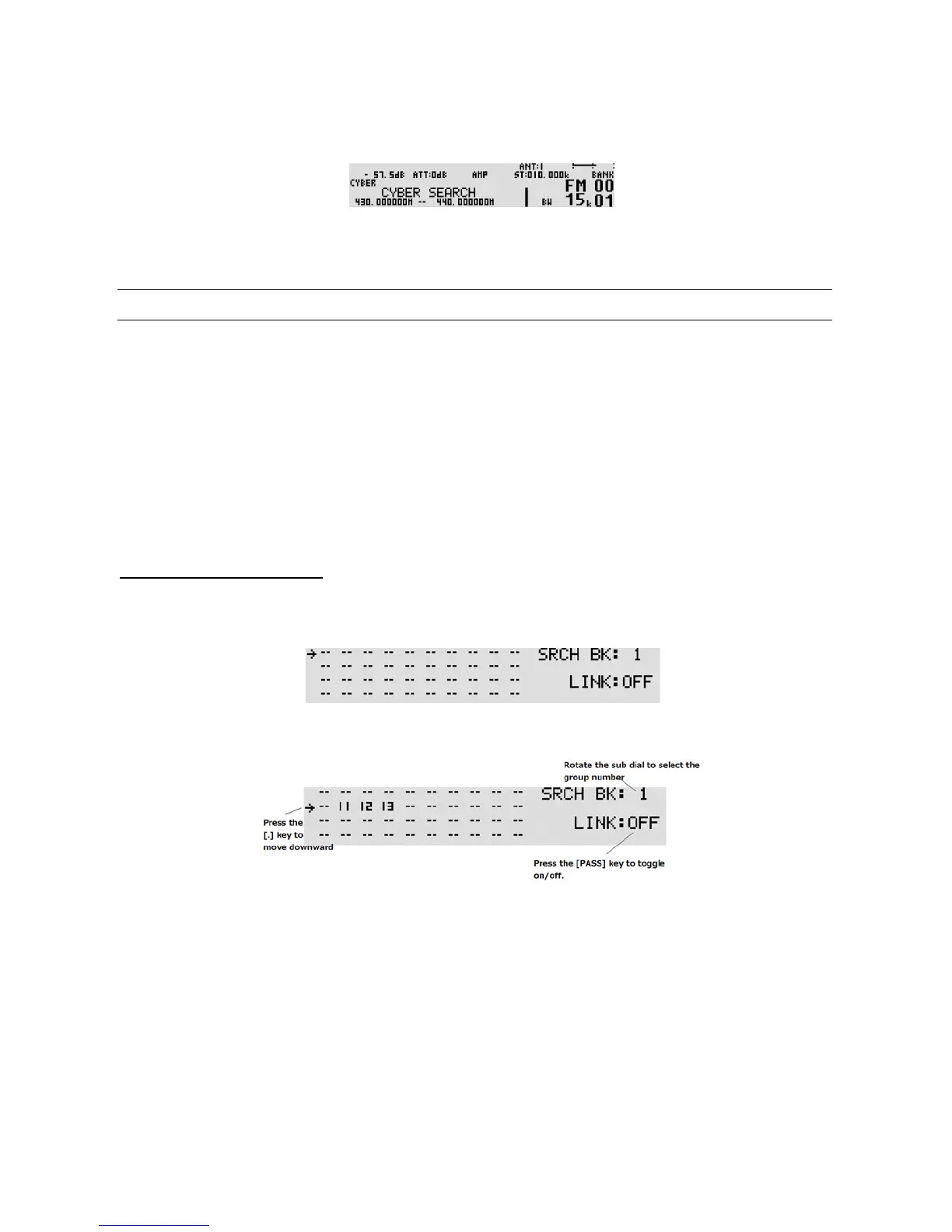
To activate the Cyber searc h function, perform the following steps:
1. Press and hold the [SRCH] key for two seconds and Cyber search will start.
2. The search indicator will appear on the right of the frequency display.
3. While stopping on the busy frequency, press the [MHz] key to transfer the frequency to VFO-C.
4. To stop Cyber search, press the [VFO] key.
8-2 SCAN GROUP
The AR5001D has 20 search groups to be used with the bank link function and other functions.
The following parameters can be registered for each of the search group s.
• Bank link setting
• Search pause
• Search delay
• Voice search
• Auto store
8-2-1 BANK LINK SETTING
To activate the bank link function, perform the following steps:
1. Press the [FUNC] key, and then press the [SRCH] key. The search link screen will appear.
2. Rotate the sub dial to select the bank link group. Pressing the [PASS] key will toggle the link on/off.
3. To select the search bank to be linked, enter the search bank number using the numeric keypad.
If the search bank is between 10 ~ 19, press the [.] key to move the cursor to the second row and
enter only the first digit of the search bank number from the numeric keypad.
(Example: If the search bank is 12, enter “2”.)
4. Press the [MHz] key to complete setting or press the [DOWN] key to set other parameters.



 To Next Page