RCA
SPEAKER
INPUT LEVEL
CH1 CH2 CH3 CH4 CH5 CH6
DISPLAY USB
+12V
GND
REM - IN
REM - OUT
P - 1
P - 2
ILLUM
SIG GND -
Dierential Low/High
(Speaker Level) Inputs
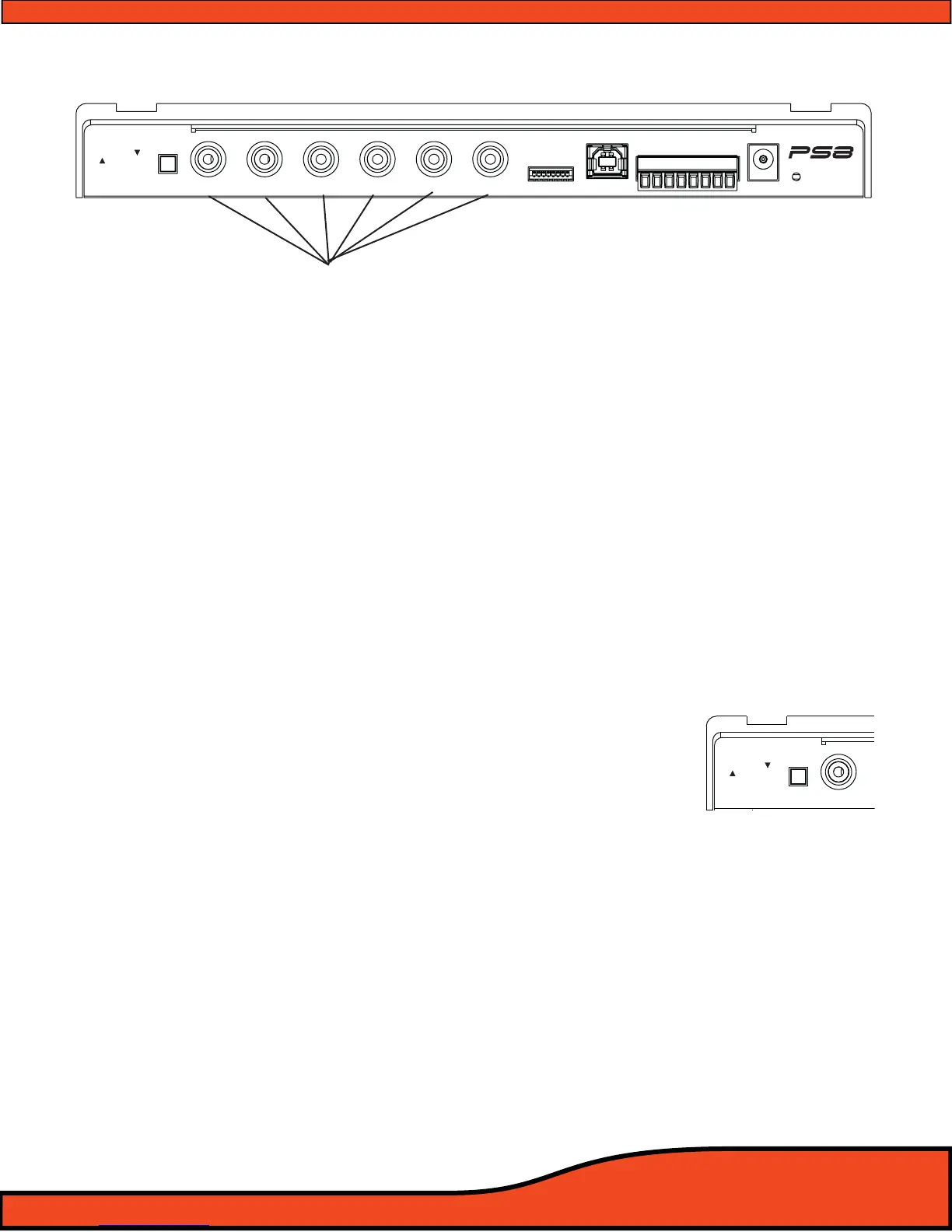
Diagram 6.1
6) CONNECTIONS TO YOUR PS8
6.1 - Analog Signal Inputs (RCA)
6.1.1- PRE IN Low level primary analog Inputs (RCA)
Channels 1,2,3,4,5,6 Inputs - Connect here your RCA signal input leads coming from your
analog source. Each connection is capable of receiving signal levels up to 8 Volts RMS.
(See diagram 6.1)
6.1.2- Dierential input RCA/Speaker level switch
This switch allows users to change the operation of the RCA inputs of the PS8 between Low-
Level RCA and Speaker Hi-Level operation.
(See diagram 6.2)
6.1.3- Hi Level Speaker inputs
Channels 1,2,3,4,5,6 Inputs - Connect your vehicles factory speaker leads to the RCA inputs of
the PS8 using the provided RCA to speaker lead pigtail adapters. Each input connection, when
in Hi level mode, is capable of receiving HI-Level signals from 1.5V - 20.0V input from any OEM
factory stereo system
(See diagram 6.1)
Warning- If using the PS8 as a signal summing device, make sure to verify the signal from
your OEM system with an Oscilloscope and multi meter prior to making your nal connections .
RCA
SPEAKER
INPUT LEVEL
CH1
Diagram 6.2



 To Next Page