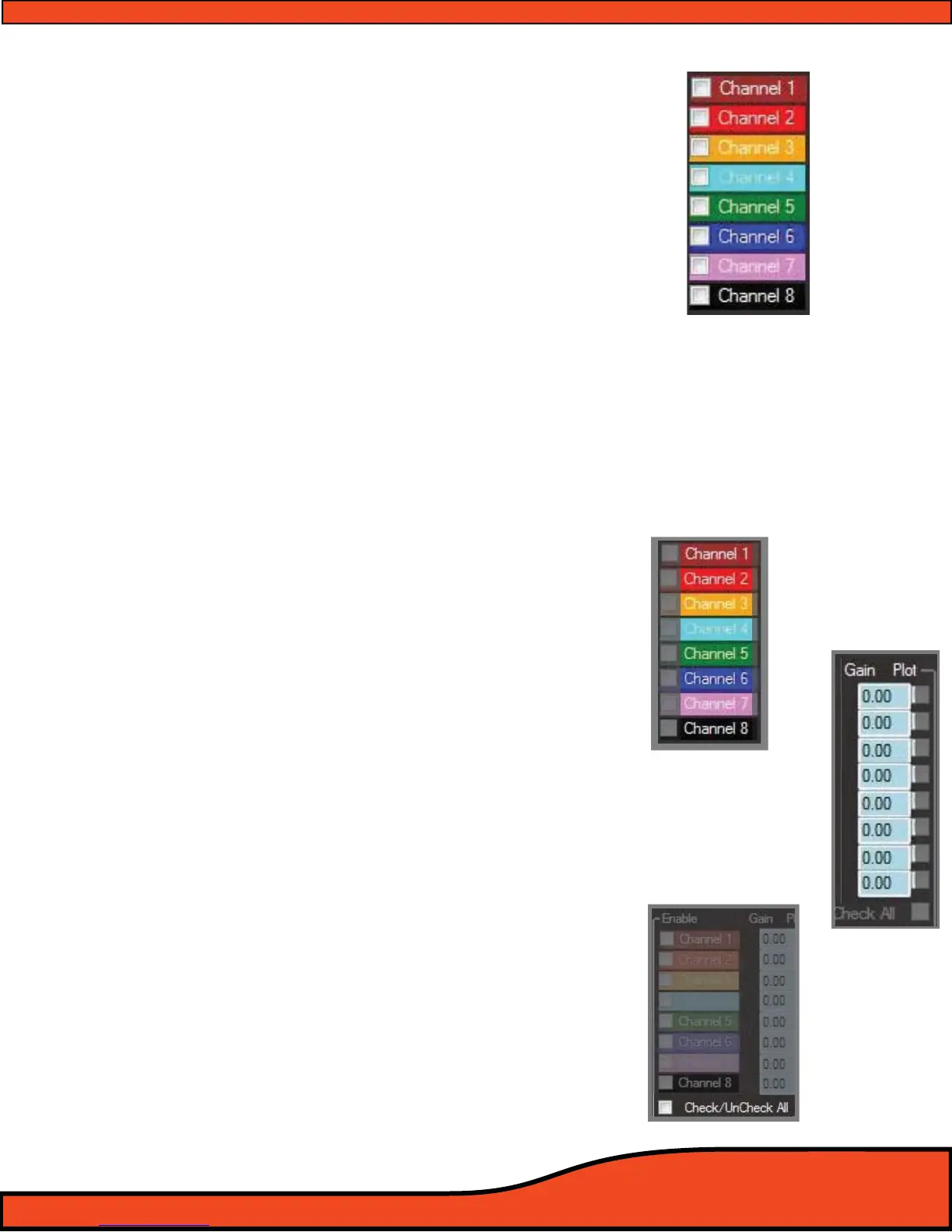
12.6.2 - Channel Selection Check Boxes
To select the desired channel to be eected by adjusting
the sliders while in EQ mode, use your pointer/computer
mouse and click on the corresponding check boxes to
select the channel(s) of operation you wish to work with. If
no channels are selected, there will be no audible adjust-
ments made until you reselect a channel. When in Third
Octave mode, you may select more than one channel at a
time, allowing you to tune multiple channels simultan-
eously without the loss of the independent channels tune.
(See Diagram 12.36)
(Note: The PS8 is the rst of its kind processor to allow unlimited linking/Unlinking of channels for independent and
grouped adjustment without the loss of a combined channel’s existing settings. When channels are grouped in
groups of 2 channels or more, the EQ display will display the current settings of the lowest numbered channel in the
grouping. Although it only shows the one channel, rest assured that your other channel’s previous settings are still
as they were before you linked them.)
(Special Note: EQ Channel linking is only available when using the Third Octave EQ and is not available in Paramet-
ric mode.)
12.6.3 - Channel Assigned Name Displays
After users have established user dened channel names
(See section 10.1) in the input/output channel assignment panel
(See diagram 12.37) , dened channel names are displayed in this
area for easy use and recognition while setting and tuning the
individual channel EQ settings.
12.6.4 - Channel Frequency Value Readout Display
Each of the PS8's output channels have a corresponding adjus-
tment display readout showing you the actual individual
adjustment level of all 8 channels simultaneously, with
reference to the EQ frequency band you currently have selected.
(See diagram 12.38)
12.6.5 - EQ Channel Selection, All Channels Check/Uncheck
The Check/Uncheck All feature allows you to check, conrm, or
uncheck all of the PS8's output channels with a single click. The
exact function of check or uncheck is based on the existing
check box conguration. If 2 boxes are checked and you click
Check All, all of the eight channels will now be selected. If the
"Check All" checkbox is marked when you click on this feature, it
will then erase the check boxes from all eight channels.
(See diagram 12.39)
Diagram 12.36
Diagram 12.39
Diagram 12.37
Diagram 12.38



 To Next Page