10.3 - User Preferences
The user preference selection panel allows users to access a few personalized features that can be changed
to the users territory measurement preferences as well pop up indicators and illumination controls. This
panel is accessible thru the PS8's "Setup" tab drop down menu.
10.3.1- Show Temperature In Celsius
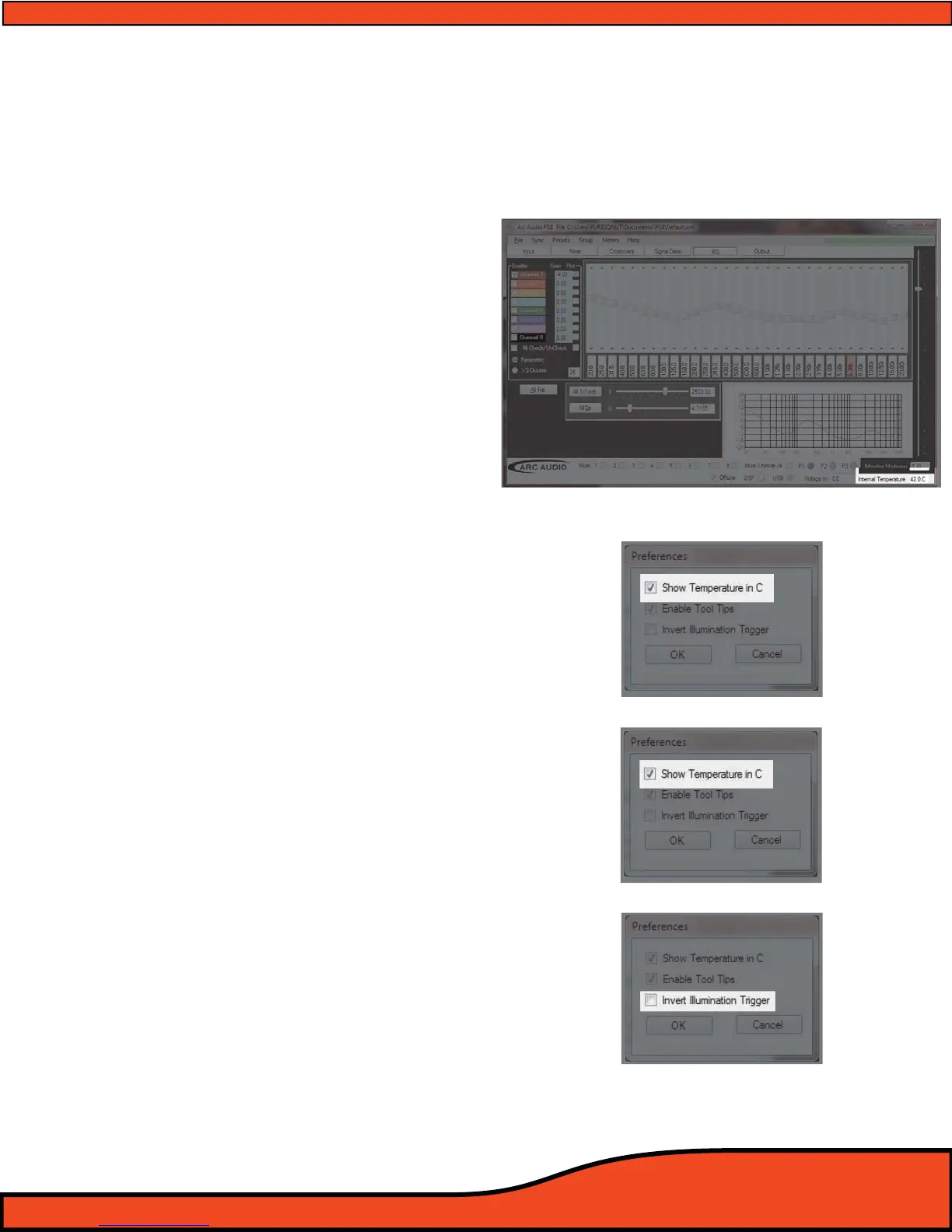
When this check box is checked, it will display
the PS8's onboard processor temperature
readout
(See diagram 10.11) in Celsius. To
display the temperature in Fahrenheit simply
uncheck the check box
(See diagram 10.12) and
click “OK”.
10.3.2- Enable Tool Tips
Enable Tool Tips allows users to have an active
interface when using the PS8's software. When
using the dierent features of the PS8 the user
interface will highlight and allow pop ups
giving tips and basic hints for operation of
certain keystroke buttons etc on the user
interface.
The hints will appear in the lower left hand
corner of your passive area of the Passive user
area . To enable these tool tips simply check
the check box
(See diagram 10.13) in the
“Setup” drop down preferences menu.
10.3.3- Invert Illumination Trigger
When using the PSC controller (Optional),
users may connect the illumination trigger
lead to the PS8's main power block connector
This function allows users to select the trigger
function of the illumination wire trigger between
positive and negative.
This input comes stock defaulted to use a
negative trigger however if you so desire you
can simply select the check box
(See diagram 10.14) and change the input to a
positive trigger if it is better suited to this
operation for your specic vehicle. This option
is accessable in the “Setup” drop down prefer-
ences menu.
Diagram 10.11
Diagram 10.12
Diagram 10.13
Diagram 10.14



 To Next Page