Diagram 9.2
9) CONNECTING THE PS8 TO YOUR PC
9.1 PS8 USB Failsafe Protocol
The ARC Audio PS8 is equipped with an exclusive proprietary USB failsafe protocol A.R.U. and
has been designed to protect your product, your time, and the investment you make into
tuning your vehicle.
With A.R.U. technology and real time updating, the ARC Audio PS8 gives users peace of mind
from the little mishaps that occur during those sometimes lengthy tuning processes,
potentially causing damage to your processor, DSP lockups and much more resulting from
things such as PC power loss, vehicle power loss, accidental cable disconnection, cable damage
from shutting doors, animals, kids etc. With A.R.U., if any of these unfortunate conditions
happen, simply re-establish power to your PC and the PS8 with an undamaged connection,
then re-launch the software and "Retrieve Settings From PS8” and you are exactly where you
left o at the time of the incident. No more sending locked up processors back to the factory to
get unlocked etc.
9.2 Connecting the USB to your PC and the PS8
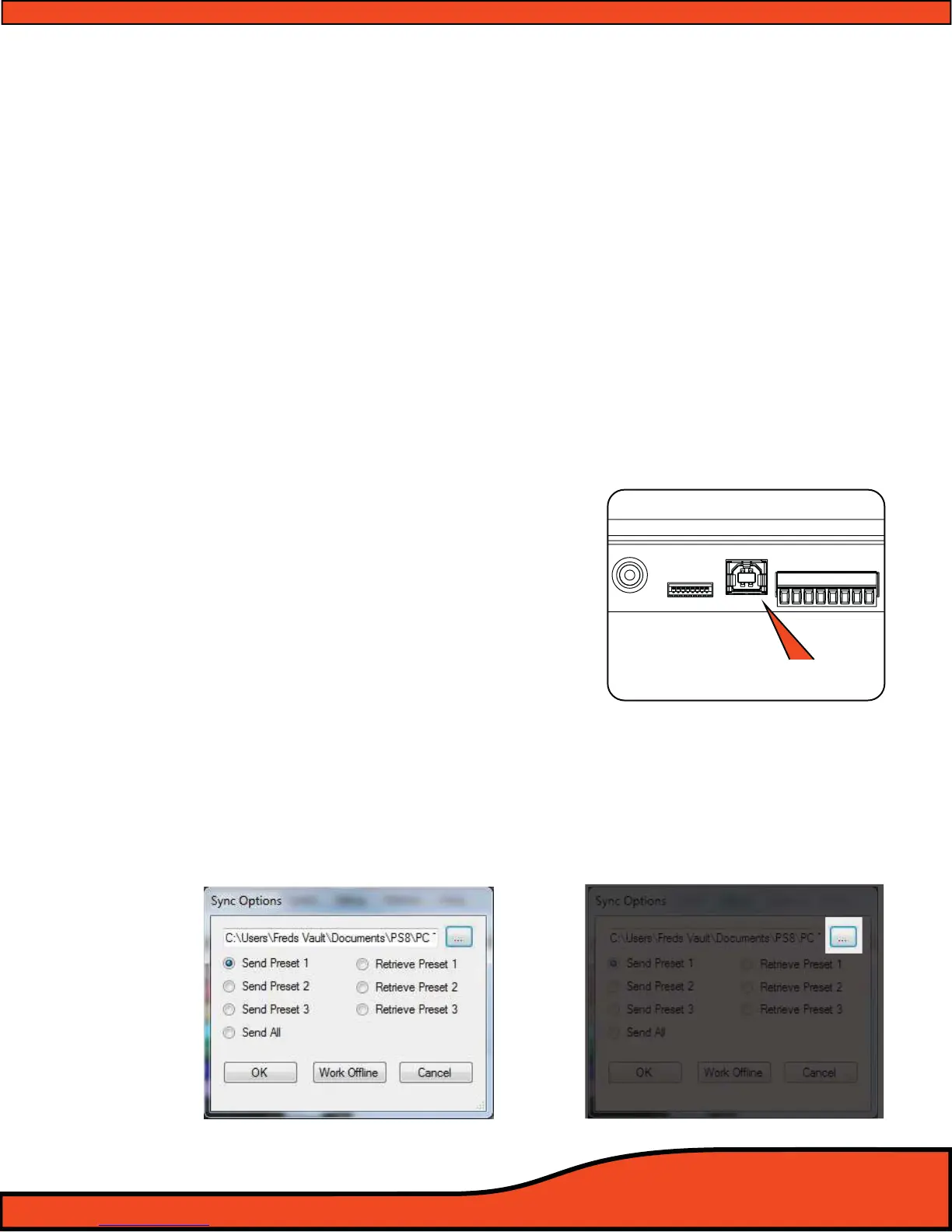
Connect your PC to the PS8 by inserting the USB
end of the A to B cable into your PC and the
type B end into the USB connection port on your
PS8
(See Section 6.22 ) or (See diagram 9.1). Then be
sure to power up your PS8 rst, followed by
launching the PS8 software. After launching, you
will be prompted to choose between oine or
online mode, or to choose to go online by send-
ing or receiving setting les from the PC to the
PS8, or retrieving the settings les from the PS8
and loading it on the PC. (See below).
9.3 “...” Ellipsis Check Box
The Ellipsis
(See diagram 9.2) check is used to nd, locate and assign the preset settings le that is
stored on your PC's hard drive. If you are wanting to send an existing setting le from your PC to the
PS8 you must rst click on the "..." ellipsis and then select (Double Click) the desired setting le before
syncing to the PS8.
Diagram 9.3
DISPLAY USB
+12V
GND
REM - IN
REM - OUT
P - 1
P - 2
ILLUM
SIG GND -
USB/PC Connection
Diagram 9.1



 To Next Page