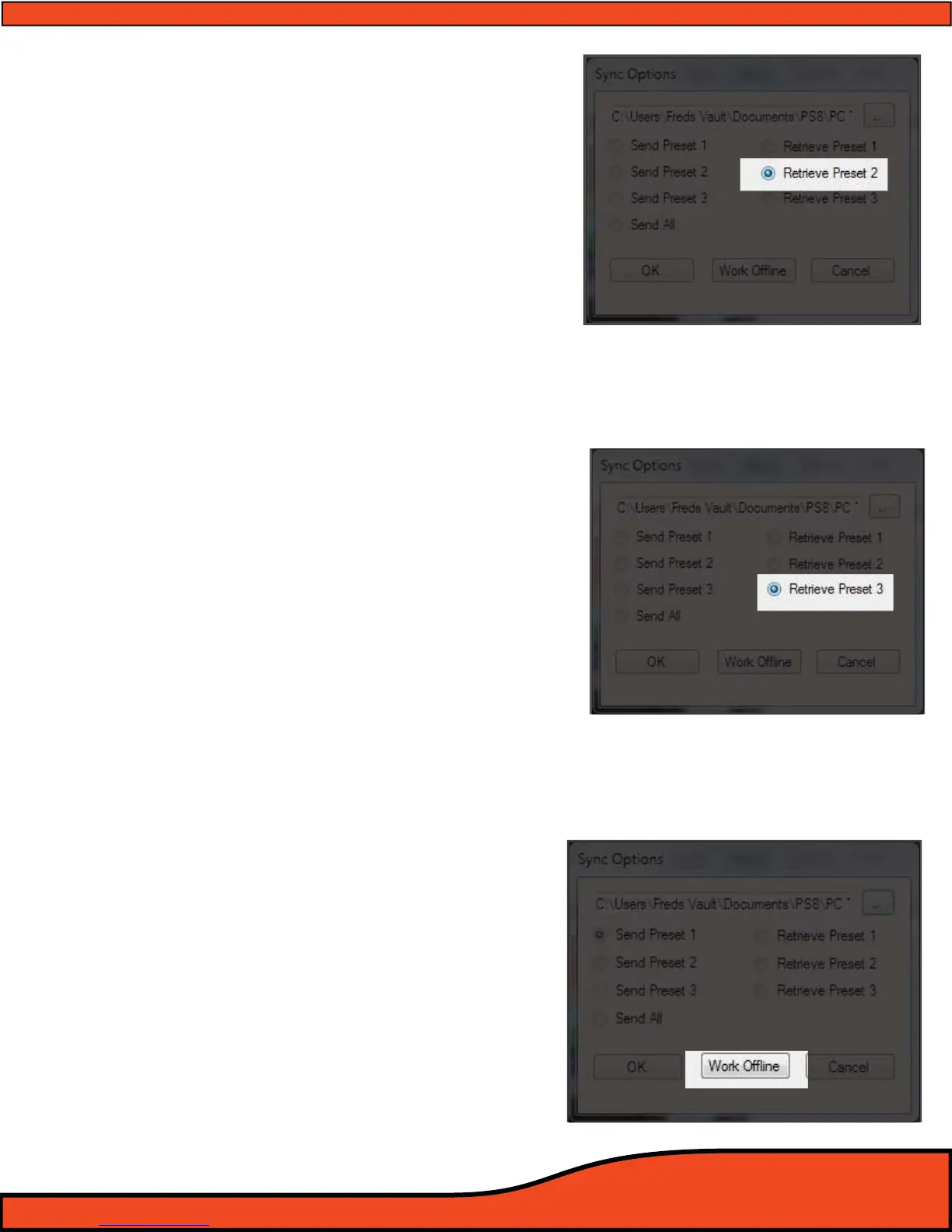
9.9 Retrieve Preset 2 from PS8 (See Diagram 9.9)
This feature allows users to retrieve the settings that
are actively stored on the PS8 in the Preset 1 location.
After selecting this option your Software will change to
P2 if it is on another preset and the software will
properly represent the active settings on P2 on the
PS8.
Please note that as each master setting le for the PS8
includes all three preset setting les. If you want your
software to properly reect all three settings after
retrieving Preset 2 you will need to click on "Sync" in
the top header of the software, then click on "Sync
From PS8" and select the preset "Preset 1" or "Preset 3"
buttons. Upon selecting either of these buttons the
PS8 will software will change to that preset and auto-
matically update the settings to properly reect the
active settings on the PS8.
9.10 Retrieve Preset 3 from PS8
(See Diagram 9.10)
This feature allows users to retrieve the settings that are
actively stored on the PS8 in the Preset 3 location. After
selecting this option your Software will change to P3 if
it is on another preset and the software will properly
represent the active settings on P3 on the PS8.
Please note that as each master setting le for the PS8
includes all three preset setting les. If you want your
software to properly reect all three settings after
retrieving Preset 3 you will need to click on "Sync" in the
top header of the software, then click on "Sync From
PS8" and select the preset "Preset 1" or "Preset 1"
buttons. Upon selecting either of these buttons the PS8
will software will change to that preset and automati-
cally update the settings to properly reect the active
settings on the PS8.
9.11 Work Oine
(See Diagram 9.11)
If your PC is not connected to the PS8, you have the
option to operate your PS8 user software in
a stand alone, virtual mode. Oine mode will allow you
to set up all of the system settings prior to ever
connecting to the PS8. If you are connected to the PS8
and wish to change your settings without making an
adjustment, you can either click on the "OFFLINE"
button or simply disconnect the USB from the PC or the
PS8 (Note: in oine mode there are certain functions
that will not be reected on the PC display as they
require communication with the PS8 DSP chip like
channel naming, serialization, display status etc.)
Diagram 9.10
Diagram 9.11
Diagram 9.9



 To Next Page