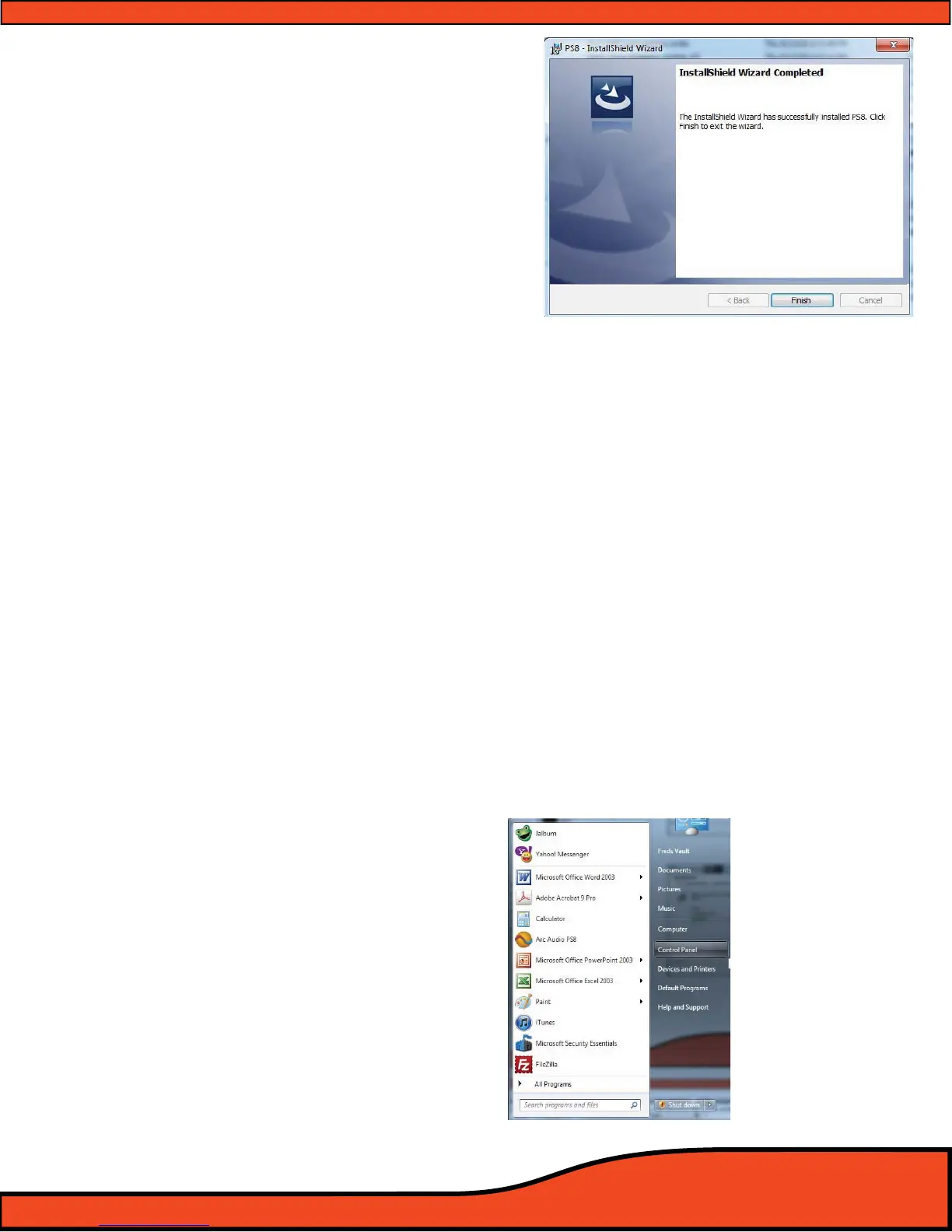
Diagram 7.7
Diagram 7.8
Step 9- The installation process is now complete and you can
now use your PS8 user software. Click on "Close" to close
the software installer. For instructions and helpful notes
in regards to launching your software for the rst time
please
(See diagram 7.7)
7.4.2- PS8 Software Installation Trouble Shooting Guide
- Be sure to turn o all programs and complete any other installations in progress before proceeding with the
installation of the PS8 Software
- If you receive any error messages during the beginning of the installation process make sure that you are
using an account that has administrative privileges.
- If the installation process is interrupted and you are prompted with a pop up box labeled "PS8 Installation
Error" close the install utility and restart your computer and the proceed with the installation process
- If during the installation process the install utility prompts you with a pop up that .NET framework is
required, follow the prompts and download .NET Framework from the Microsoft website free of charge as
directed and then after completing the download and installation of .NET Framework be sure to restart
your PC and then proceed with the installation of the PS8 user software utility.
7.5- PS8 Software UnInstallation Guide
To remove the PS8 software from your personal computer you will need to take the following easy to do
steps. This process will be practically the same for all compatible versions of the Windows operating systems.
Step 1- Click on your computers start button
bringing up the Start Menu. Locate and
double click on the button labeled as
"Control Panel" in the right hand column
to access your PC's Control Panel selection
page.
(See diagram 7.8)



 To Next Page