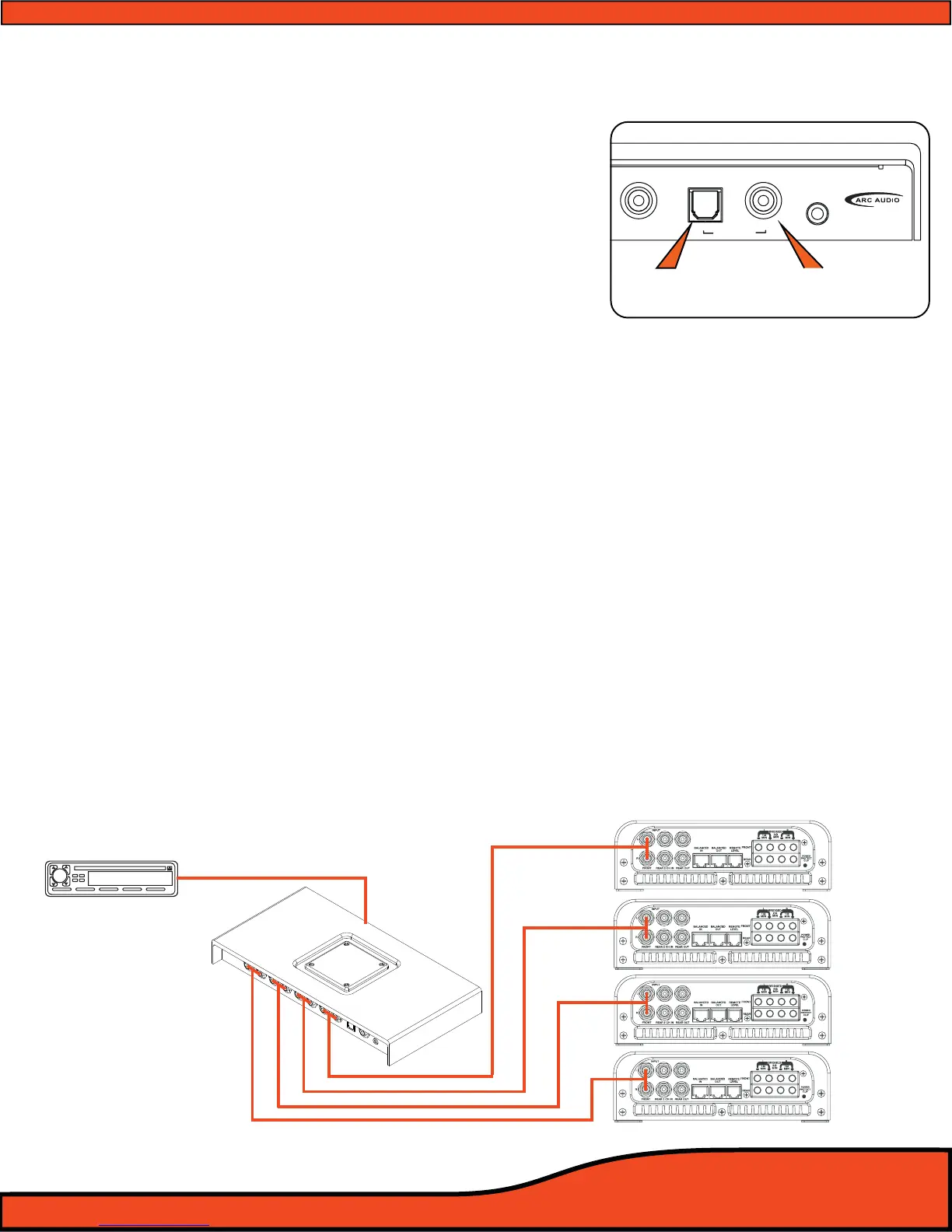
6.4.1 - Digital Input (Coaxial)
Connect any 75 ohm shielded cable to this location
with any compatible digital signal of 48kHz/24-32bit
max, stereo signal, for optimum performance and
signal benet of this input.
(See diagram 6.8)
6.4.2 - Digital Input (Optical)
Connect any TOSLINK terminated optical ber cable to
this location with any compatible digital signal of
48kHz/24-32bit max, stereo signal, for optimum perfor
mance and signal benet of this input.
(See diagram 6.8)
6.4.3 - Bluetooth streaming input
The PS8's streaming audio Bluetooth capability requires the use of the ARC Audio PS8-BTM
accessory Bluetooth module (sold separately). The BTM supports the latest Bluetooth 2.1 + EDR
standard formats found on most of today's streaming Bluetooth capable devices.
6.5 - Other signal inputs
6.5.1 - 3.5mm Unbalanced Aux input
Connect to this location any unbalanced signal source device such as a hardwired MP3, iPod,
navigation system, Etc. This input is selectable thru the user utility and upon activation, removes
the PS8's Channel 5&6 RCA input from the available input sources while in this user operation.
6.6 - PS8 RCA signal outputs
6.6.1 - Channels 1,2,3,4,5,6,7,8 outputs.
Connect your system’s RCA interconnect cables from these locations to your systems ampliers.
The RCA outputs are unbalanced and not a balanced onput.
(See diagram 6.9)
Diagram 6.9
Diagram 6.8
Optical input Coaxial input



 To Next Page