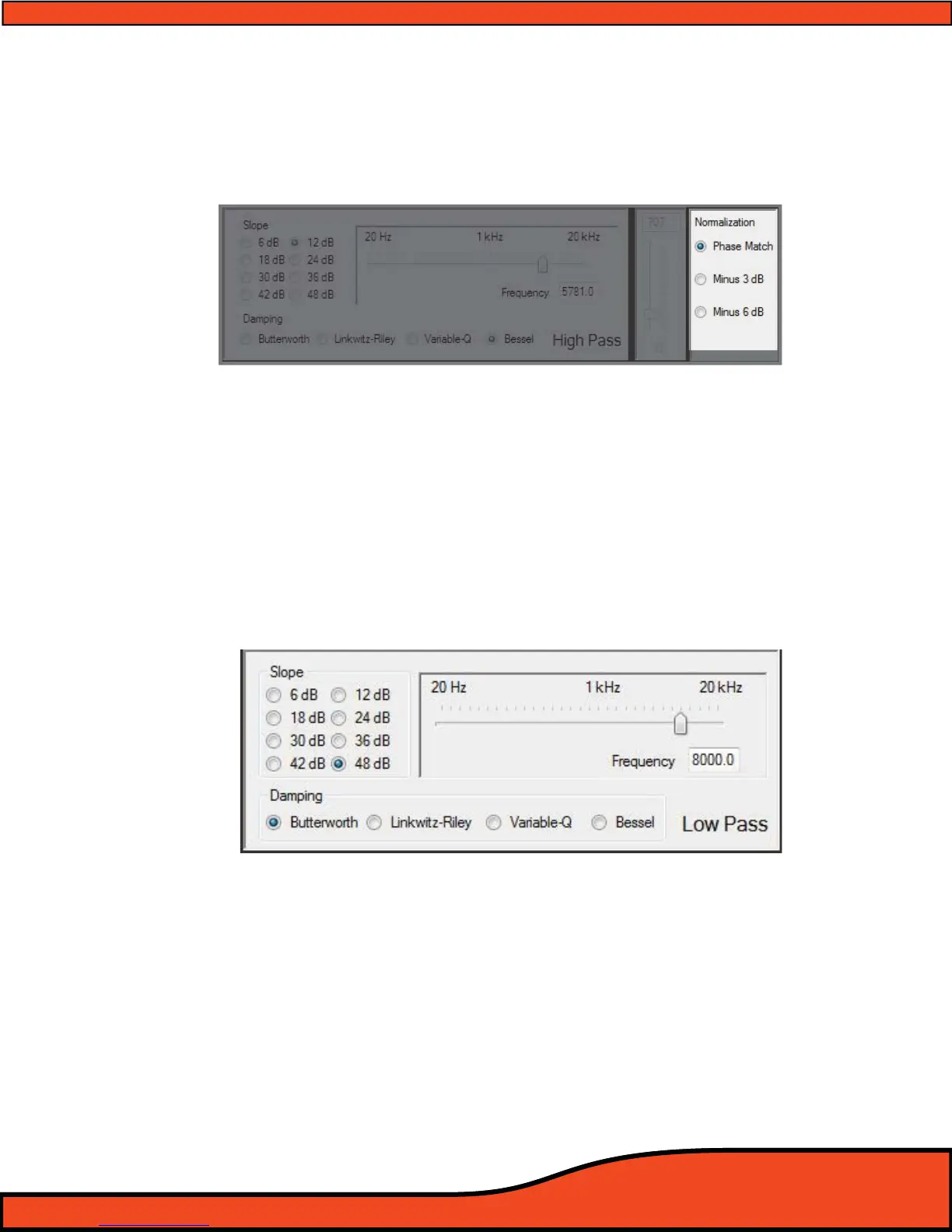
12.4.4.5 - HP Crossover Bessel Normalization Controls
Bessel damping type is available only in advanced user mode
and is only recom-
mended for users with plenty of experience, and previous experience with this type of feature. ARC
Audio does not oer technical support, tuning suggestions, or help with this feature. If you "MUST"
use this feature and are unfamiliar with its operation, take your vehicle to an advanced tuning and
installation technician to tune it for you.
To select Bessel damping type, you must select the corresponding check box to this feature (You can
only achieve this when in advanced user mode). Once in Bessel operation, you may adjust the Bessel
damping thru the normal slope type controls and the Bessel normalization controls on the right hand
side of the corresponding adjustment window by dragging the slider, clicking on the slider and using
the arrow keys on your keyboard or manually typing in the desired value.
(See diagram 12.23)
12.4.5 - Low Pass Crossover Filter Type Adjustment Window
The LP crossover lter adjustment gives users all of the tools needed to customize the Low Pass portion of
each channel’s individual crossovers.
(See diagram 12.24)
(Note: When in the crossover user interface panel, if at any time you see any section that is muted in color and does
not respond to your attempted operation, it is because you do not have your features set up correctly or you may not
be in the correct operation mode allowing you access to these features. If, at any time, you are uncertain of how to
use any of these features, please stop, put down the computer, have a beverage, visit www.arcaudio.com, or use
Google to nd an authorized ARC Audio retailer for help.)
Diagram 12.23
Diagram 12.24



 To Next Page