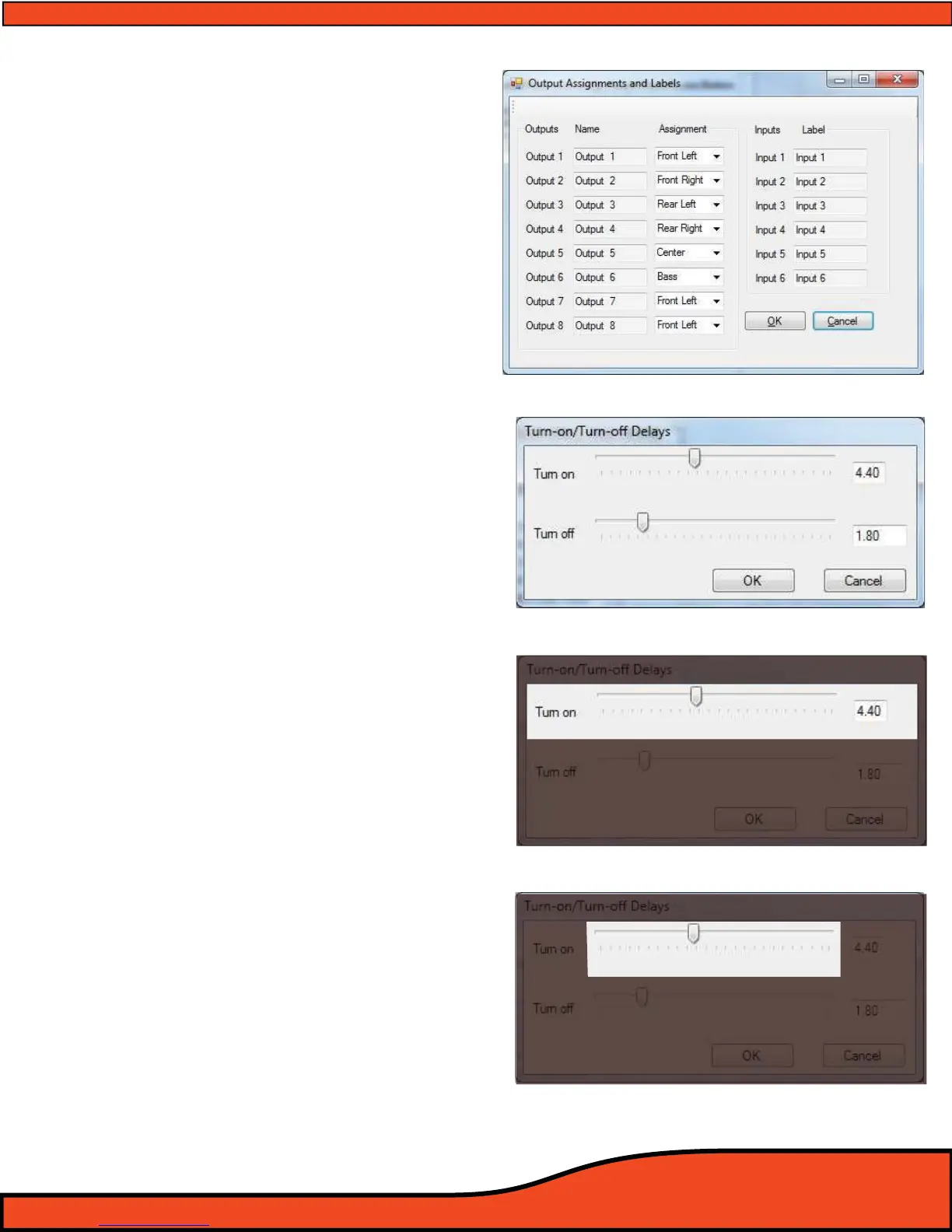
Diagram 10.4
Diagram 10.5
Diagram 10.6
Diagram 10.4
10.1.3- Channel Function Assignments
Channel assignments allow users to desig-
nate the function of each of the PS8's
output channels
(See diagram 10.4).
Users may select operational designation
from Front Left, Front Right, Rear Left, Rear
Right, Center, and Bass.
These operations allow users to interface
the channels with the fader controls of the
PS8 that are located on the PSC controller
and also in the output trim. This panel is acces-
sible thru the “Setup” tab drop down menu.
10.2 - Remote output turn on/o delay user panel
The information within this chapter gives etailed
instructions on how to use the user dened remote
turn on output lead
(See Section 6.3.5) delays on the
PS8. This panel is accessible thru the “Setup” tab
drop down menu
10.2.1- Remote turn on lead (On) delay user control
The remote turn on lead (On) delay control
interface allows users to customize the time
frame in which the remote turn on lead
activates during the turn on process of the
system. This denable period eliminates the
possibilities for turn on related turn on pop
when you power up your audio system.
This is extremely useful for OEM system
integration where the accessory circuit must
be used to trigger the system, or in some full
aftermarket system applications.
(See diagram 10.4). Users may dene a
turn on delay from .01 Seconds to 10.0 Seconds
10.2.1.1- Turn on delay slider
(See diagram 10.6)
To change the value of the turn
remote turn on delay timing, simply
click on the slider and drag the adjust-
ment to the desired amount of delay
up to 10.0 seconds. The exact value
will be displayed in the turn on display
readout.



 To Next Page