Note: When in Advanced user mode and combining channels in the mixer for the purpose of signal summing, creat-
ing a mono subwoofer or center channel out etc., you must not exceed a total output value of 1.0 (Or 100%) signal
into the crossover section of the DSP. Doing so will cause the system to prematurely clip and/or distort at moderate to
high volume levels and potentially cause serious damage to the system and its components. It is recommended that
when combining any number of input channels to a single or combined output, to use the PS8's on board real time
signal status meters
(See Section 11.5).
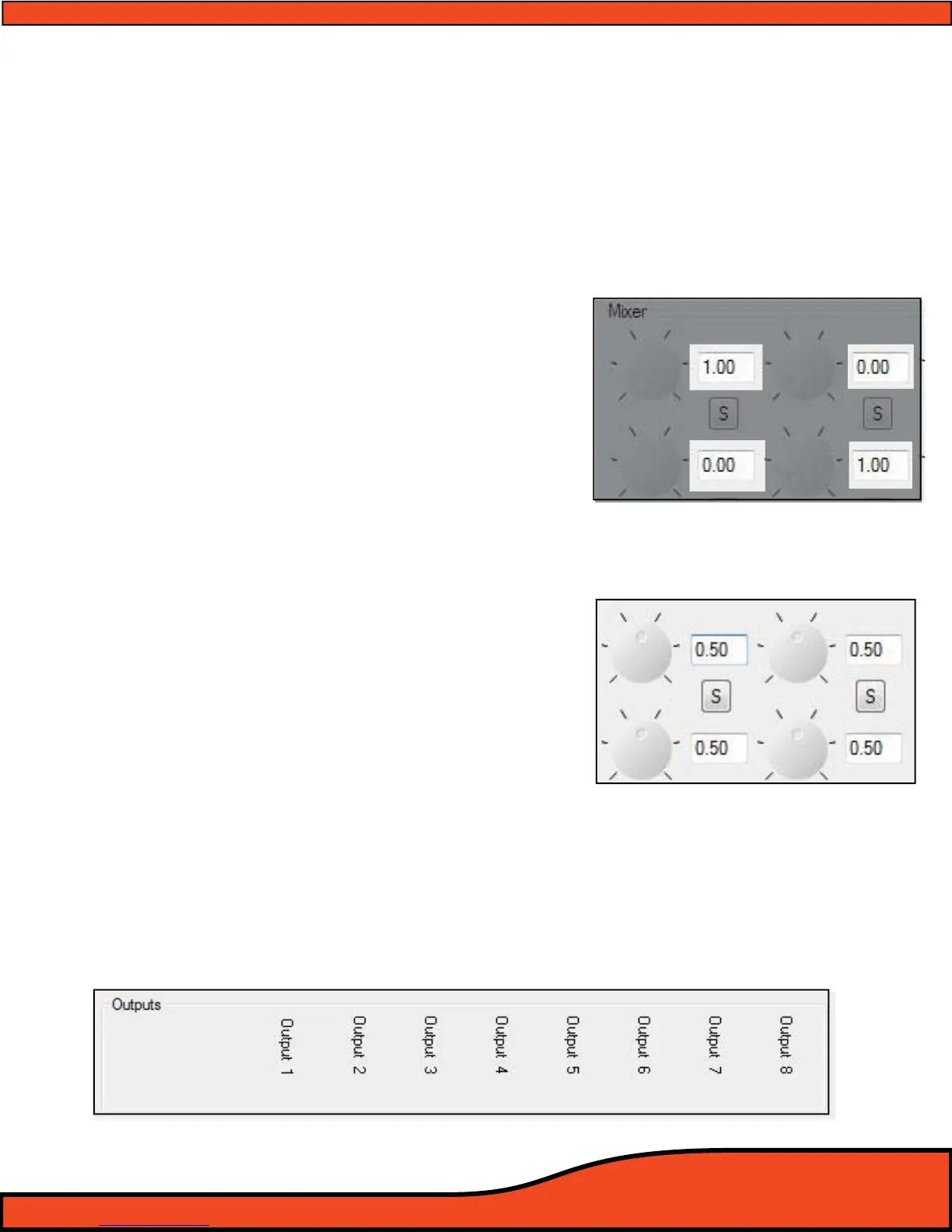
12.3.3- Input/Output Channel Intersection Level Display Boxes
The intersection level display boxes display the individual level
of each signal path intersection between the inputs and the
outputs. The display boxes also act as clickable level buttons for
the corresponding dials.
(See diagram 12.12)
By simply double clicking on these boxes you can toggle the
corresponding mixer dial from 0.0 to 1.0, or you can click on the
box and manually enter a value from 0.00 - 1.0 with your
number keys.
12.3.4 - Input/Output Channel Intersection Summing Button
Mixer intersection summing buttons allow you to simply click
on them and reduce the level of the channels indicated above
and below the button to a level of 50% each into the given
channel.
(See diagram 12.13)
This operation is optimized for summing two channels
together for summed mono operation (For Example summed
mono subwoofer applications.)
12.3.5 - Output Channels 1-8 Invert Polarity Check Boxes
When in Advanced mode, the numbered check boxes across the bottom of the mixer active panel area
(See diagram 12.14) allow you to invert the PS8's output channel polarity 180 degrees for each of the 8 output
channels individually. These settings mirror the check boxes found in the Signal Delay active panel in the user
interface.
Diagram 12.12
Diagram12.13
Diagram 12.14



 To Next Page