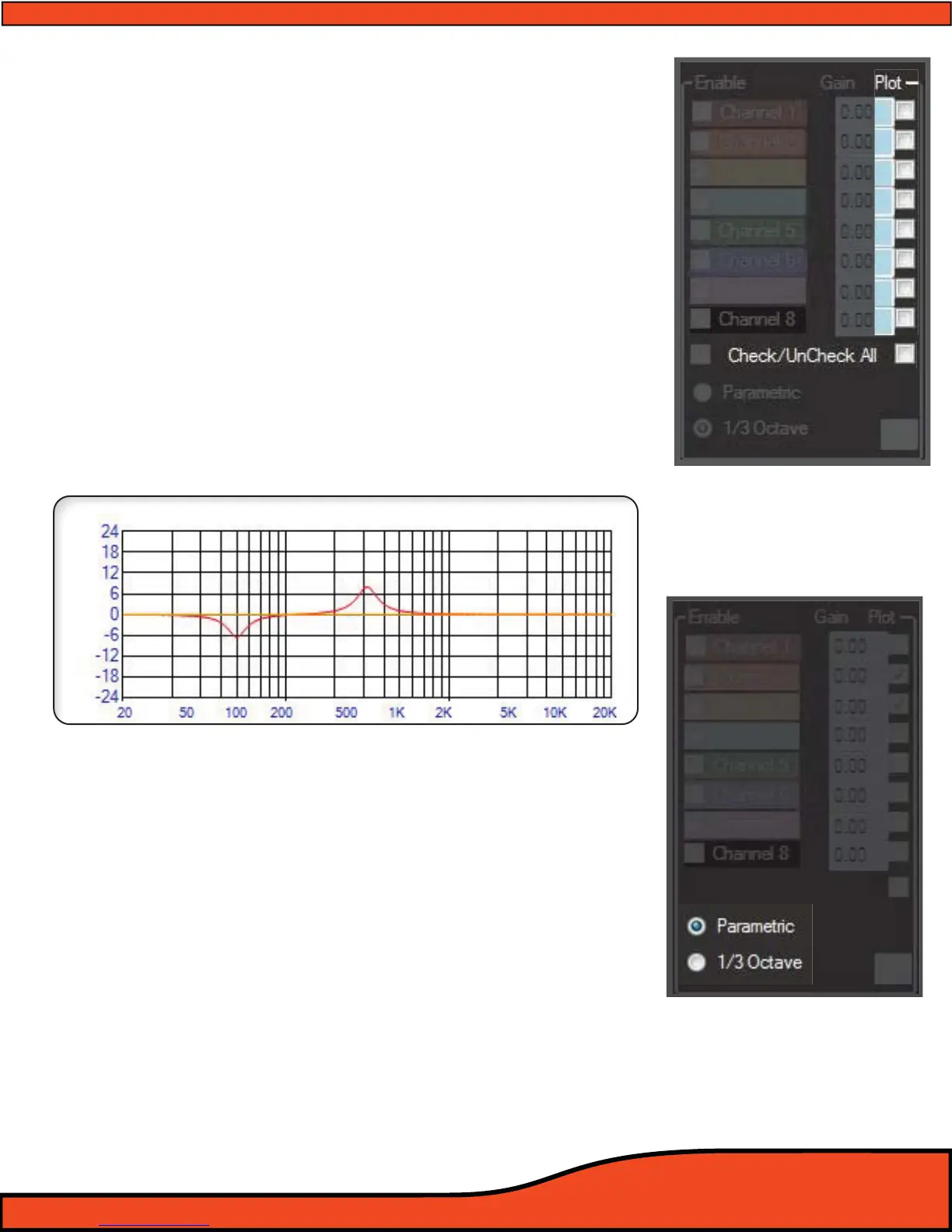
12.6.6 - EQ Plot Channel Selection Check Boxes
By selecting one or more of the EQ plot check boxes
(See diagram 12.40), users may see the exact EQ curve they
have created in color coordinated line graphs displayed in
the EQ plot display.
(See diagram 12.40)
12.6.7 - EQ Plot Selection All Channels Check/Uncheck
Selecting this button allows you to select displayable
plotting graphs on all eight output channels. The exact
function of check or uncheck is based on the existing check
box conguration. If 2 boxes are checked and you click
Check All, all of the eight channels will now be selected. If
the "Check All" checkbox is marked when you click on this
feature, it will then erase the check boxes from all eight
channels.
(See diagram 12.40)
12.6.8 - Parametric EQ Mode Selection
This feature activation checkbox allows you to activate the PS8's
Parametric EQ mode. This mode is only accessible when in
Advanced User Mode.
12.6.9 - 1/3rd Octave EQ Mode Selection
When in Advanced user mode, you may select this check box to
change from Parametric EQ mode back to Third Octave EQ mode.
(See diagram 12.41)
Diagram 12.40
EQ Plot Display (Only displays channels that are checked)
Diagram 12.41



 To Next Page