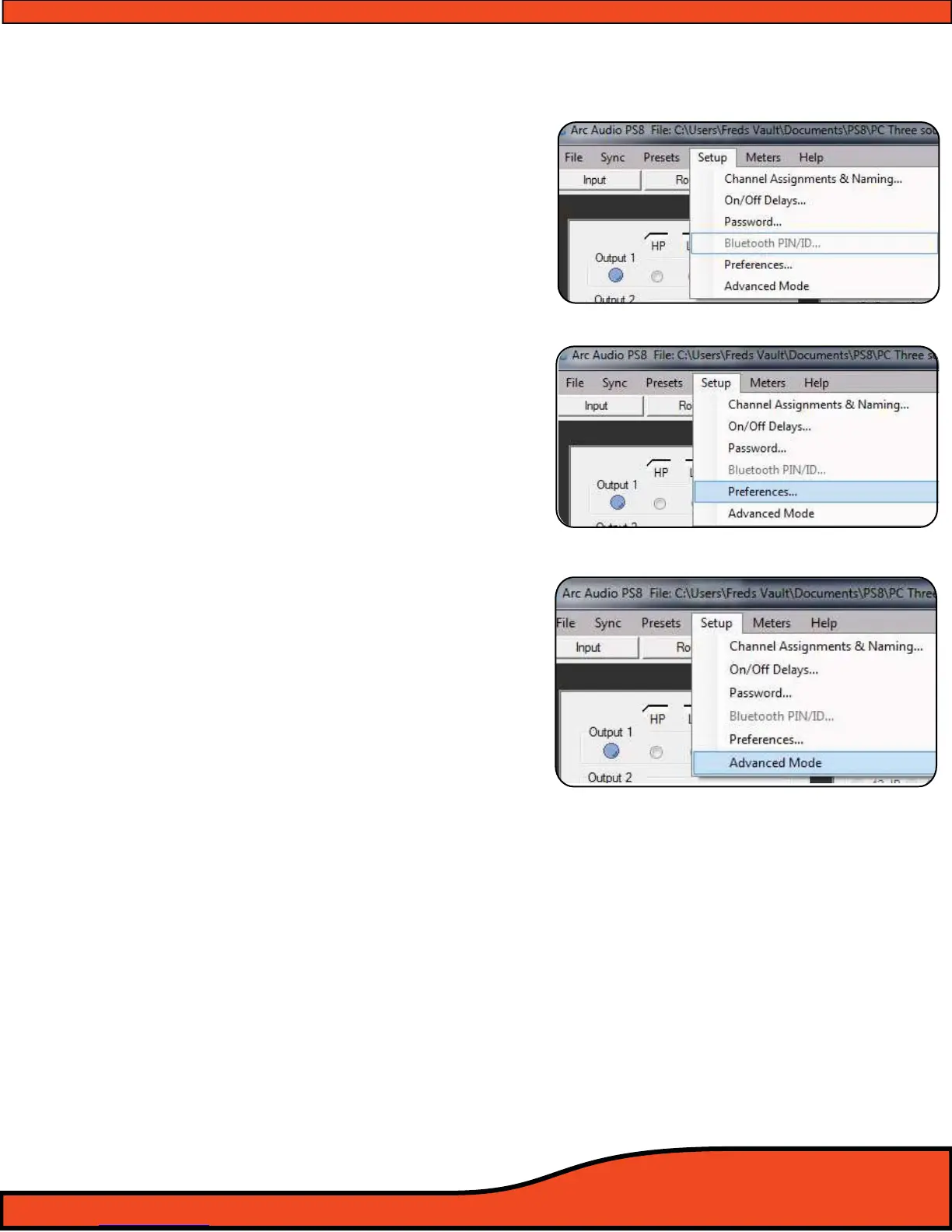
11.4.4 - Bluetooth user interface & setup panel
(See diagram 11.23)
The Bluetooth user password setup panel allows users to sync and
recognize compatible source devices when using the optional
accessory PS8 BTM interface. This user interface gives users the
ability to password protect and encrypt their communications
portal between the PS8 and the sync'd Bluetooth device.
11.4.5 - User preferences setup panel
(See diagram 11.24)
Once accessed, users can dene the operational parameters of the
PS8's temperature diagnostics system in Celsius or Fahrenheit,
Whether or not to enable the PS8's user utility tool tips and the
polarity of the illumination trigger when using the optional PSC
(See Section 10.3 for detailed instructions)
11.4.6 - Advanced user mode toggle switch (See diagram 11.25)
Selecting this feature gives users the ability to access the PS8's
advanced tuning features mode unlocking the extended power of
the PS8. Advanced features include a fully variable I/O signal mixer,
Bessel and Variable "Q" crossover and a fully user denable, up to
31 bands per channel of parametric EQ with variable Q and
frequency center (From 20Hz to 20kHz) on every band of every
channel.
(See Section 10.5 for detailed instructions)
(IMPORTANT NOTE: The PS8's advanced user mode features should
only be used if you are a well versed and experienced system tuner
with extended knowledge in the more advanced operations and
functions of the available features. By accessing the advanced
features mode you acknowledge that you are saying that you fully
know and understand what you are doing and understand the
power of these features. Per your acknowledgement and accep-
tance of the terms and conditions of the user agreement when
installing this software you acknowledge that ARC Audio, its deal-
ers and other entities do not oer technical support for any of these
features and you are on your own. ARC Audio, its authorized deal-
ers and other entities in no event will be held accountable for
damage to your vehicle, the products installed within and/or to
individual persons as a result of user error (intentional or not),
improper use (direct or indirect), or as a result of the PS8 being used
outside of its dened parameters.)
Diagram 11.23
Diagram 11.24
Diagram 11.25



 To Next Page