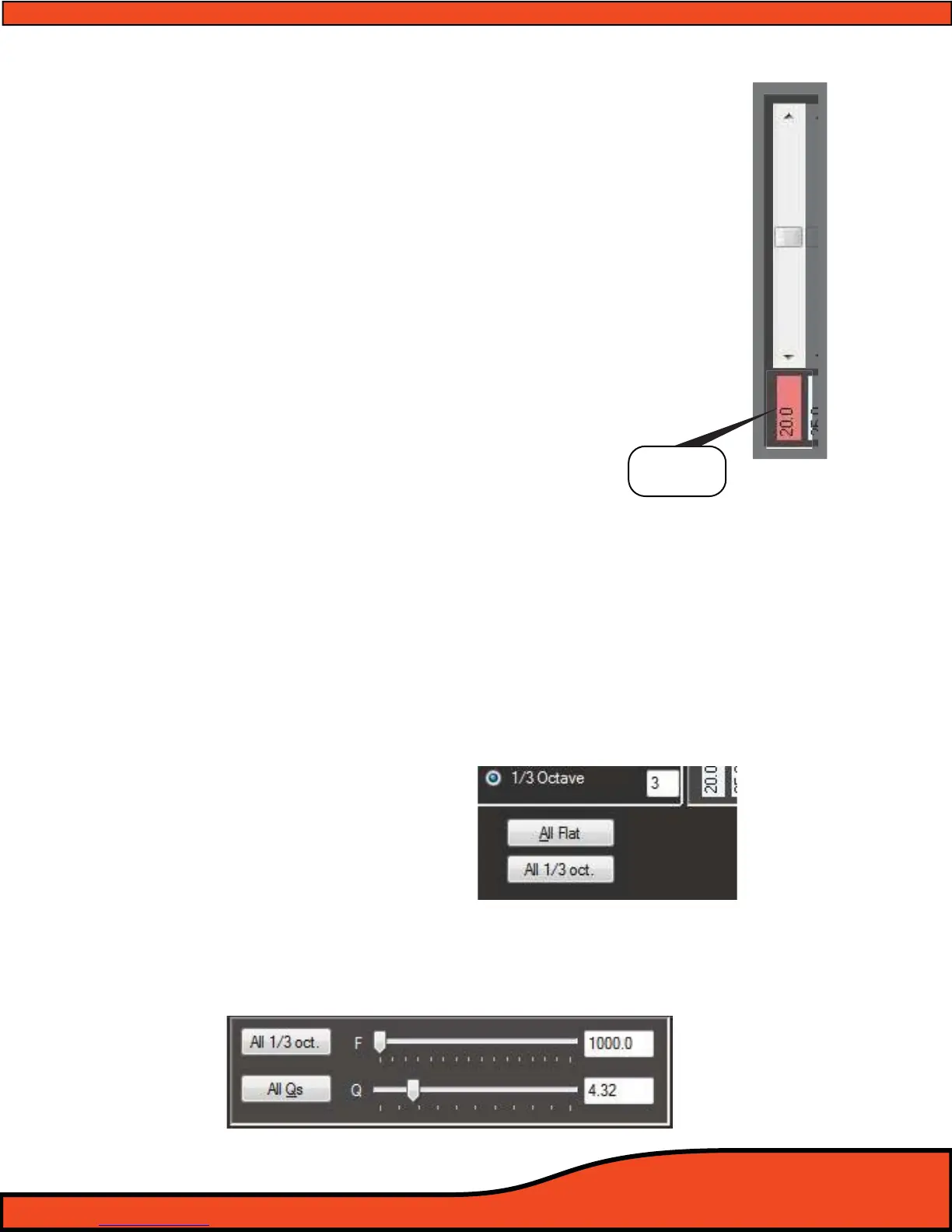
12.6.10.2 - Individual Frequency Adjustment Fine Adjustment Buttons
If ne point adjustment of the EQ is desired thru the use of the mouse or
pointer’s point and click feature, you may do so by hovering over the
desired individual sliders ne adjustment buttons
(See diagram 12.44) and
adjust the EQ in .25dB increments similar to the arrow key operation.
12.6.10.3 - Individual Band Frequency Center Display
These displays
(See diagram 12.44) give users the exact tuning frequency of
the corresponding the EQ slider above this position will have eect on.
These frequencies, unless customized while using the Parametric EQ in
advanced mode operation, will represent traditional Third Octave
frequencies. If you wish to change these tuning frequencies, you may only
do so while using the Parametric EQ when in Advanced mode.
12.6.10.4 - 1/3rd Octave EQ mode “All Flat” Button
This feature allows users to reset all bands of EQ back to “0dB”. To complete this process select the
desired channels of EQ in the “EQ Channel selection check boxs” (See Section 12.6.2) that you wish
to reset and then press the “All Flat” button
(See Diagram 12.45)
12.6.10.5 - 1/3rd Octave EQ mode “All 1/3rd Octave” Button
This button is part of the PS8’s proprietary failsafe protocol. In the event of a USB communication
error when sending or syncing les to or from the PS8 on long runs of cable or thru multiple exten-
sion cables etc and one of the 1/3rd Octave EQ frequency bands incorrectly reads 20.0K users may
manually correct this error if the automated system fails to correct it due to out of parameter condi-
tions. To use this feature select the channel(s) aected by this error and then click on the "All 1/3rd
oct" button.
(See Diagram 12.45)
12.6.10.6 - Parametric EQ Fine Tuning Controls
These detailed tuning features are only available while operating the PS8 in Advanced user mode.
If these features are not visible, it is because the software is currently in Standard
user operation mode.
(See diagram 12.46)
Diagram 12.44
Diagram 12.46
Frequency
Display
Diagram 12.45



 To Next Page