11.4 - "Setup"
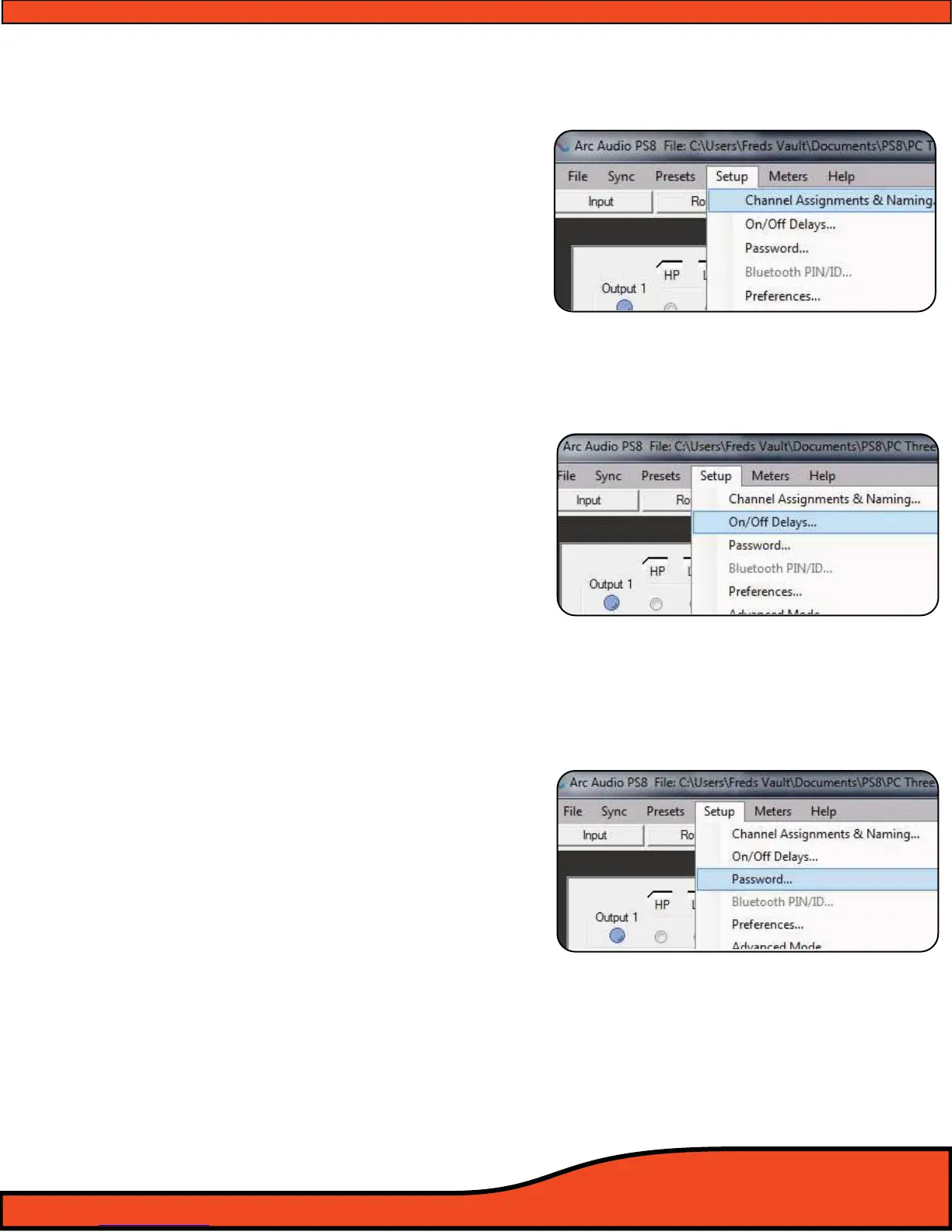
11.4.1 - User input/output channel assignment panel
(See diagram 11.20)
User dened channel assignment gives users the ability
to customize all input and output channel names.
Included in this panel is unique designation controls
allowing users to dene the operation of each channel for
combined use of exterior control sources etc.
(See Section 10.1 for detailed instructions)
11.4.2 - Remote turn on output program panel
(See diagram 11.21)
Remote output setup allows users to customize and self
dene the timing of the remote turn on output needed
for the individual vehicle installation. Adjustments
include remote out turn on from .01 - 10.0 seconds and
remote out turn o from .01 - 10.0 seconds.
(See Section 10.2 for detailed instructions)
11.4.3 - Password denitions, setup and system panel
(See diagram 11.22)
The PS8 and its user dened settings les are protected
by a digitally embedded user dened password protocol.
Every PS8 comes with a default password of " ". (All
Spaces) Changing the password prevents unauthorized
access and/or retrieval of the setting les that are currently
on the PS8's DSP preventing them from being modied,
changed or altered.
(See Section 10.4 for detailed instructions)
(Note: The factory default password is all empty spaces (No
characters entered). If you do not have the assigned password you
will not be able to retrieve and sync your PC to the current settings
on the PS8 and should take it back to the dealer who established
the password on your system. You may also restore the system
back to its default settings and start a new customized tune
yourself.)
Diagram 11.20
Diagram 11.21
Diagram 11.22



 To Next Page