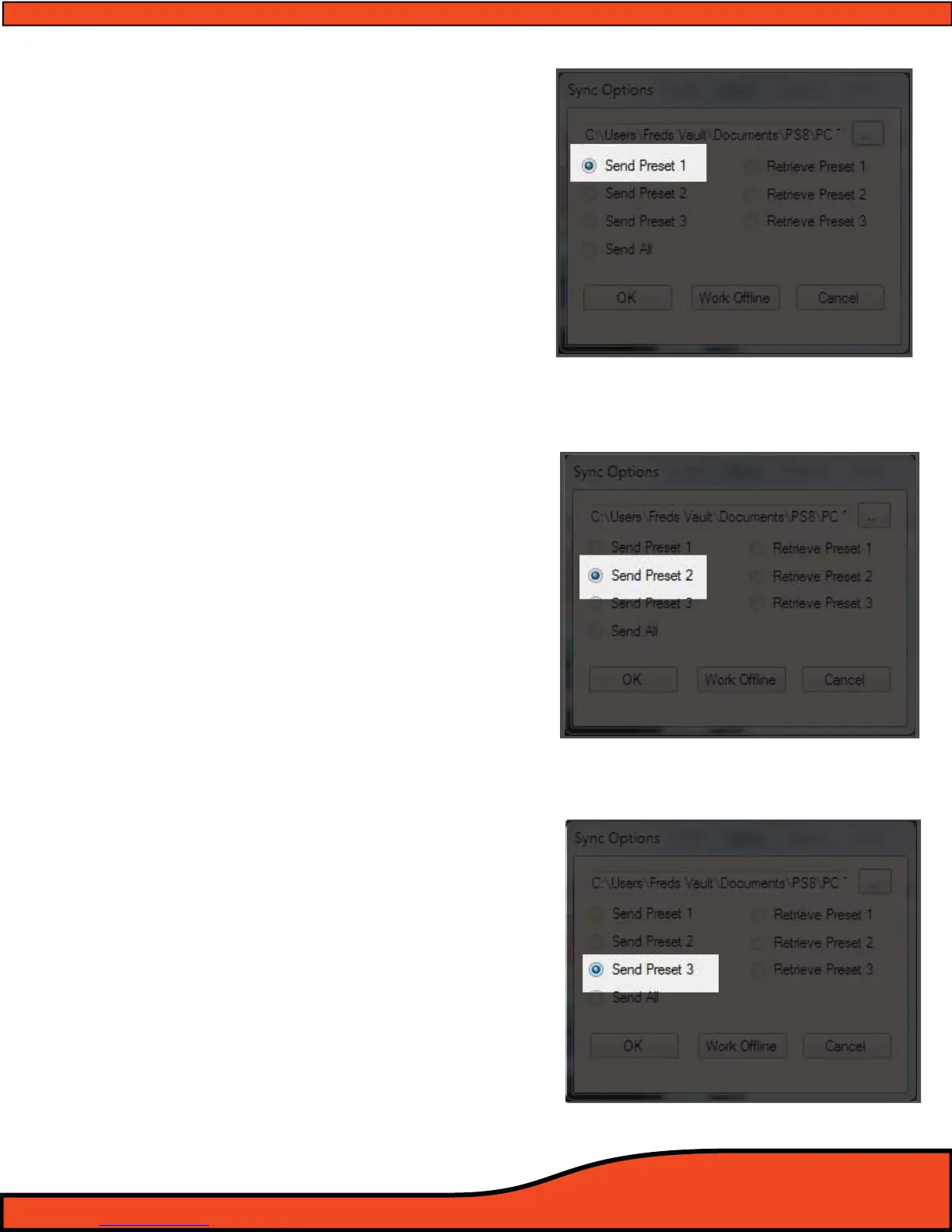
9.4 Send Preset 1 to the PS8 (See Diagram 9.4)
After selecting the desired settings le on your PC for the
PS8
(See Section 9.1) click and select on this button to
send Preset 1 related settings from this le to the PS8.
The PS8 will automatically sync all of these settings for
preset 1 after selecting this function.
Please note as each setting le stored on your PC
contains information for Presets 1, 2 and 3. If you want to
Sync preset 2 and 3 from this setting le you will need to
click on the "Sync" button on the top header of the
software and select "To PS8" and the desired preset
("Preset 1", "Preset 2", "Preset 3") you want the selected
setting preset les to be loaded to on the PS8.
9.5 Send Preset 2 to the PS8
(See Diagram 9.5)
After selecting the desired settings le on your PC for the
PS8
(See Section 9.1) click and select on this button to
send Preset 1 related settings from this le to the PS8.
The PS8 will automatically sync all of these settings for
preset 1 after selecting this function.
Please note as each setting le stored on your PC
contains information for Presets 1, 2 and 3. If you want to
Sync preset 1 and 3 from this setting le you will need to
click on the "Sync" button on the top header of the
software and select "To PS8" and the desired preset
("Preset 1", "Preset 2", "Preset 3") you want the selected
setting preset les to be loaded to on the PS8. For more
information on how the PS8 presets operate please
9.6 Send Preset 3 to the PS8
(See Diagram 9.6)
After selecting the desired settings le on your PC for the
PS8
(See Section 9.1) click and select on this button to
send Preset 1 related settings from this le to the PS8.
The PS8 will automatically sync all of these settings for
preset 1 after selecting this function.
Please note as each setting le stored on your PC
contains information for Presets 1, 2 and 3. If you want to
Sync preset 1 and 2 from this setting le you will need to
click on the "Sync" button on the top header of the
software and select "To PS8" and the desired preset
("Preset 1", "Preset 2", "Preset 3") you want the selected
setting preset les to be loaded to on the PS8. For more
information on how the PS8 presets operate please
Diagram 9.4
Diagram 9.5
Diagram 9.6



 To Next Page