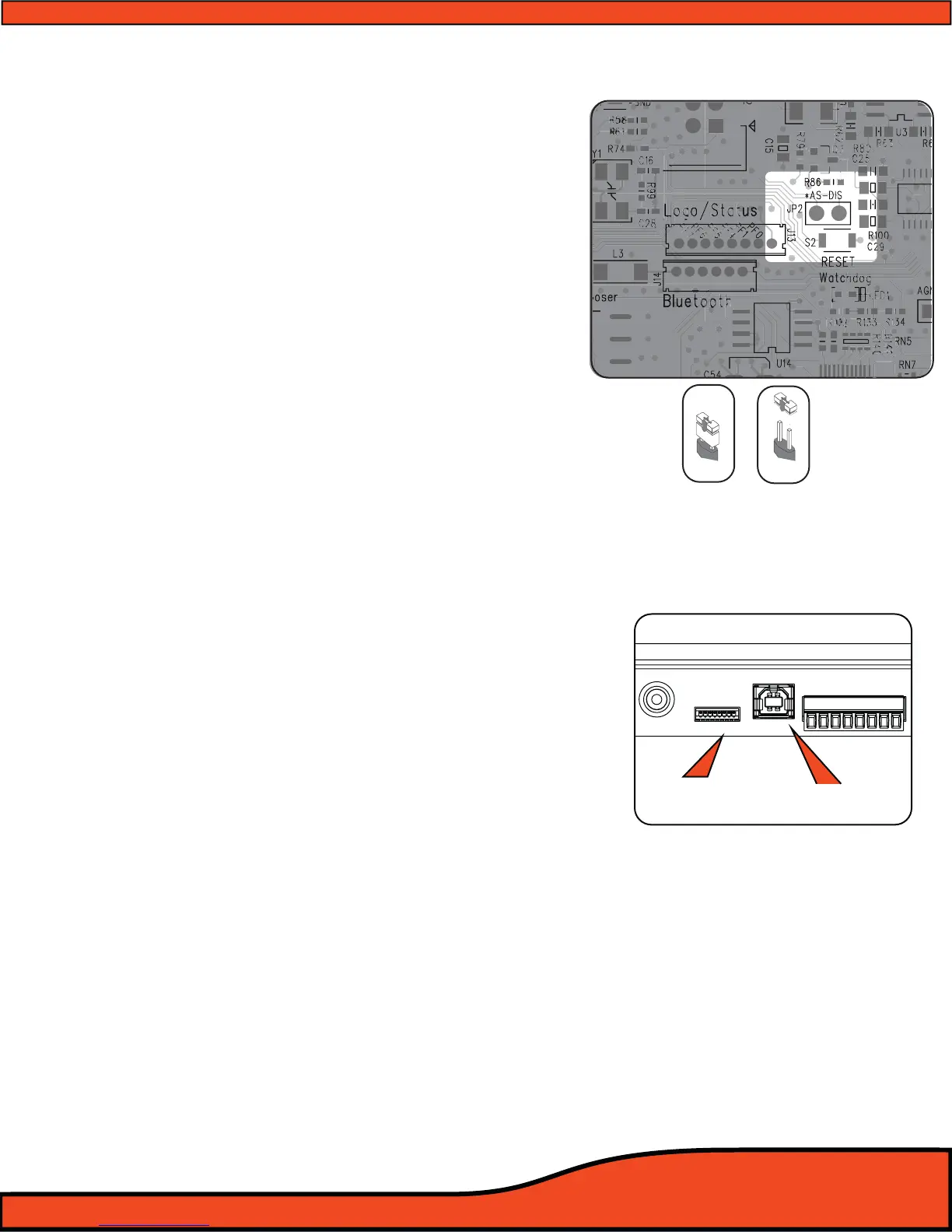
Diagram 6.3
DISPLAY USB
+12V
GND
REM - IN
REM - OUT
P - 1
P - 2
ILLUM
SIG GND -
PSC Display
Connection
USB/PC Connection
Diagram 6.4
Disabled Enabled
Auto Sense
6.1.4 - PS8 Speaker Autosense turn on/o jumper
The ARC Audio PS8 has a patented bridged mode
detection circuit incorporated into the design, improving
the exibility of the PS8 for OEM integration applications.
This mode can detect the BTL (CHIP) used in most head
units and stock ampliers. When turned on, Bridged
mode detection will sense this chip and turn on the PS8.
BTL Auto detect is activated by removing the PS8's status
display and changing the jumper location as indicated.
(See diagram 6.3)
Please note that BTL Auto detection will not work on all
vehicles and some vehicle may require the remote turn-on
lead input to be connected to the vehicles accessory
circuit.
6.2 - User Interface Connections-
6.2.1 - PSC display cable connection
This connection is for the PS8's optional accessory
controller (ARC Audio PSC). This connection is only
compatible with the PSC's proprietary interconnect cable,
and is only compatible with the ARC Audio PSC Controller
(Sold Separately).
(See diagram 6.4)
6.2.2 - USB Connection
This port is used to connect your computer to the PS8 via
the provided USB A TO B cable. This connection is
required for the PS8's user utility software to
communicate with the PS8 and adjust its onboard DSP
functions. The PS8's USB interface is USB 1.1/2.0
compatible.
(See diagram 6.4)



 To Next Page