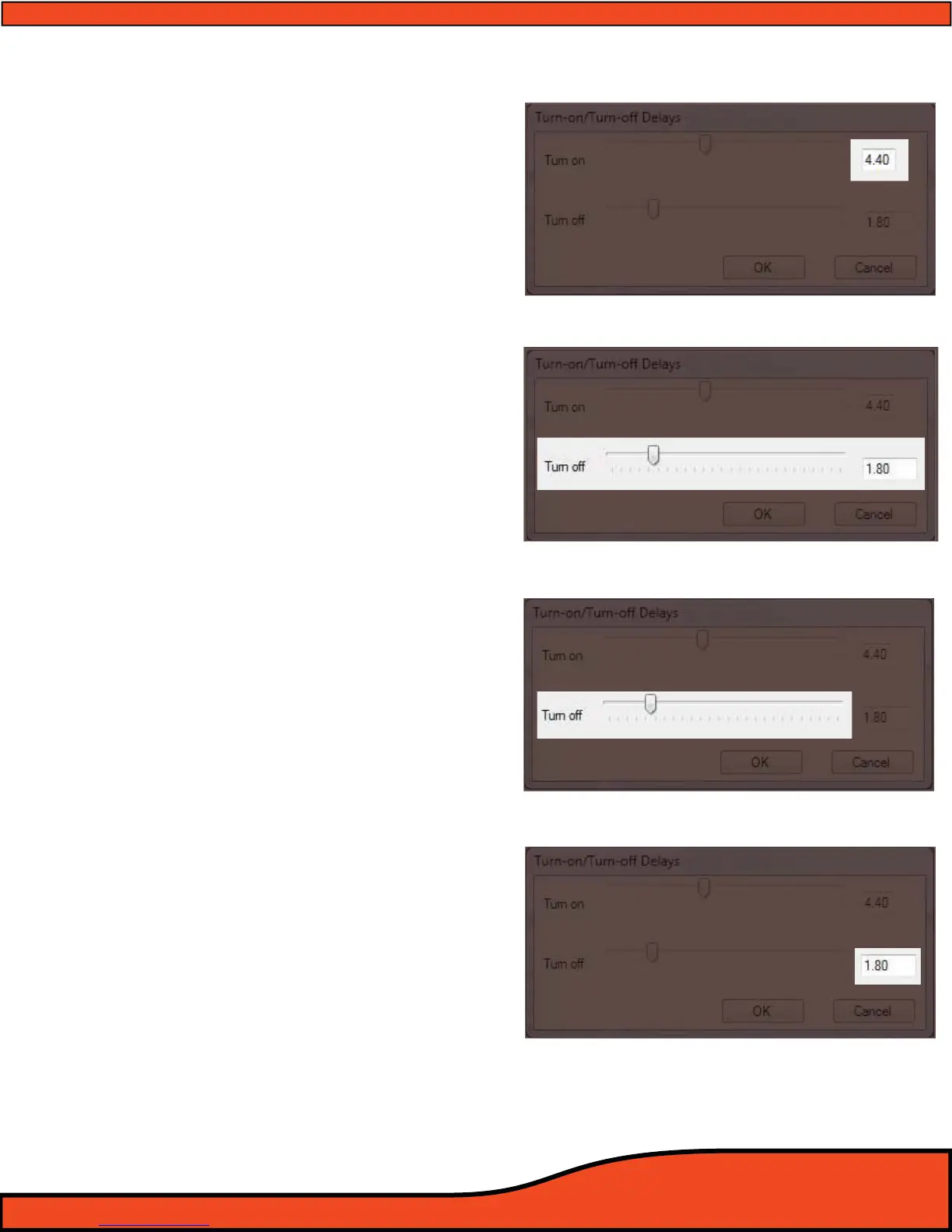
Diagram 10.7
Diagram 10.8
Diagram 10.9
Diagram 10.10
10.2.1.2- Turn on display readout
When a change is made for the timing
delay of the remote turn on lead, the exact
user dened value will be displayed here.
(See diagram 10.7)
10.2.2- Remote turn on lead (O) delay user control
The remote turn on lead (O) delay control
interface allows users to delay the turn o period
of their ampliers to eliminate turn o pops in
their system. This is extremely useful for OEM
system integration where the accessory circuit
must be used to trigger the system, or in many
full aftermarket system applications.
(See diagram 10.8). Users may dene a turn o
delay from .01 Seconds to 10.0 Seconds
10.2.2.1- Turn o delay slider
(See diagram 10.9)
To change the value of the remote turn o
delay timing, simply click on the slider and
drag the adjustment to the desired
amount of delay up to 10.0 seconds. The
exact value will be displayed in the turn on
display readout.
(See Section 10.2.2.2).
10.2.2.2- Turn O Delay Readout
When a change is made on the timing
delay of the remote turn on lead, the exact
user dened value will be displayed here.
(See diagram 10.10)



 To Next Page