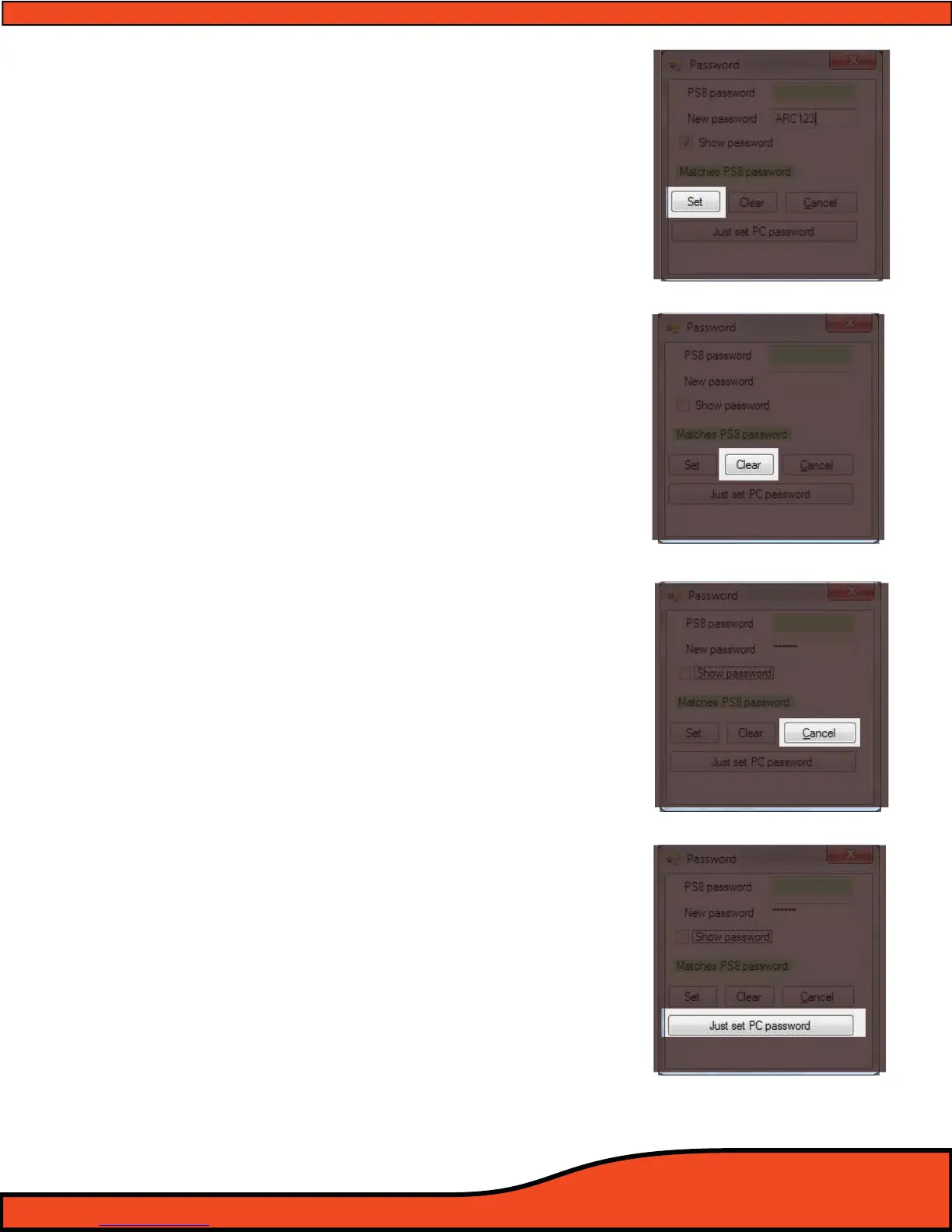
Diagram 10.26
Diagram 10.27
Diagram 10.28
Diagram 10.29
10.4.4 - "Set" Password button
"Set" password is used for programming new passwords
into the PS8 and onto your PC. By pressing the "Set"
button
(See diagram 10.26) after entering a password that
matches the existing password stored in the rmware of
the PS8 as well as your new desired password this feature
will program the new password on your PS8 and ontothe
PC currently in use as the active password of operation
for that individual PS8.
(Please note that after programming a password to your PC, if
you attempt to connect to another PS8 you will be required to
enter a password that is correct for the PS8 that you are connect-
ing to. If you store another password for a dierent PS8 and
return to the original PS8 you will have to re-enter the password
as only one password is stored on your PC at a time.)
10.4.5 - "Clear" reset system button
If you do not have or have forgotten the existing pass
word stored in the PS8 you will be forced to send a new
settings le to the PS8 to allow the PC and the PS8 to
have corresponding operation. You may also press
the "Clear" button
(See diagram 10.27) to reset all of the
settings on your PC to a default state in which you may
then sync to the PS8 and start from scratch with new user
dened settings.
10.4.6 - "Cancel" button
Pressing the cancel button
(See diagram 10.28) will termi-
nate all in progress password modications that you are
making and return you to the main screen software
utility screen
10.4.7 - "Just set PC password" button
This feature allows you to enter a new password into the
"New password" display area
(See Section 10.5.2) and to
program this password onto your PC without program-
ming it into the rmware of the PS8 by pressing the "Just
set PC password" button
(See diagram 10.29).
****DEFAULT PASSWORD STORED ON PS8 IS ALL SPACEBAR ENTRIES****
(No characters or numbers entered in the password eld)



 To Next Page