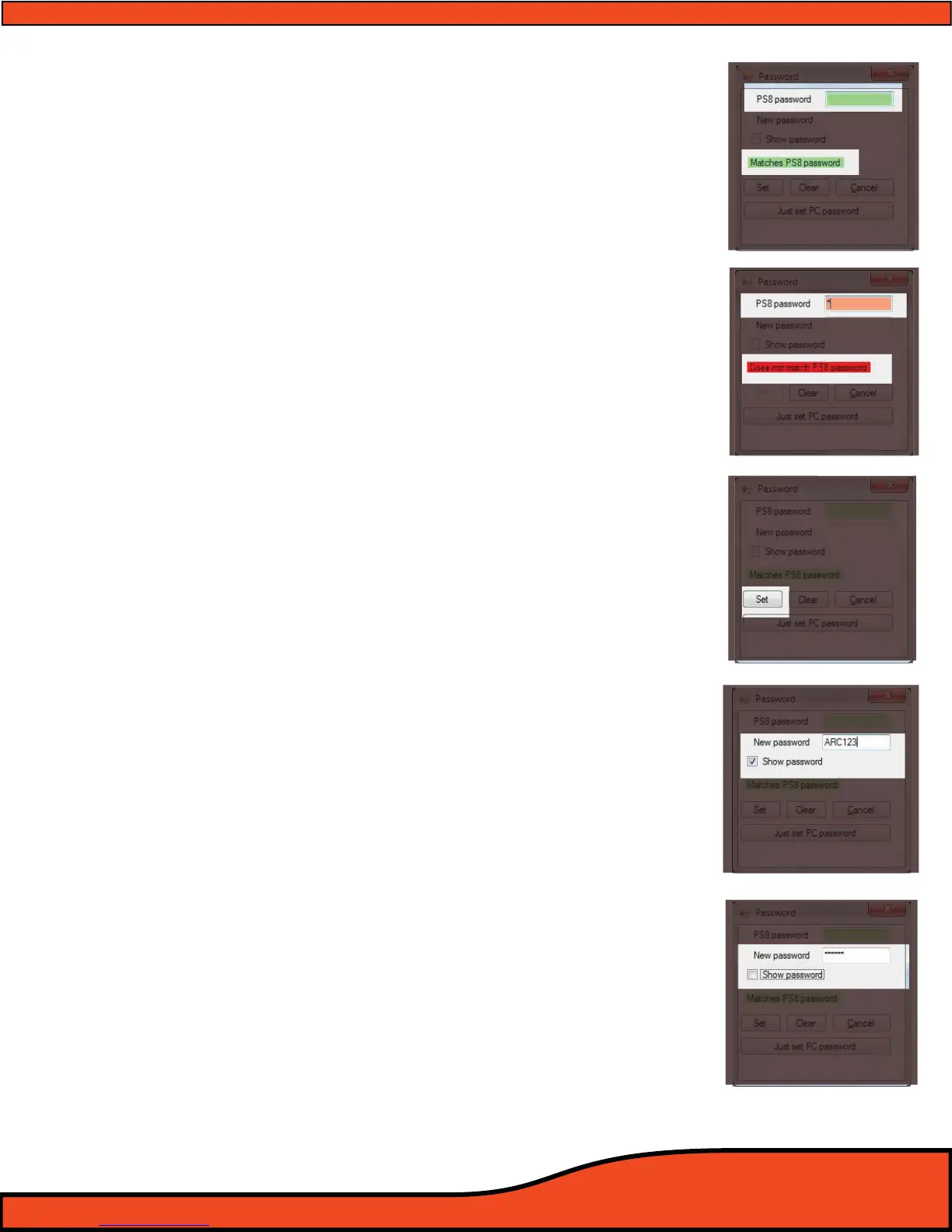
10.4.1 - PS8 Password entry for Syncing (Password entry)
When syncing from the PS8 your PC must have a properly entered
password that matches the password that is currently programmed
into the PS8. The password must be entered in the PS8 password
display
(See diagram 10.21)
If the password entered in this display matches the one already in
place on the PS8 the display opening will be green
(See diagram 10.21). If the display opening is red (See Diagram 10.22) it
means that the passwords do not match and will require you to
re-enter a new password that matches to the PS8.
10.4.2 - Setting a new password - "New Password"
This display category allows users to enter a new user dened pass
word onto the PS8. To enter a new password you must rst have
entered a password in the above "PS8 Password Display"
(See section 10.21) and the software should be indicating this proper
entry with a green highlighted display box
(See diagram 10.21).
After verifying that you have entered the correct existing password
for the PS8 you may enter the new password into the "New pass
word" display box then click the "Set" button
(See diagram 10.23) to
nalize and program this new password to the PS8.
10.4.3 - Show Password
This checkbox allows users to dene if they want the password being
entered in the "New Password" display box to be visible upon entry
(See diagram 10.24) or masked when typing (See diagram 10.25).
****DEFAULT PASSWORD STORED ON PS8 IS ALL SPACEBAR ENTRIES****
(No characters or numbers entered in the password eld)
Diagram 10.21
Diagram 10.22
Diagram 10.23
Diagram 10.24
Diagram 10.25



 To Next Page