Step 12 - After clicking on the "Re-Start PS8" button please
wait about 5-10 seconds for the processor to reiniti-
ate and you will begin to hear audio again, given that
your previous settings prior to the update were set up
correctly.
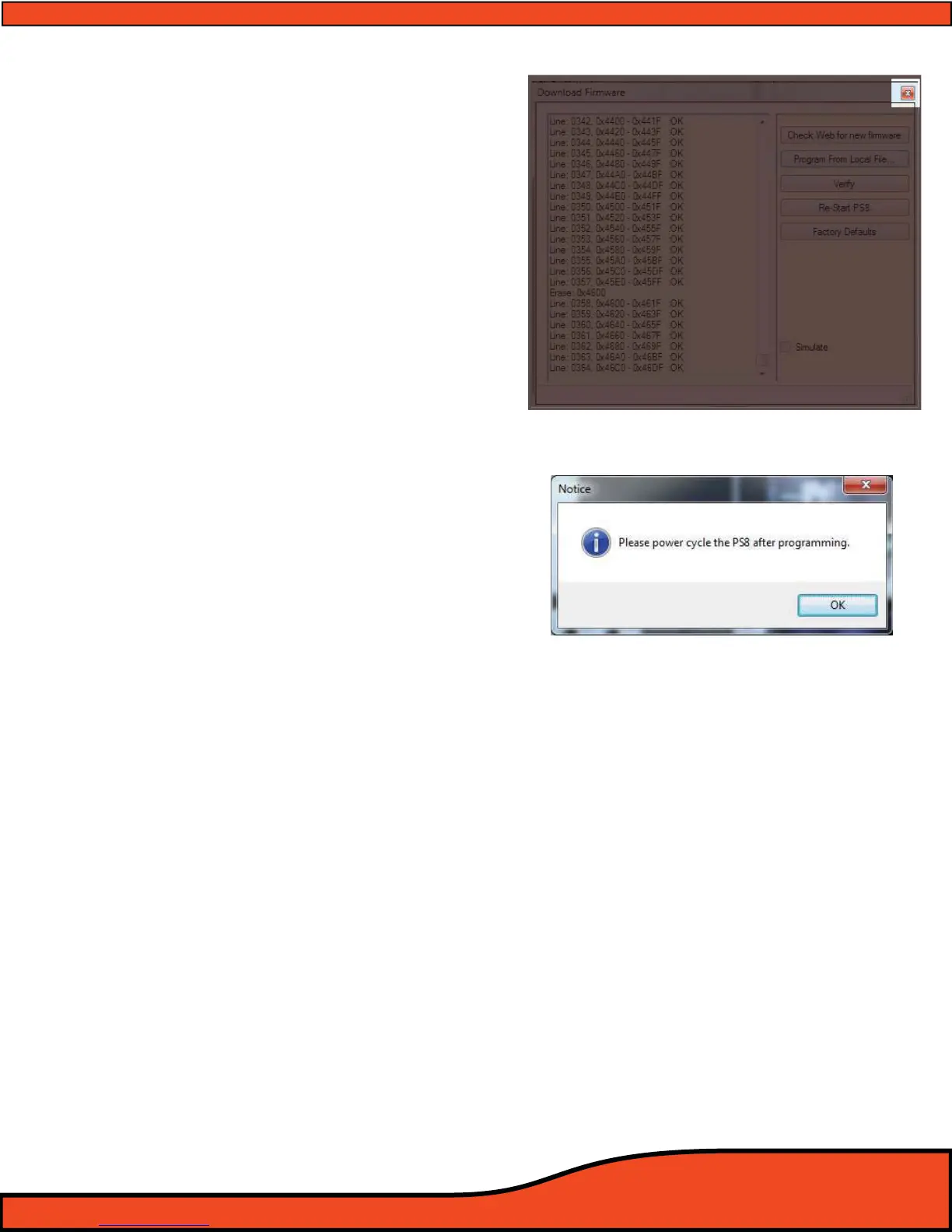
Step 13- After the PS8 has restarted click on the Red X
(See Diagram 8.10) in the top right corner of the
rmware update window.
Step 14 - Once you have selected to close this window you
will see a pop up window
(See Diagram 8.11) that
notify you that you must power cycle the PS8 and its
software to fully initiate the new rmware and to
reconnect the software to the PS8.
Step 15 - Shut down the PS8 user utility and disconnect
the USB from your PC
Step 16 - Reconnect the USB and then Re-Start the PS8
software utility.
Congratulations, you are now completed with
the PS8 update process!
Diagram 8.10
Diagram 8.11



 To Next Page