User’s Manual—SNAP™ 500 Gen 1 and Gen 2 43
Classification: Avery Dennison - Public
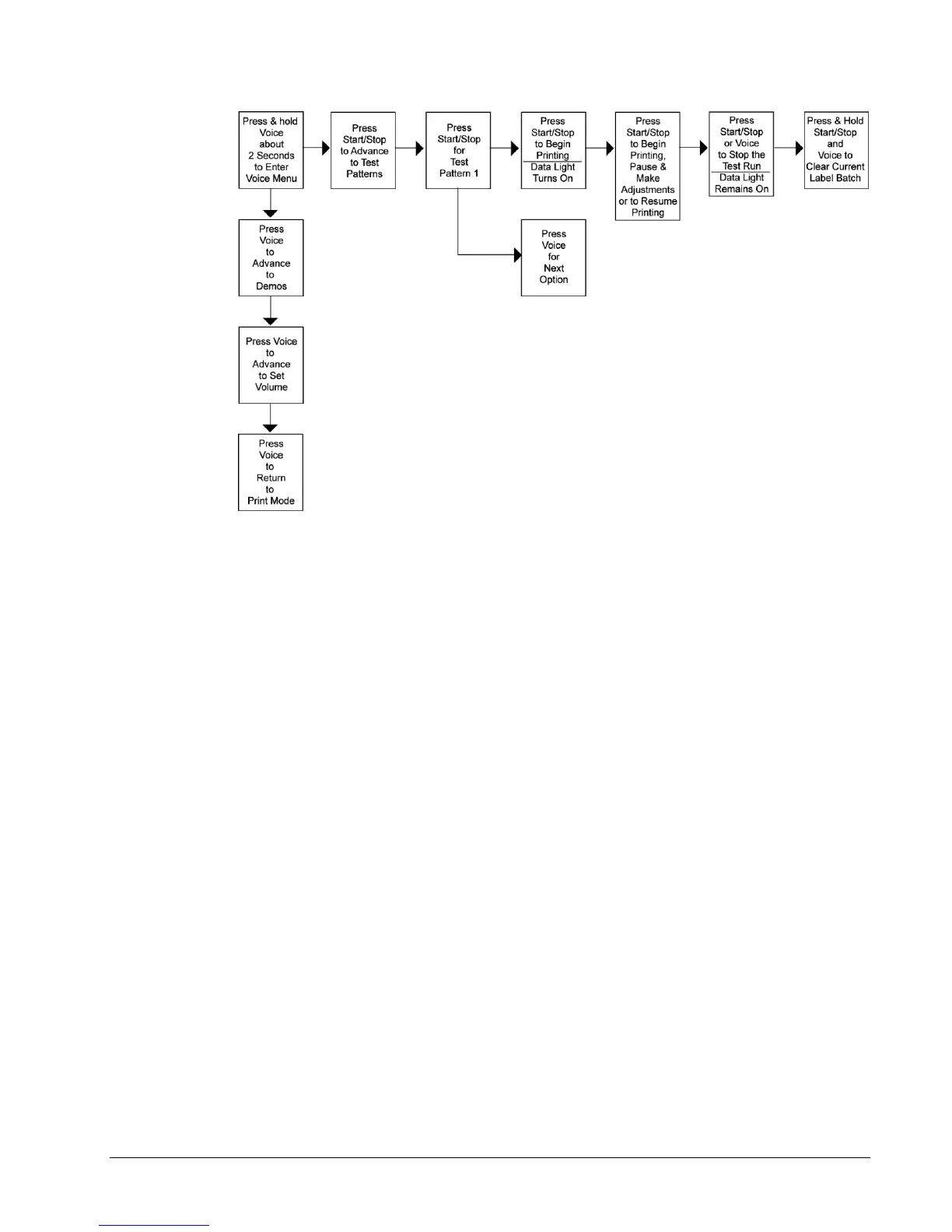
Figure 12A: Running Test Patterns
Wide Test Pattern
1. Press and hold the Voice button for about two seconds: “Press Start for Test
Pattern.”
1. Press the Start / Stop button: “Press Start for Narrow Test Pattern.”
2. Press the Voice button: “Press Start for Wide Test Pattern.”
3. Press the Start / Stop button: “Ready to Print Wide Test Pattern. Returning
to Print Mode.” The Data light will turn on.
4. Press the Start / Stop button. The machine will begin printing Wide Test
Pattern.
5. To stop printing the test labels, press the Start / Stop button. The Data light
will remain on. Make any necessary adjustments, and press Start / Stop to
resume printing the test labels.
6. Once satisfied with the test label, press either the Start / Stop or Voice button
to stop the test run. The Data light will remain on.
7. Press and hold the Start / Stop and Voice buttons simultaneously to clear the
current batch of labels being printed.
8. The voice message will say, “Clearing Current Batch.” The Data light will go
out.
The Same procedure should be followed for Custom Test Pattern 1 and Custom Test
Pattern 2.















 To Next Page