96 User’s Manual—SNAP™ 500 Gen 1 and Gen 2
Classification: Avery Dennison - Public
10.5 Minimum Cut Length
Machine drops short
tickets between
knife and nip roller
assembly. See
section 10.3 for
minimum length
ticket requirements.
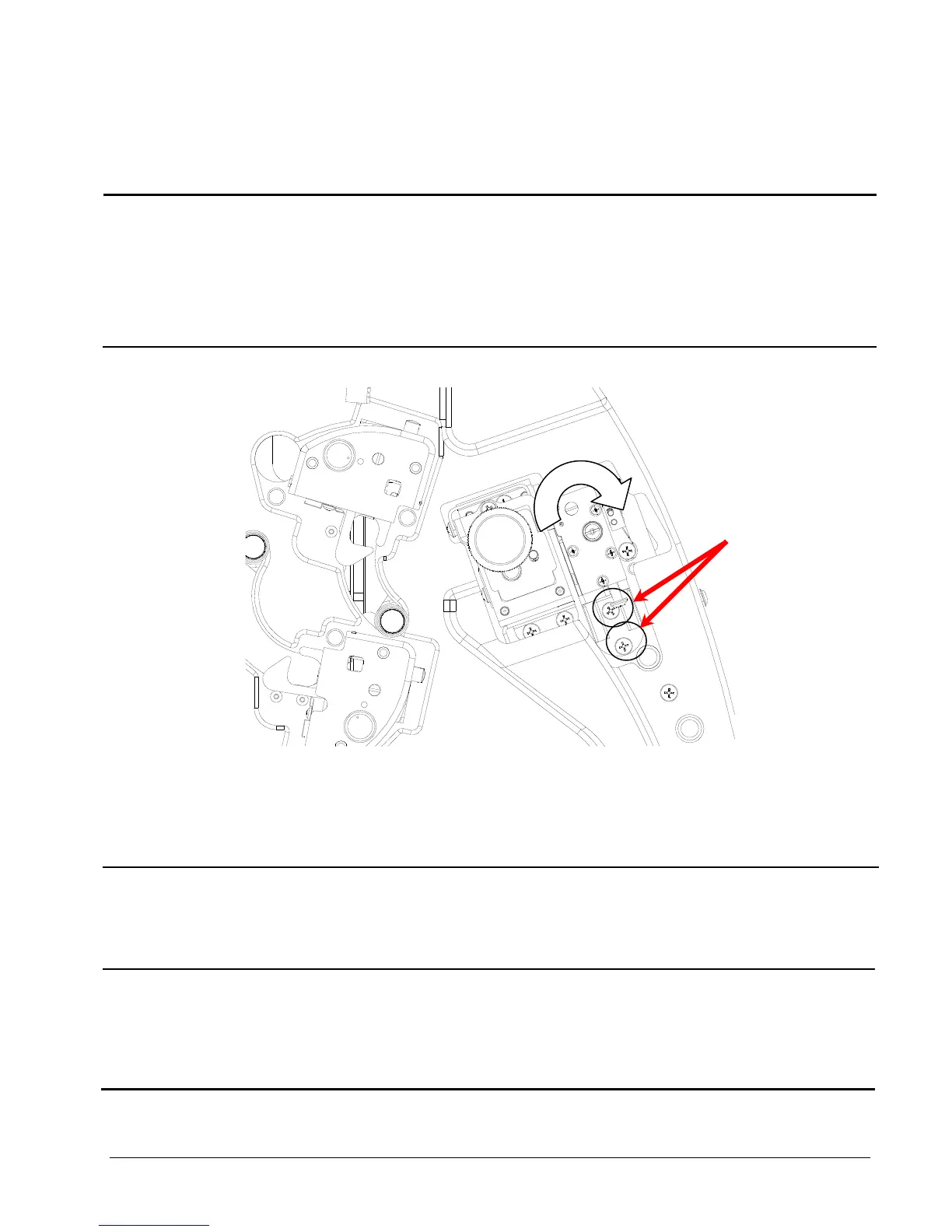
1) Knife out of alignment
1. Loosen knife bracket screws
shown in diagram.
2. Rotate knife towards nip roller
assembly.
3. Hold in place while tightening
screws.
.
10.6 Stacker
Stacker fails to move up
or down when start
button is depressed.
1) Not plugged in all the way.
2) Just installed and needs to be power cycled
for printer to identify option installed.
3) Printer has no batches to print.
Platform cannot find
home
1) Remove back cover and check
connections.
2) Broken wire or damaged LED
2) Sensor out of alignment
1) Outer bracket bent and needs to be
reformed.















 To Next Page