72 User’s Manual—SNAP™ 500 Gen 1 and Gen 2
Classification: Avery Dennison - Public
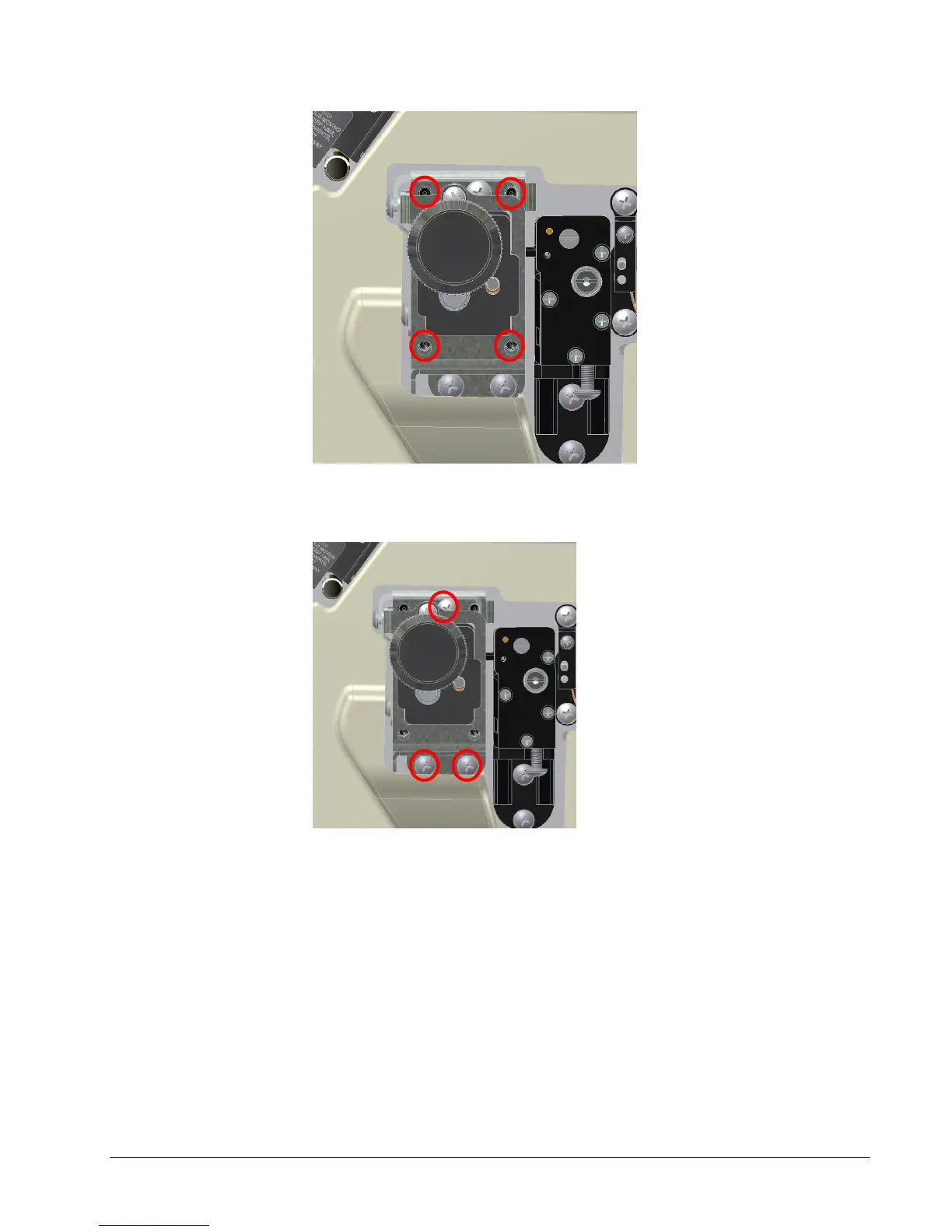
Figure 20a: Adjustment Set Screws
4. Loosen 3 Phillips head screws holding Feed Assembly to machine.
Figure 20b: Phillips Head Screws
5. Continue backing out adjustment set screws shown in figure 20a based on
direction stock needs to track. Backing out screws on left will track web more
inward (used when stock tracks towards front of machine). Backing out
screws on right will track web more outward (used when stock tracks
towards machine).
6. Begin by backing out adjustment set screws ¼ to ½ turn at a time.
7. Retighten Phillips head screws shown in figure 20b and retry printing.
8. Continue with steps 5 through 8 until tape tracks appropriately.















 To Next Page