Page 29Aviom A640 Personal Mixer User Guide
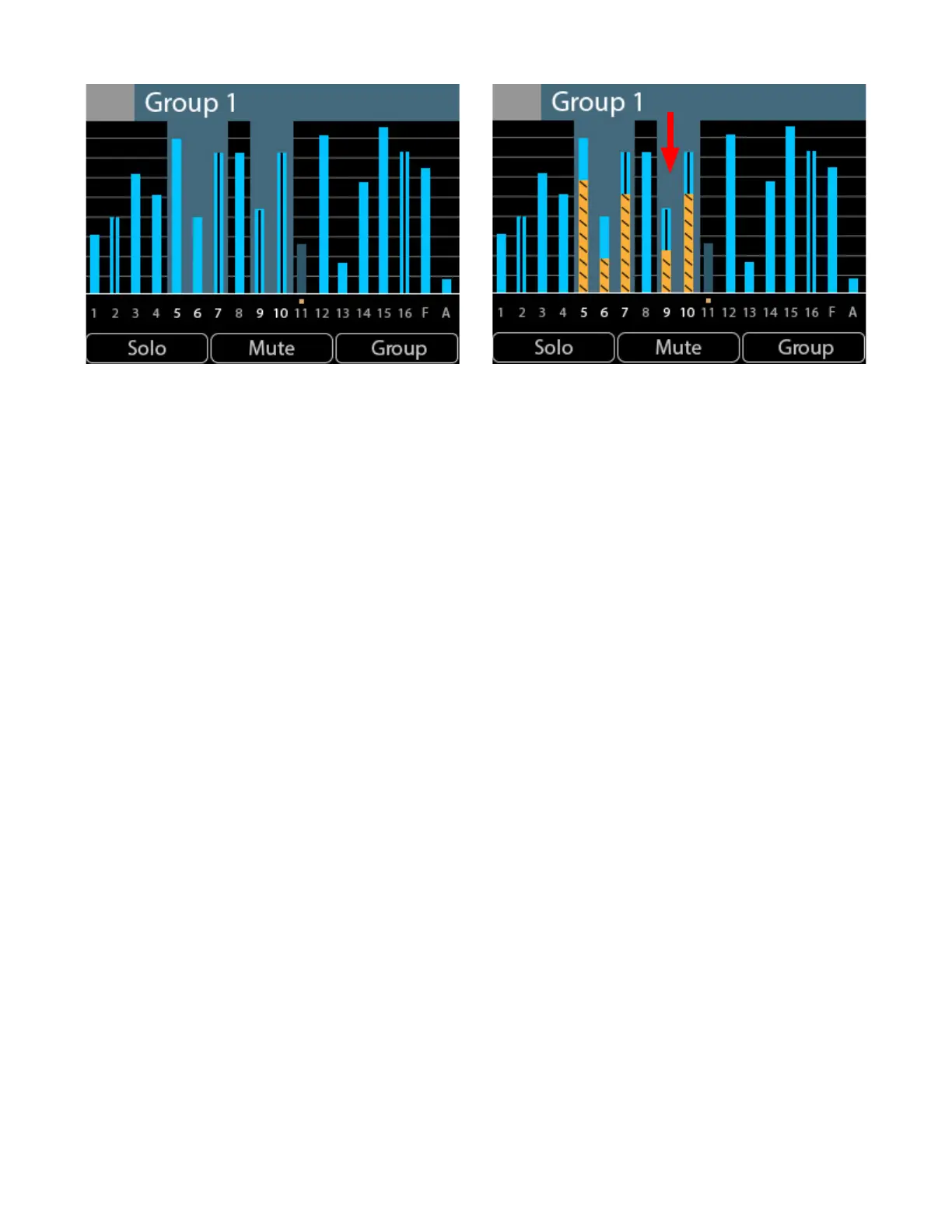
A Group is selected (left) and its volume is changed (right). All channels change by the same amount.
When the A640's right side rotary encoder is turned, the volume level for each channel in the Group
is changed by the same amount. In the example, all channels have been lowered in volume by
rotating the right encoder to the left. For reference, the level dierence is illustrated with orange bars
in the right-side image above.



 To Next Page