Page 46Aviom A640 Personal Mixer User Guide
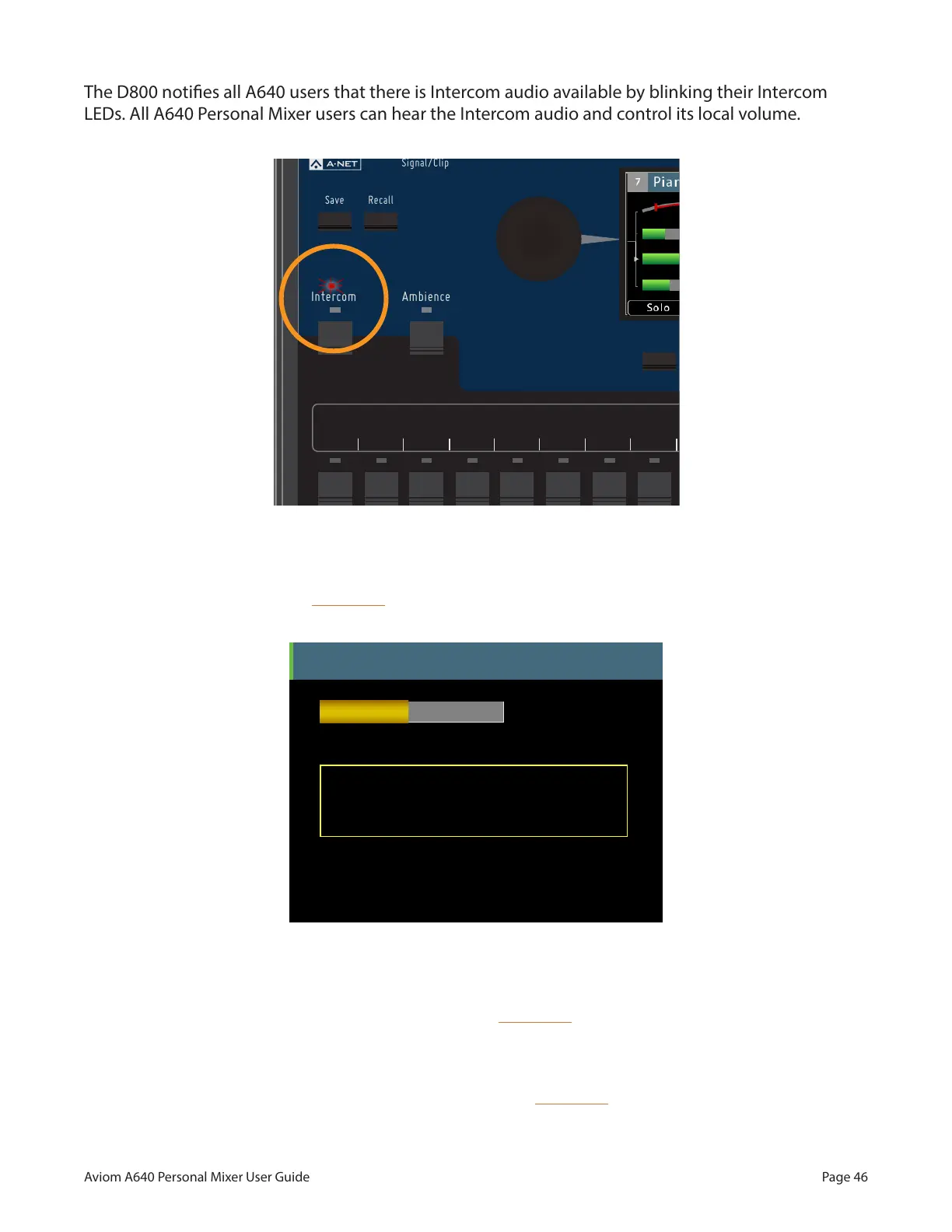
The D800 noties all A640 users that there is Intercom audio available by blinking their Intercom
LEDs. All A640 Personal Mixer users can hear the Intercom audio and control its local volume.
AmbienceIntercom
Save Recall
Signal/Clip
Aux Volume Master Volume
Master EQ
Channel
Mix
Names
Trim All
View Mixer Setup
1 2 3 4 5 6 7 8 9 10 11 12 13 14 15 16 Favorite
The Intercom LED ashes to notify users that Intercom audio is being transmitted.
The other A640 Personal Mixer users connected to the D800/D800-Dante will see Intercom info in
their display when their local inteRcoM button is held down.
Intercom
Dave’s A640 is the speaker.
D800 Port 1
Receive
Volume
Intercom Broadcast Slot = 64
Audio Source = Disabled, Listen Only
Intercom info is displayed when you hold the Intercom button down.
Users listening to the Intercom are shown the name and location of the A640 Personal Mixer that is
currently transmitting the Intercom audio when their inteRcoM button is held down. (In this example,
the user connected to D800 port #1 has named this A640 "Dave's A640" by using the Edit Mixer
Name function found in the Mixer Setup window.)
Adjust the Intercom Receive Volume at any time while the inteRcoM button is held down by turning
either encoder.



 To Next Page