TWIN – Use and maintenance instruction manual
Chap. 5
- 6/48 -
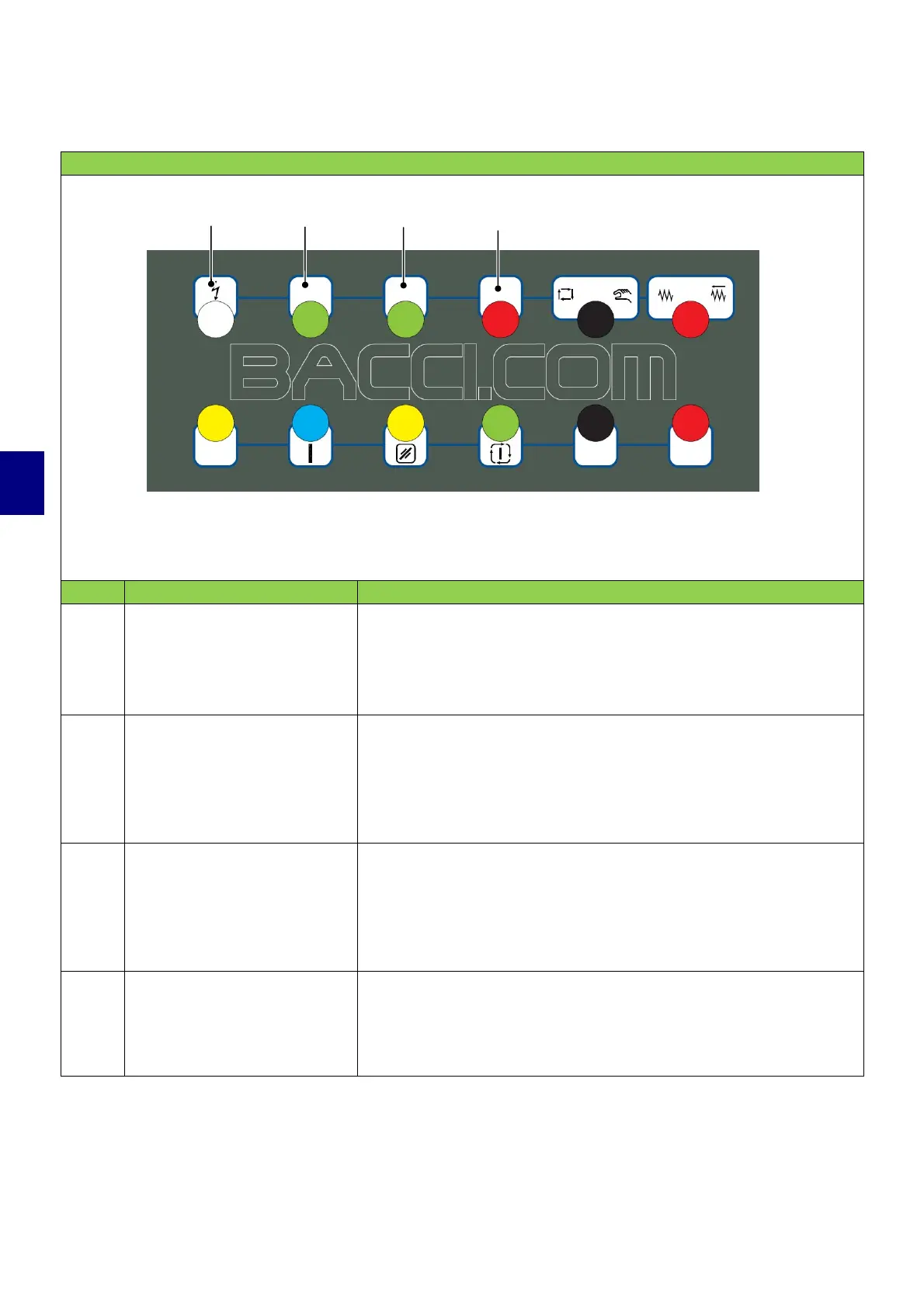
5.1.2 Main pushbutton panel
CONTROLS ON THE MAIN PUSHBUTTON PANEL
POS. CONTROL DESCRIPTION
1
“Grid connected” pilot
light
When the pilot light is on, the machine is connected.
When the pilot light is off, the machine is disconnected.
2
Backlit control
pushbutton: "LH bench
vacuum pump on/off"
(WHERE PRESENT)
When the pushbutton is lit, the vacuum pump is on.
Press the pushbutton to turn off the pump and enable blocking
the pieces using the clamps.
3
Backlit control
pushbutton: "RH bench
vacuum pump on/off"
(WHERE PRESENT)
When the pushbutton is lit, the vacuum pump is on.
Press the pushbutton to turn off the pump and enable blocking
the pieces using the clamps.
4
Backlit control pushbutton:
"Stop vacuum pumps"
(WHERE PRESENT)
When the pushbutton is lit, the vacuum pumps are on.
Press the pushbutton to turn off the pumps and enable blocking
the pieces using the clamps.
NOTE: controls 2, 3 and 4, in some machine configurations may have different functions
compared to those described in the table. In this case, please refer to the information described
in ANNEX B - TECHNICAL DRAWINGS AND GENERAL INFORMATION, for identifying specific
functions.
1
2
3
4


 To Next Page