CHAPTER 5 – Controls and use
Chap. 5
- 11/48 -
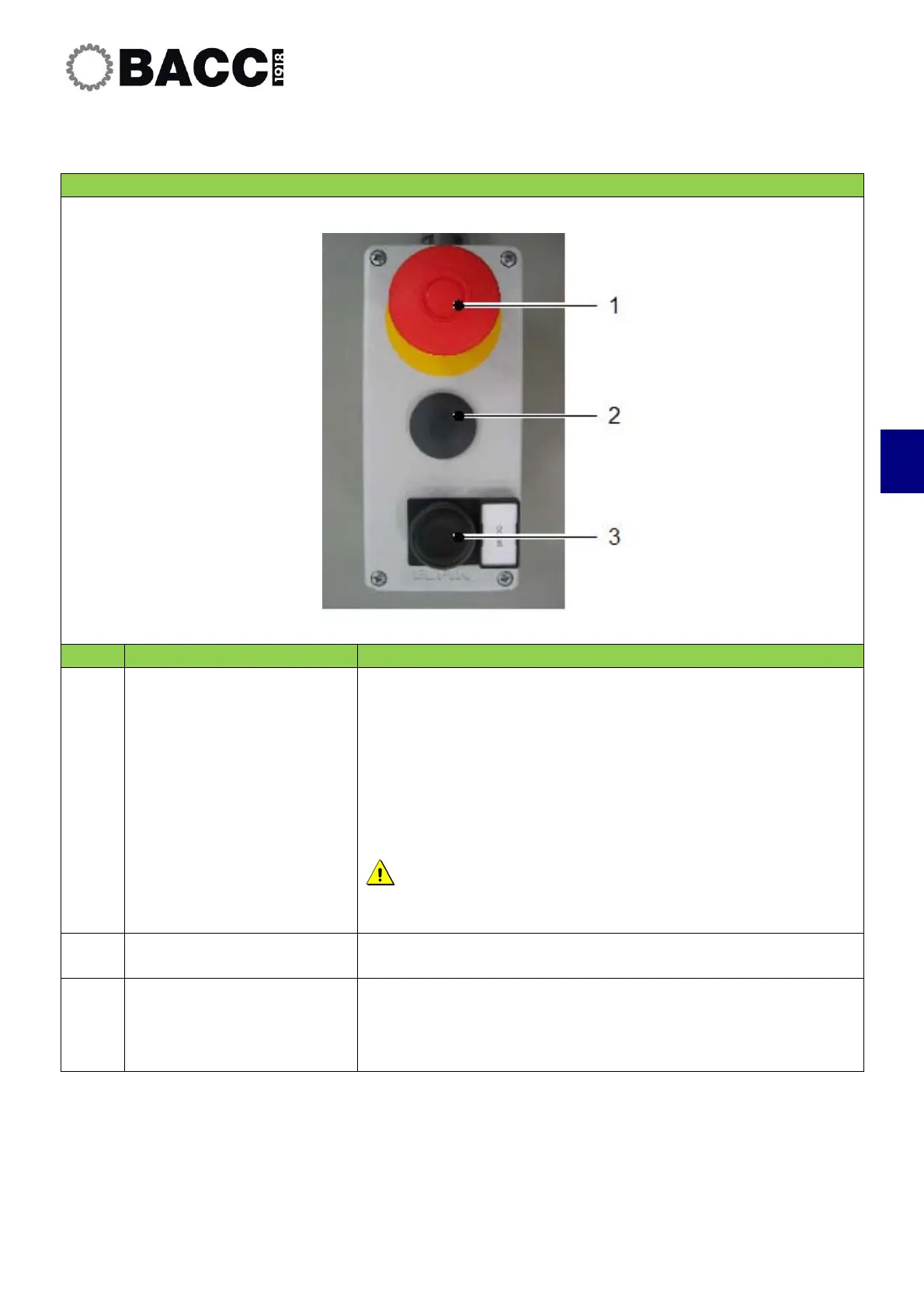
5.1.4 Table pushbutton panel
CONTROLS IN THE TABLE PUSHBUTTON PANEL
POS. CONTROL DESCRIPTION
3
Emergency Stop
Pushbutton
Stops the machine in emergency mode and turns off the
machine.
Disconnects power from axes and spindles
1)
.
The pushbutton has a mechanical block that keeps it in position;
turn it to the left to release.
Use the emergency pushbutton only in the event of
imminent danger for the operator.
2
Not present
Free for future installations.
3
“Door” command button
This command select the opening mode of the sliding doors.
Manual mode: open and close the loading sliding doors.
Automatic mode: close the loading sliding doors.


 To Next Page