TWIN – Use and maintenance instruction manual
Chap. 5
- 10/48 -
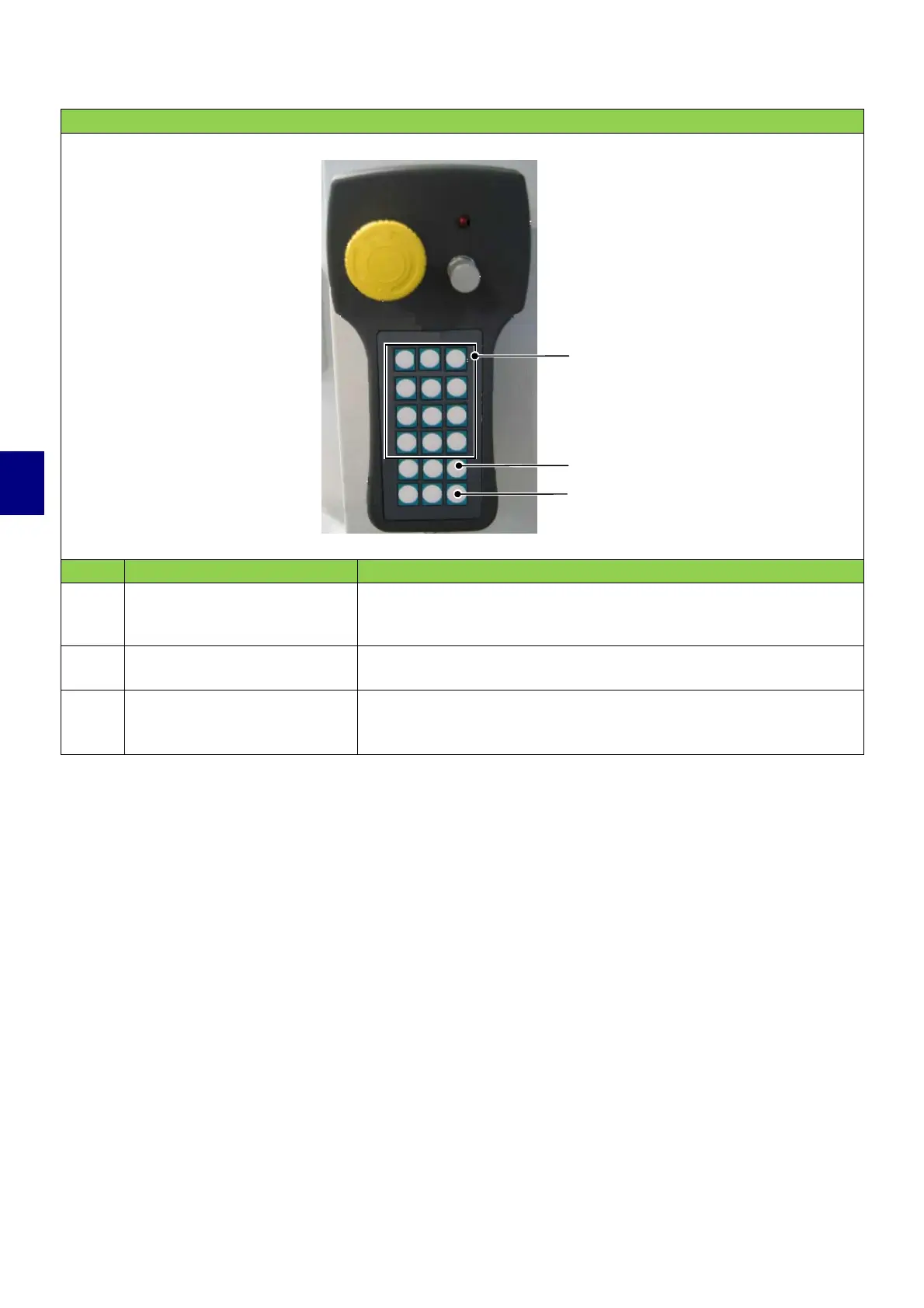
CONTROLS ON THE PORTABLE PUSHBUTTON PANEL
POS. CONTROL DESCRIPTION
5
“Axis movement” control
pushbutton
Press this control to move the axis as described on the control
itself, either forwards or backwards. Only one axis may be moved
at a time, with a hold-to-run type action.
6
Tool change control
pushbutton (optional)
Press this control to rotate the magazine position forwards.
7
“Axis position
digitalization” control
pushbutton
Use this control in “Programming for self-learning” mode.
To be used to zero the axes in JOG mode or to BLOCK/UNLOCK
execution of programs in MEM mode.
6
7
5


 To Next Page