TWIN – Use and maintenance instruction manual
Chap. 5
- 42/48 -
5.11 Overview of the main PITAGORA functions
The zoom function, the possibility of obtaining piece and machine pan views, enlarging them and rotating
them during any step of the program realization process makes it possible to visually measure collisions
and obtains a precise and reliable result.
Collision control is fully automatic and the programmer need only follow the instructions provided by
PITAGORA for error-proof results.
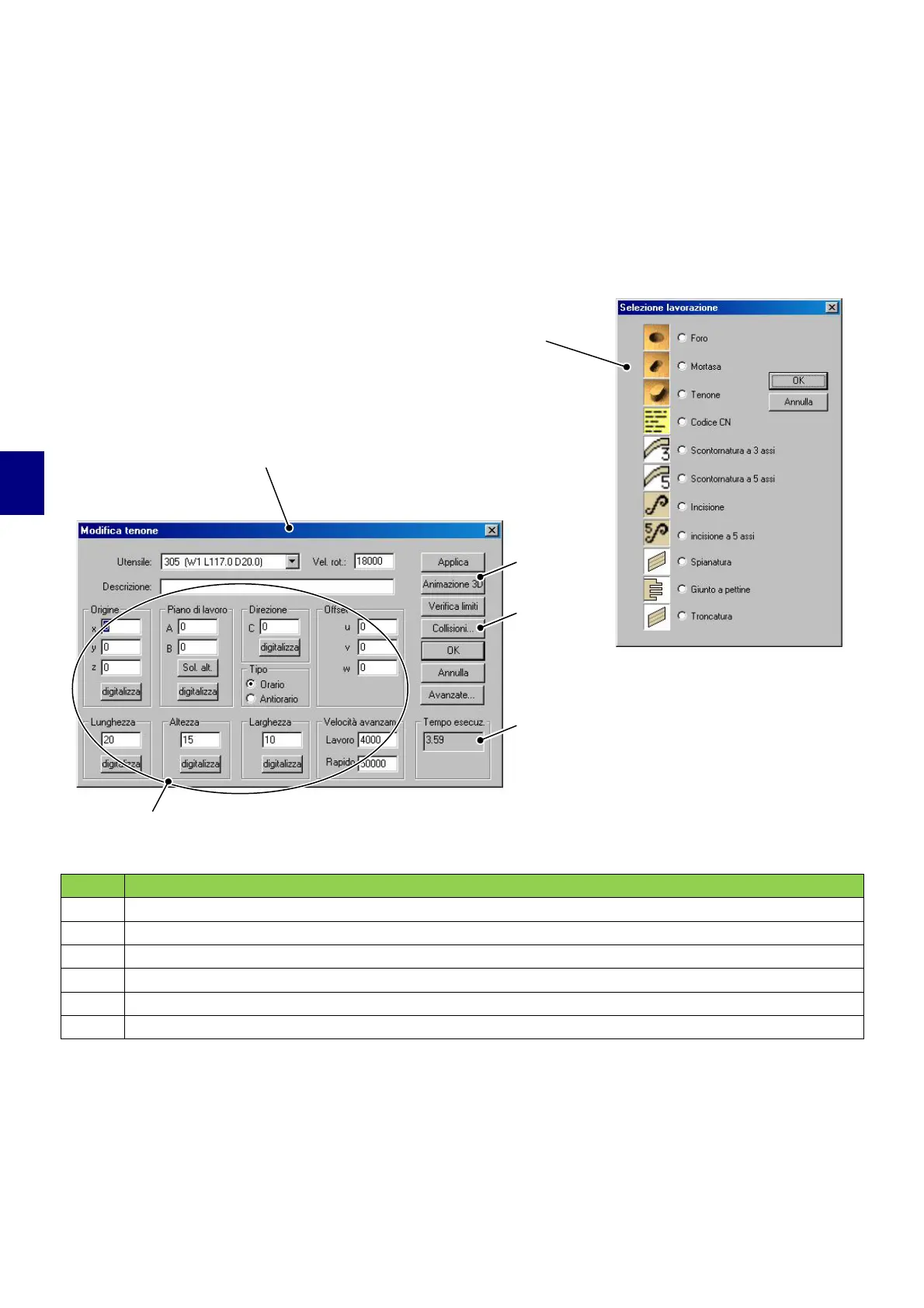
POS. DESCRIPTION
1
Dialogue box to enter machining selection
2
Dialogue box to enter machining
3
Geometric and technological machining data
4
3D animation
5
Automatic collision check
6
Machining time
3
1
5
5
6
2


 To Next Page