CHAPTER 5 – Controls and use
Chap. 5
- 43/48 -
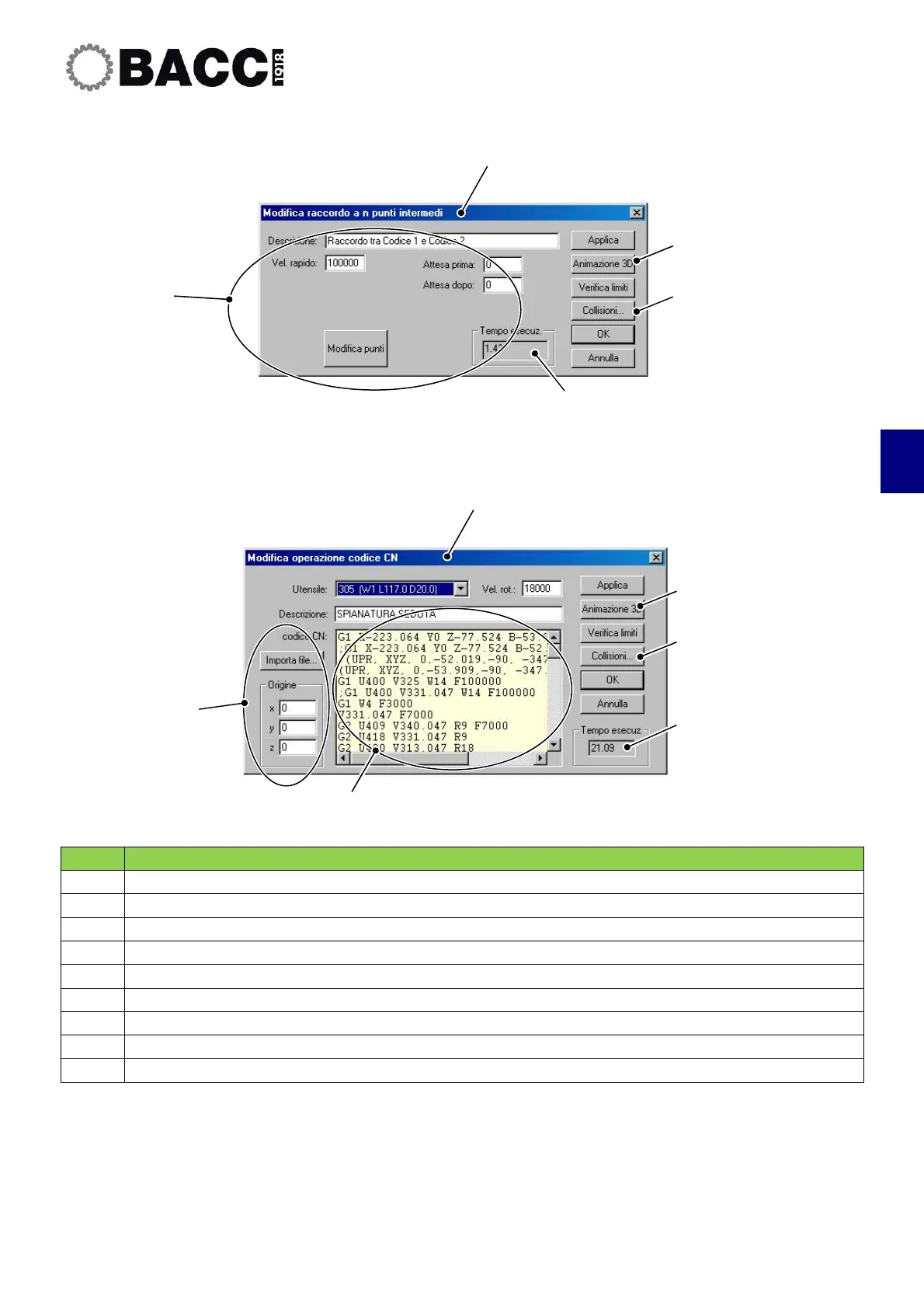
POS. DESCRIPTION
1
Dialogue box to enter rapid coupling
2
Dialogue box to enter the path and rapid feedrate
3
3D animation
4
Automatic collision check
5
Execution time for rapid coupling
6
Dialogue box to enter ISO program
7
File importing
8
CN code entered
9
Machining time
1
2
3
4
5
3
4
6
7
8
9


 To Next Page